Front End or Back End: Where Should You Invest to Speed Up Your Website?
Optimisation
Développement logiciel
Performance
Architecture front-end
To decide between front end and back end, start by finding where your site loses time. A page can wait on server responses, load bloated assets, or stall while rendering. These issues require different investments.
November 10, 2026·10 min read
To decide between front end and back end, start by identifying where your website loses time. A page might wait for a server response, download too many files, or receive its data quickly only to freeze when rendering it. These situations call for completely different investments.
For an SME or a scale-up, the wrong move often means funding a graphical redesign when the database is the real bottleneck, or scaling up server resources when the browser is bogged down running too much JavaScript. The budget gets burned without tackling the root cause.
First, invest in the slowdown measured along a key journey for your business. This could be an acquisition landing page, a quote request form, or a search feature in your customer portal. Here is how to distinguish responsibilities, run a diagnosis, and pick an initial project where you can actually measure the results.
Understanding the Front-End vs. Back-End Trade-Off
The front end is the part of your application that users interact with directly in their browser: content, buttons, forms, and navigation. It relies primarily on HTML, CSS, and JavaScript. Its efficiency dictates rendering speed, interaction responsiveness, and visual stability.
The back end handles requests on the server side. It executes business logic, controls access, queries databases, and communicates with external services via APIs. If generating a quote takes several seconds, it could easily stem from an issue invisible within the user interface.
The boundary doesn't always map onto two distinct applications. With server-side rendering, part of the page is generated before reaching the browser. Full-stack frameworks can combine both responsibilities within the same project without removing their respective constraints.
To explore these foundations further, our definition of front-end architecture explains how the interface is organized, while our guide to back-end architecture breaks down server-side responsibilities. Deciding where to invest then requires observing how they perform together.
Measure the User Journey Before Picking a Project
A front-end vs. back-end audit must be rooted in what your users actually experience—not just in a score obtained on your local workstation. Select a few high-priority journeys and test them on mobile devices, over realistic network conditions, and using accounts with realistic data volumes.
Distinguishing Rendering, Responsiveness, and Stability
The Core Web Vitals introduced by Google provide three complementary benchmarks. The following thresholds represent a good user experience, evaluated at the 75th percentile of visits:
Metric
What it measures
Threshold considered good
LCP
Render time of the main visible element
2.5 seconds or less
INP
Page responsiveness to user interactions
200 milliseconds or less
CLS
Magnitude of unexpected visual layout shifts
0.1 or less
These metrics do not replace business-level measurements. A page might display quickly yet take an eternity to confirm a submitted form. Always measure the end-to-end duration of actions that matter: searching, adding to cart, booking an appointment, or generating a document.
PageSpeed Insights provides a solid starting point. Be sure to differentiate between laboratory tests and real-user monitoring (RUM) data when available. An isolated lab test helps explore a problem; it does not reflect the diversity of real-world visits.
Locating Where Time Is Lost
TTFB (Time to First Byte) helps assess the initial waiting time. However, it encompasses several factors—including network latency and server processing—so it is not a pure back-end metric.
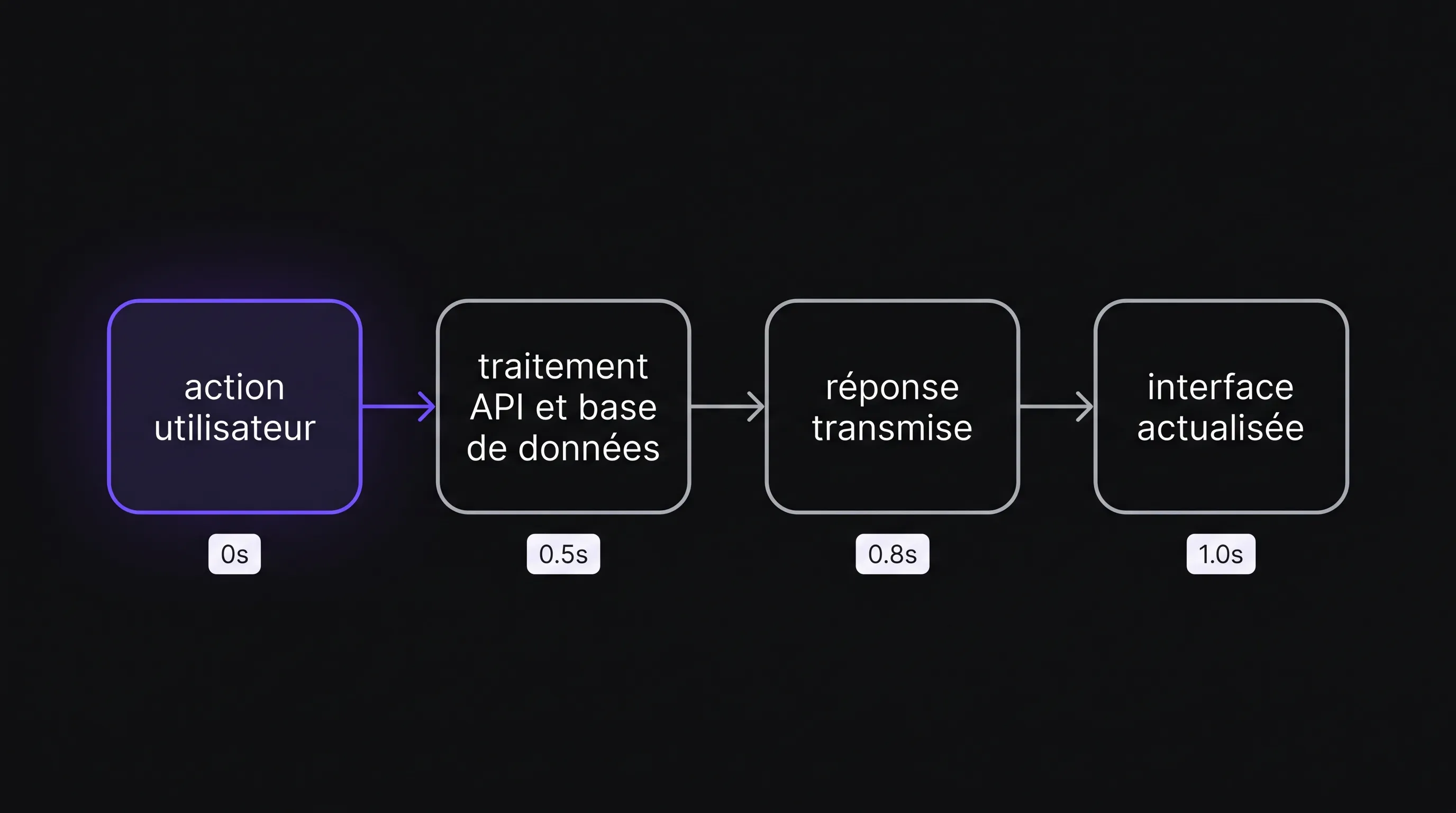
Combine it with browser network waterfalls and server-side tracing. In a front-end vs. back-end audit, you must be able to isolate API wait times, file transfers, and the client-side work required to render the response.
Observed Symptom
First Angle to Investigate
Useful Verification
Content loads quickly, but buttons are unresponsive
JavaScript execution in the browser
Long tasks and interaction latency
The hero image loads late
File size, asset discovery, or resource priority
Loading waterfall and LCP
Search queries take a long time to return results
API, database queries, or external services
Detailed breakdown of server processing time
The site slows down during traffic spikes
Capacity, concurrency limits, or caching
Load testing and infrastructure metrics
These clues guide your investigation, but alone, they do not constitute definitive proof of the root cause.
Invest in the Front End When the Browser Is Overworked
The most telling sign is straightforward: data is already available, yet the user is still waiting. Display can be delayed by oversized assets, heavy JavaScript execution, or an interface that recalculates too many elements at once.
Eliminate Blockers Along the Main Action Path
On an acquisition landing page, start with images, web fonts, and third-party scripts. A decorative video or a bloated stack of tracking tags can easily outweigh the content needed to understand the offer and submit an inquiry.
On a business application, look closely at large data tables, complex components, and computations triggered on every keystroke. Rendering thousands of rows simultaneously is rarely required to get the job done.
The front-end vs. back-end trade-off leans toward the client side when server responses are fast enough, but handling them locks up the browser. Feasible optimizations include code splitting, lazy loading secondary elements, and better media management.
Avoid Rebuilding as an Automatic Reflex
Switching frameworks never guarantees performance gains. React, Vue, or a lighter alternative can deliver either a blazing-fast or a sluggish experience depending on how they are implemented.
Instead, ask for a targeted fix on a representative page, then compare before-and-after metrics. Also verify accessibility: an optimization must never strip form labels, degrade keyboard navigation, or make error feedback impossible to understand.
Invest in the Back End When Responses Arrive Too Late
A lightweight interface cannot compensate for a slow-responding API. The work squarely belongs on the server side when the delay involves searches, calculations, authentication checks, or CRM synchronizations.
Fix Logic and Queries Before Scaling Infrastructure
Investigate repetitive queries, missing database indexes, and oversized payloads. A view that fires off sequential requests for data that could be batched into a single response also multiplies network round trips.
In your front-end vs. back-end budget, prioritize the server if benchmarks demonstrate that most of the wait time occurs before data is received. The analysis must pinpoint the specific process involved rather than settling for a vague diagnosis like "the API is slow."
Caching can prevent recalculating identical results. However, its effectiveness depends on freshness requirements: a public product catalog and a real-time account balance cannot be handled the same way.
Move Long Operations Out of the Critical Path
Heavy exports or document generation should be handled asynchronously in the background. The user receives immediate acknowledgment of the request and accesses the result once it is ready. This approach keeps the interface responsive, though it requires robust error handling and retry mechanisms.
Scaling hosting capacity can make sense when real resource saturation occurs. Do so based on observed load metrics, and never offload security checks to the browser just to shave off milliseconds. Permissions and sensitive validations must always remain enforced on the server.
Allocate Budget Based on Journey Value
The slowest page on your site is not necessarily your top priority. A rarely accessed screen is far less urgent than a slightly delayed checkout form visited daily by high-intent prospects.
Cross-reference three variables: journey frequency, its business value, and the severity of the friction. Factor in the cost of the fix, its uncertainty level, and the risk of regressions.
Connecting Acquisition with On-Site Experience
Segment your observations by landing page, device, and traffic source. First-time mobile visitors do not face the same friction points as repeat desktop customers.
If your SaaS runs LinkedIn campaigns with creators on Naano, cross-reference the clicks and leads attributed to those posts with the performance metrics of the corresponding landing pages. Attribution clarifies traffic origin; it does not automatically prove that page latency drove drop-offs.
This holistic reading prevents funding a broad site-wide overhaul when the friction is concentrated on one specific flow.
Price a Hypothesis, Don't Promise an Outcome
Your front-end vs. back-end budget must be proportional to plausible gains. Consider this illustrative scenario: an e-commerce shop receives 10,000 monthly visits with a 2% conversion rate. Boosting conversion to 2.2% yields 20 additional orders. With a contribution margin of €80 per order, that equates to €1,600 per month.
This calculation is not a forecast. It serves as an explicit baseline to compare against the cost of engineering work. Conversion rates also depend on traffic quality, product offering, and seasonality. Therefore, speed improvements alone never guarantee that uplift.
For internal tools, evaluate ROI in terms of saved time, operational frequency, and error reduction. Shaving a few seconds off a repetitive daily task can easily justify a targeted fix without a full redesign.
Setting Up a Verifiable First Milestone
Require a well-defined scope, a technical hypothesis, and clear success criteria before committing to larger initiatives. A full-stack team can handle both layers, but they must know how to measure each one independently.
Framing the Diagnostic
The initial deliverable must outline the tested journey, measurement conditions, and breakdown of observed latencies. It must also clearly distinguish verified facts from unconfirmed hypotheses.
To frame your front-end vs. back-end investment, ensure the following elements are documented:
Priority journey: A specific user action and its business contribution.
Baseline state: Performance metrics and error rates recorded prior to intervention.
Proposed fix: The root cause addressed, dependencies, and out-of-scope items.
Target validation: Comparable indicators measured post-deployment against an agreed success threshold.
Deployment safeguards: Testing, monitoring, and an explicit rollback plan.
Fix, Then Observe in Production
Focus on changes whose impact can be isolated. If you simultaneously migrate hosting providers, update website copy, and overhaul the entire UI, determining what drove any observed improvement becomes nearly impossible.
Once deployed, monitor real-world performance, error rates, and business conversion flows. For APIs, look at tail latency—such as the 95th percentile—rather than simple averages. Finally, test under realistic concurrent load: a fix that looks great with a single user can degrade quickly when multiple teams work in parallel.
Decisions on further budget allocations should be guided by these findings. You can then choose to scale the optimization, explore another bottleneck, or pause an initiative whose return no longer justifies the cost.
Frequently Asked Questions
Should we start with the front end or the back end? Start by measuring an essential user action. If the delay happens before data is returned, focus on the server and network layers. If data arrives quickly but rendering or interactions freeze, focus on the browser.
Is a full-stack developer enough? A full-stack developer can be a great fit for a manageable scope. On complex front-end vs. back-end challenges, verify specific technical capabilities: browser performance profiling, database query optimization, infrastructure, and load testing. Job titles alone do not guarantee full coverage across these areas.
Does upgraded hosting always speed up a site? No. Upgrading helps if infrastructure resources are genuinely saturated. It will not reduce image sizes, cut down excessive JavaScript execution on mobile devices, or eliminate redundant third-party API calls.
Do we need to switch languages or frameworks? Not without clear evidence that the current stack is the decisive limiting factor. Technical choices depend on the project, in-house expertise, and operational needs. A localized fix is usually far less expensive and carries far lower risk than a full migration.
Plan Your First Investment with Impulse Lab
Before initiating a redesign, compile your priority user journeys, current performance benchmarks, and core business constraints. This is the foundation needed to evaluate front-end vs. back-end investments without jumping prematurely to a technical solution.
Impulse Lab builds bespoke web and AI solutions, integrating smoothly with your existing toolstack and delivering updates on a weekly basis. Share your primary friction point to scope a targeted, low-risk initial improvement, then steer future development using verifiable results.