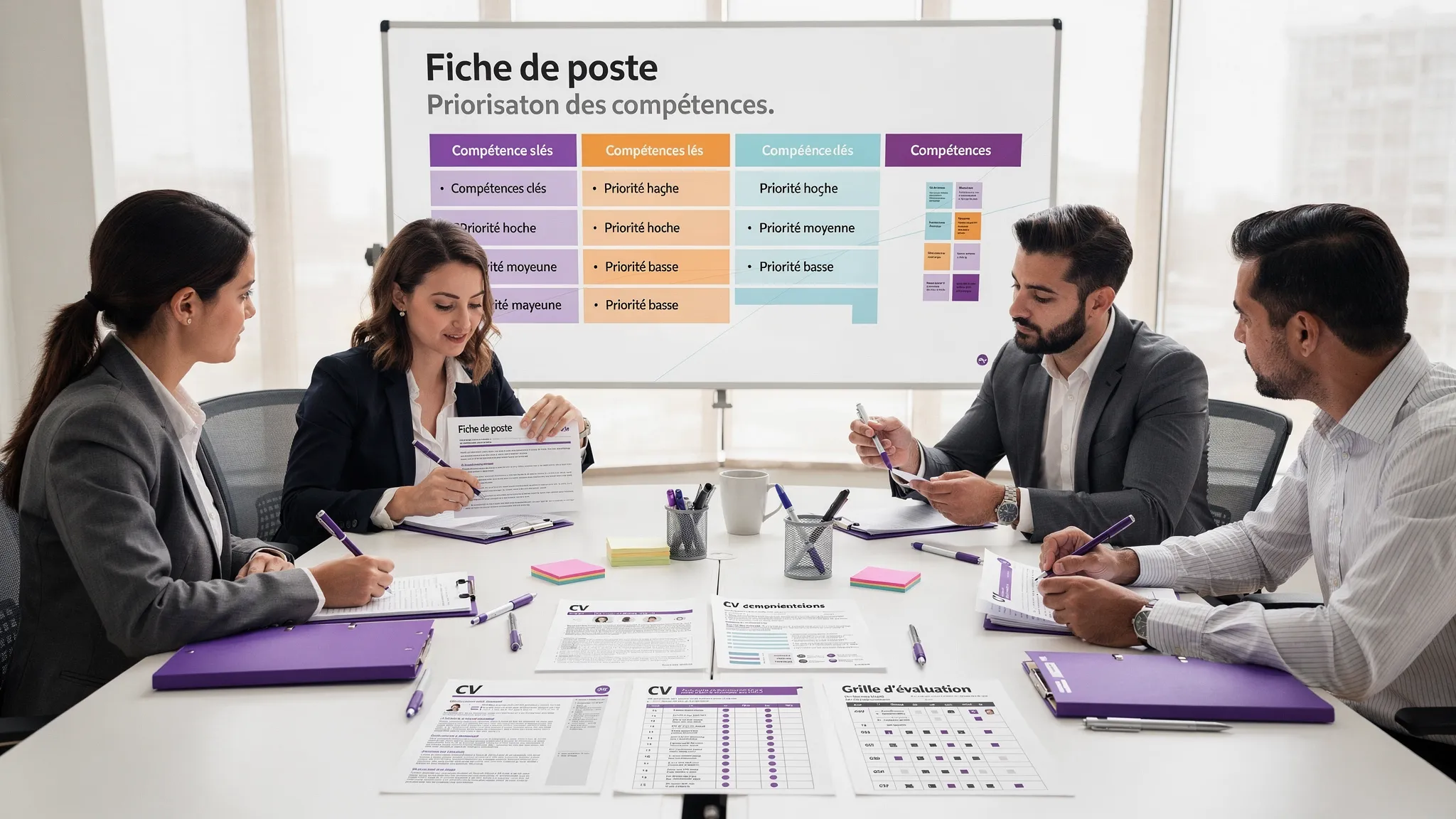
HR AI: 8 Concrete Use Cases to Recruit and Structure
Intelligence artificielle
Stratégie IA
Confidentialité des données
Gouvernance IA
Automatisation
When an SME grows from 20 to 80 employees, or a scale-up recruits for multiple roles simultaneously, HR quickly becomes a bottleneck. Job descriptions are rushed, managers evaluate candidates differently, and onboarding relies on the availability of a few key people.
When an SME grows from 20 to 80 employees, or a scale-up recruits for multiple roles simultaneously, HR quickly becomes a bottleneck. Job descriptions are written in a rush, managers evaluate candidates differently, onboarding depends on the availability of a few key people, and HR information is scattered across the ATS, internal documents, Slack, Notion, Google Drive, or the HRIS.
HR AI is not meant to replace human judgment. Its value is more concrete: standardizing practices, accelerating repetitive tasks, making decisions more traceable, and helping the company structure its organization during growth.
In an HR context, caution is essential. Data is personal, decisions can have a strong impact on individuals, and certain systems used for recruitment or worker management fall into the high-risk category of the European AI Act. The right goal is therefore not to automate blindly, but to create integrated, measured, and supervised assistants.
Before the Use Cases: What HR AI Needs to Frame
A successful HR AI initiative rarely starts with choosing a tool. It begins with a clear workflow: who does what, with what data, based on what criteria, and with what human validation.
In practice, AI can easily help write a job ad, summarize a resume, prepare an interview grid, or answer onboarding questions. However, it must not decide alone that a candidate is rejected, infer sensitive characteristics, or produce opaque evaluations that are impossible to challenge.
Before deploying an HR use case, establish four simple rules:
Explicit criteria before AI: skills, expected levels, and evaluation criteria must be written down before asking AI to analyze applications.
Human decision-maker: AI assists, summarizes, ranks, or suggests, but the final decision remains with an identified recruiter or manager.
Minimized data: only the information necessary for the use case should be processed, in accordance with the principles recalled by the CNIL on artificial intelligence.
Traceability: prompts, versions, criteria, outputs, and decisions must be auditable, especially for uses related to recruitment, mobility, or performance.
If you have already launched several scattered experiments, an enterprise AI audit often helps prioritize the right use cases and avoid appealing but risky projects.
Overview: 8 High-Leverage HR AI Use Cases
Here is a summary of the most useful use cases to recruit faster and structure a growing team.
HR AI Use Case
HR Cycle Stage
Main Benefit
KPIs to Track
Vigilance
Job descriptions and skills grids
Pre-recruitment
Manager-HR alignment
Time to publish, application quality
Non-discriminatory criteria
Sourcing and personalized messages
Candidate acquisition
More qualified responses
Response rate, interview rate
Public data and consent
Assisted pre-qualification
Application screening
Reduced shortlist time
Processing time, false negative rate
Mandatory human supervision
Candidate scheduling and communication
Recruitment process
Smoother experience
Time-to-interview, no-show rate
Tone, transparency, ATS updates
Structured interviews
Evaluation
Fairer comparison
Completed grids rate
No opaque personality scoring
Assisted onboarding
Employee arrival
1. Create Clearer Job Descriptions and Skills Grids
The first HR AI use case is also one of the least risky: helping teams transform a vague need into an actionable job description.
In many growing companies, the recruitment brief looks like an accumulation of desires: senior profile, autonomous, good communicator, comfortable with tools, able to scale. AI can help clarify this need by separating missions, essential skills, learnable skills, seniority criteria, and evaluation signals.
Concretely, a recruiter can provide the AI with the company context, the responsibilities of the role, the 6-month goals, location constraints, and expected skills. The AI then produces a more readable job ad, a skills grid, and a first draft of screening questions.
The real benefit is not just editorial. It comes from the alignment between HR and managers before publication. A good grid prevents changing criteria along the way, reduces subjective debates, and improves the quality of received applications.
To measure: time between opening the need and publication, rate of relevant applications, number of back-and-forths between HR and manager, rate of candidates rejected due to poor job framing.
2. Accelerate Sourcing Without Industrializing Spam
AI can help identify profiles, rephrase search queries, analyze public signals, and write personalized outreach messages. For an SME that doesn't have a full talent acquisition team, this is a significant lever.
The trap is using AI to send hundreds of generic messages. This damages the employer brand and increases noise. The right approach is more qualitative: AI helps the recruiter understand why a profile seems relevant and draft a contextualized message.
Example: instead of a standard message, AI can generate three outreach angles based on the candidate's background, the type of mission offered, and publicly visible elements. The recruiter then validates the message, removes unverified assumptions, and sends it from their usual tool.
The rule is simple: AI can improve sourcing relevance, but must not invent information about the person or deduce sensitive characteristics. The data used must be lawful, relevant, and limited to the recruitment need.
To measure: response rate, interview conversion rate, unsubscribe or negative response rate, profile quality after the first exchange.
3. Pre-qualify Applications with Human Supervision
Resume screening is often the most cited task when talking about HR AI. It is also one of the most sensitive.
A reasonable approach is to ask AI to summarize an application's information according to a predefined grid: relevant experience, declared skills, missing elements, questions to ask, points to verify. The AI does not reject the candidate. It prepares a faster and more consistent reading for the human.
To avoid biases, the grid must be written before processing applications. It must focus on requirements genuinely related to the job. The company should also plan regular sampling of decisions to ensure relevant profiles are not wrongly discarded.
In some contexts, it can be useful to mask information unnecessary for the initial analysis, such as age, photo, or full address, if these elements are not useful for evaluating skills. This doesn't solve all biases but reduces certain distracting signals.
To measure: average processing time per application, shortlist delay, rate of candidates recovered after human review, correlation between pre-selection and interview performance.
For sensitive use cases, rely on a control approach similar to the one described in our guide on enterprise AI risks.
4. Automate Candidate Scheduling and Communication
Not all HR AI use cases are related to evaluation. Some quick wins come from administrative tasks: proposing time slots, following up with a candidate, notifying a manager, updating a status in the ATS, generating a clear follow-up email.
Here, AI often works with standard automations. A form, a calendar, an ATS, and a few business rules are enough to create a much smoother process. AI steps in to adapt the tone, summarize the interview context, or produce personalized messages from validated templates.
This use case directly improves the candidate experience. A good profile can lose trust if the company takes a week to propose a time slot or if messages are contradictory. Conversely, fast, consistent, and transparent communication strengthens the employer brand, even when the answer is negative.
To measure: time between application and first interview, no-show rate, HR administrative time, candidate satisfaction, number of coordination errors.
5. Structure Interviews with Assisted Guides and Reports
Unstructured interviews often produce decisions that are hard to compare. One manager focuses on culture, another on technical skills, a third on gut feeling. AI can help standardize the process without making it robotic.
Before the interview, it can generate a guide tailored to the role: behavioral questions, technical questions, practical cases, expected signals, and evaluation criteria. After the interview, it can transform raw notes into a structured report, distinguishing observed facts, hypotheses, and points to verify.
This is particularly useful when multiple managers are involved. Everyone evaluates on the same basis, feedback is more comprehensive, and the final decision becomes easier to explain.
The limitation is important: avoid tools that claim to detect personality, motivation, or sincerity from a video, voice, or face. These uses are sensitive, contested, and can create major legal and ethical risks.
To measure: completed grids rate, feedback delay after interview, consistency of evaluations between interviewers, offer acceptance rate.
6. Accelerate Onboarding with an Internal Knowledge Assistant
A company that recruits fast must integrate fast. Without a system, newcomers ask the same questions, always solicit the same people, and take too long to understand tools, rituals, rules, and responsibilities.
An AI onboarding assistant can answer frequent questions using internal sources: HR manual, leave policies, product documentation, org chart, IT procedures, sales playbooks, document templates. To be reliable, this assistant must be connected to a controlled knowledge base, not a vague memory.
This is typically a use case where RAG is relevant. The AI doesn't just answer with its general knowledge. It retrieves relevant passages from your sources of truth, cites documents, and indicates when it doesn't know.
The benefit is twofold: new employees gain autonomy, and the HR team identifies weak documentation areas through recurring questions.
To measure: time to autonomy in the role, volume of repetitive questions, onboarding satisfaction rate, integration path completion rate.
7. Map Skills to Better Structure the Organization
As the company grows, the question is no longer just who to recruit. It becomes: what skills do we have, which ones are missing, what roles need to be clarified, which people can evolve internally?
AI can help build a skills map from existing sources: job descriptions, completed missions, training taken, annual reviews, goals, delivered projects. It can propose groupings, detect adjacent skills, and identify gaps by team.
But this mapping must remain collaborative. An employee or manager must be able to correct, validate, or challenge the information. AI can suggest a structure, not lock people into definitive labels.
This use case is very useful for scale-ups creating seniority levels, career paths, or training plans. It allows moving from an organization based on founders' memory to a more explicit organization.
To measure: percentage of documented roles, critical skills coverage, internal mobility, identified training needs, reduction in open recruitments due to lack of internal visibility.
8. Automate HR Operations and Make Reporting Reliable
Finally, HR AI can help structure daily operations: generating procedures, preparing documents, classifying HR requests, routing to the right person, summarizing feedback, headcount reporting, tracking post-interview actions, preparing team reviews.
Most often, the value comes from integration with existing tools. If the AI produces a summary but the HR person has to copy-paste it into three systems, the benefit disappears. If the automation updates the ATS, notifies the manager, and logs the action, the process becomes truly more robust.
For SMEs and scale-ups, a good initial scope is to automate frequent and low-risk requests: certificates, arrival procedures, manager checklists, deadline reminders, aggregated summaries of an internal survey. Sensitive individual decisions must remain supervised and justified.
To measure: administrative time saved, HR request processing time, data error rate, reporting completeness, manager satisfaction.
To frame this type of automation, our guide on artificial intelligence and automation offers a useful method to choose between classic rules, copilot, and actionable agent.
What Data to Connect for a Useful HR AI?
An HR AI isolated in a chat interface remains limited. To create value, it must be connected to the right sources, with strict access rights.
The most common sources are the ATS for applications, the HRIS for employee data, calendars for scheduling, document tools for internal policies, and collaborative tools for notifications and workflows.
Data must be classified before any integration. A simple classification is enough to start.
Data Type
Examples
Rule of Thumb
Green
Public job descriptions, generic processes, email templates
Health, religion, union, disciplinary data, unnecessary information
To be excluded unless strict legal framework and proven need
This classification prevents shadow AI, i.e., the uncontrolled use of AI tools by teams. It also facilitates the training of managers and recruiters. On this point, operational AI training is often as important as the technology itself.
Build, Buy, or Assemble: Which Approach to Choose?
Not all companies need to develop a custom HR AI platform. The right choice depends on the risk, integrations, and the level of differentiation sought.
Approach
When to choose it
Example
Limitation
Buy an HR tool with AI
Standard need, low customization
ATS with writing assistance or scheduling
Inflexible, vendor lock-in
Assemble via automation
Clear business need, tools already in place
ATS + calendar + knowledge base + AI
Requires good workflow governance
Develop custom
Specific process, strong integration, sensitive data
Internal HR assistant connected to rights and documents
Requires scoping, maintenance, and measurement
For many SMEs, the best approach is hybrid: buy what is standard, automate repetitive workflows, and develop custom only where the process creates an advantage or requires strong data control.
If you hesitate between these options, start with an AI use contract: job to be done, frequency, data, expected output, safeguards, KPIs, and acceptable cost.
Deploy a First HR AI Pilot in 30 Days
An HR AI pilot doesn't need to cover the entire employee lifecycle. It must prove measurable value on a narrow scope.
Period
Objective
Deliverable
Success Criterion
Days 1 to 5
Choose the use case
Scoping document, KPIs, authorized data
Frequent and measurable problem
Days 6 to 10
Prepare sources
Grid, documents, access rules
Reliable sources and identified owners
Days 11 to 20
Build the prototype
Integrated or semi-integrated AI workflow
Outputs tested on anonymized real cases
Days 21 to 30
Pilot with users
Measurement, feedback, go/no-go
Demonstrated gain without excessive risk
A good first pilot can be the generation of job descriptions and interview grids, the onboarding assistant, or the automation of candidate scheduling. These cases are visible, frequent, and easier to secure than automated recruitment decisions.
The decision to scale must be based on three elements: a measured operational gain, acceptable quality on real cases, and sufficient safeguards for data and compliance.
HR AI FAQ
Can AI be used to screen resumes in France? Yes, but with caution. AI can help summarize and compare applications based on explicit criteria. It must not reject candidates on its own without human supervision, traceability, and bias control.
What is the best first HR AI use case for an SME? The best first cases are often drafting job descriptions, interview grids, candidate scheduling, or the onboarding assistant. They are frequent, measurable, and less risky than decision automation.
Is HR AI GDPR compliant? It can be if the purpose is clear, data is minimized, access is controlled, retention periods are defined, and data subjects are provided with the necessary information. Compliance depends mostly on architecture and governance.
Should AI be connected to the HRIS and ATS? To create a real gain, yes, but gradually. Start with a limited scope, strict access rights, and logs. An unintegrated AI often produces copy-pasting, while a well-integrated AI truly improves the workflow.
How to avoid biases in HR AI use cases? Write the criteria before the analysis, limit unnecessary data, test outputs on real cases, keep human validation, and regularly audit decisions. AI does not eliminate biases; it can amplify them if the process is poorly designed.
Moving from an HR AI Idea to a Measurable Pilot
HR AI can become a real lever for recruitment and structuring if it is thought of as a business system, not just a simple chatbot. The priorities are clear: frame the workflow, connect the right sources, secure the data, measure KPIs, and train the teams.
Impulse Lab supports SMEs and scale-ups through these steps: AI opportunity audits, process automation, integration with your existing tools, development of custom web and AI platforms, and training teams for adoption.
If you want to identify the 2 or 3 most profitable HR use cases for your organization, contact Impulse Lab to frame a concrete, measurable, and secure HR AI pilot.
Training managers to **validate AI outputs** is not about spotting text that "sounds off." An answer can be clear and persuasive yet contain errors or false promises. Here is how to build practical validation skills.