Internal Communication Tools: How to Choose Without Piling Up
Stratégie d'entreprise
Productivité
Optimisation
Communication interne
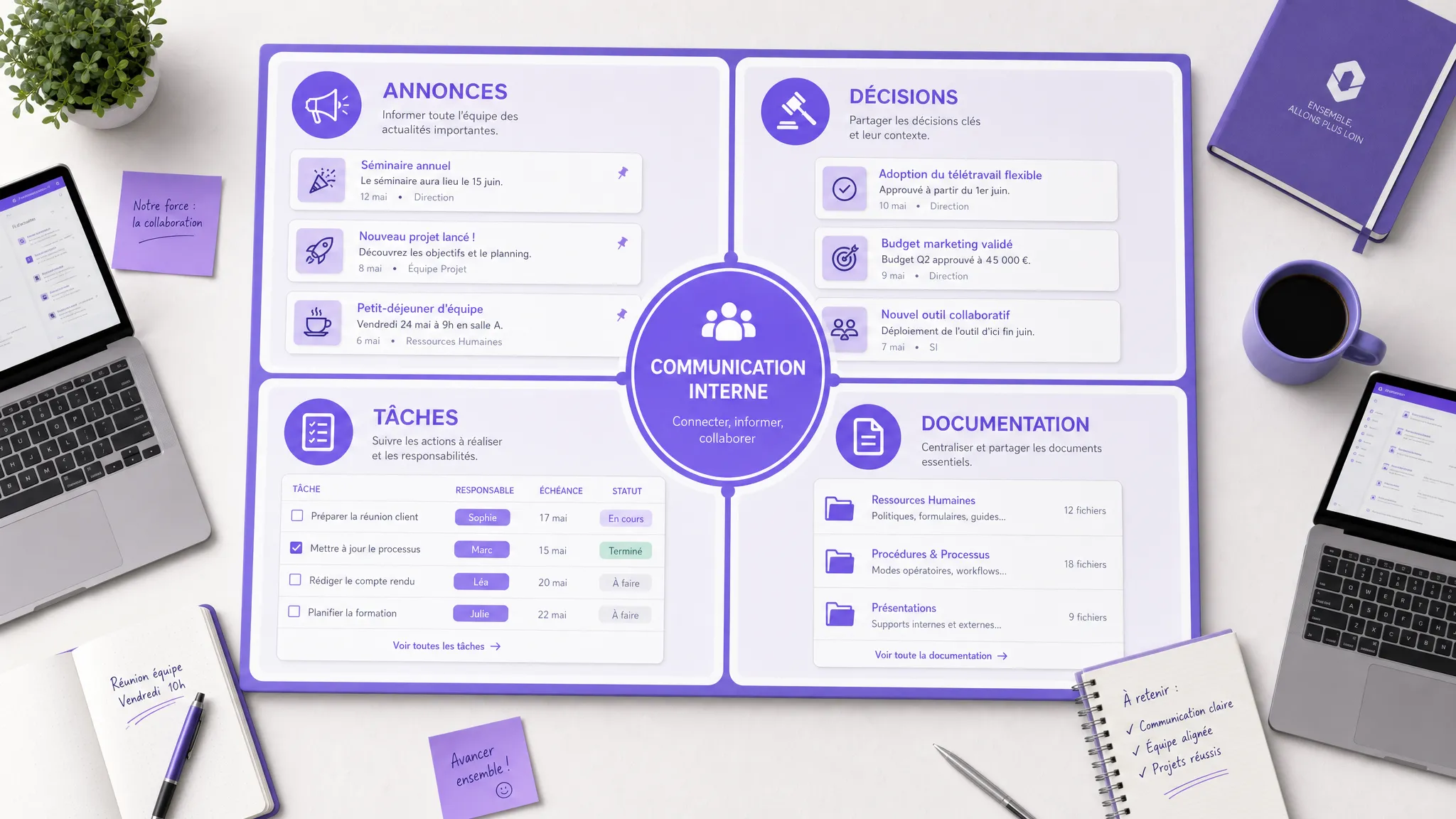
When a team grows from 10 to 30, then 30 to 100 people, internal communication rarely goes bad overnight. It fragments. An announcement goes out by email, a decision stays in Slack or Teams, a document lives in Notion, a task is created in ClickUp, then someone follows up...
June 03, 2026·12 min read
When a team grows from 10 to 30, then from 30 to 100 people, internal communication rarely goes bad overnight. It fragments. An announcement goes out by email, a decision stays in Slack or Teams, a document lives in Notion, a task is created in ClickUp, and then someone follows up in a private channel because they couldn't find the information.
The problem is therefore not finding the absolute best internal communication tool. The real issue is choosing a simple, readable, and integrated system that avoids adding a layer of noise to an already confusing stack.
For an SME or a scaling scale-up, the right question is: which tool should handle which use case, and what should we stop doing elsewhere?
The real problem: too many tools, not enough rules
Stacking tools often gives the illusion of structuring. In reality, it can create the opposite effect: more notifications, more duplicates, more searching, more uncertainty about where the right information is located.
Collaborative tools create value when they truly change workflows, not when they are superimposed on existing habits. This is one of the lessons highlighted by McKinsey's work on social technologies in business: the potential comes mainly from better information flow and reducing time wasted searching, not from simply deploying a new application.
In practice, the symptoms are easy to recognize.
Symptom
Probable cause
What needs to be fixed
Teams ask for the same information multiple times
No clear source of truth
Define where official information lives
Decisions are impossible to find
Too many decisions made in chat
Document decisions in the project tool or knowledge base
Everyone complains about notifications
Channels are used for everything
Separate emergencies, discussions, announcements, and documentation
Newcomers rely too much on veterans
Oral or scattered knowledge
Structure onboarding and an internal base
Managers duplicate messages via email and chat
Lack of trust in channels
Clarify usage rules per channel
A good tool does not compensate for vague governance. Before choosing a solution, you must therefore clarify the use cases.
Start with use cases, not logos
Most comparisons start with tool names: Slack, Teams, Notion, Confluence, Workplace, ClickUp, Monday, Asana, SharePoint. This is useful, but insufficient. Two companies can use the same tool with opposite results depending on their internal rules.
Before selecting a solution, distinguish four main use cases.
Informing consists of broadcasting an official announcement: organizational change, quarterly goal, HR note, company news. Here, the need is clarity, visibility, and sometimes read receipts.
Discussing covers quick questions, daily coordination, team discussions. The need is fluidity, but also noise control.
Deciding implies a trail: who decided what, when, with what elements. An important decision should not remain solely in a discussion thread.
Capitalizing means transforming information into reusable knowledge: processes, internal FAQs, product documentation, sales playbooks, HR policies, support procedures.
Posting in a general discussion channel where the message gets lost
Quick question
Team chat
Creating a document for every micro-question
Project decision
Project tool, meeting minutes, decision page
Leaving the decision in an unindexed thread
Task to do
Project management or ticketing tool
Requesting action only in an instant message
Reusable procedure
Knowledge base
Repeating the explanation verbally or in a private message
Operational emergency
Dedicated channel, phone if necessary, post-mortem afterwards
Mixing emergencies with general discussion
This step alone is often enough to reduce perceived confusion by 30 to 50%, even without changing tools.
The main families of internal communication tools
An internal communication tool is not always a chat tool. Depending on your maturity, your team, and your workflows, the main solution can be a collaborative suite, a knowledge base, an intranet, a project tool, or an internal portal.
Does not replace announcements or internal culture
HR or employee experience platform
Lucca, Personio, Workday, engagement tools
HR policies, time off, surveys, employee journey
Poorly suited for daily business exchanges
Custom internal portal
Custom development, connected web portal
Complex internal workflows, business integrations, unified access
Requires product scoping and a maintenance budget
SaaS solutions are often the best starting point because they are quick to deploy and cover standard needs. But when a company starts accumulating tools without consistency, the issue becomes less about software choice and more about internal system architecture.
This is where a web platform or a connected internal portal can become relevant, not to replace all tools, but to unify access, data, and critical workflows.
The anti-stacking rule: one main role per tool
To avoid accumulation, enforce a simple rule: each tool must have a main role, understood by everyone.
If Slack or Teams is the place for quick discussions, it must not become the document base. If Notion or Confluence is the source of truth, important decisions must be summarized there. If Asana, Jira, or ClickUp handles tasks, action requests must end up there, even if they originate in chat.
The goal is not to eliminate all duplicates. A message can be announced in a channel, then documented elsewhere. But you must know which version is authoritative.
Type of information
Where it can originate
Where it should live
Short question
Chat
Chat, unless it becomes recurring
Answer useful to multiple teams
Chat, meeting, email
Knowledge base
Project decision
Meeting, chat, comment
Project tool or decision page
Action to track
Chat, email, meeting
Task or ticketing tool
Management announcement
Meeting, email
Official channel or intranet
Internal process
Discussion, workshop, document
Validated knowledge base
This distinction seems basic, but it changes everything. Teams stop searching in five places. Managers stop following up everywhere. Newcomers understand how to work faster.
The selection criteria that really matter
To choose a tool without stacking, don't start with a feature list. Start with criteria that determine actual use on the ground.
Criterion
Question to ask
Why it's decisive
Adoption
Will teams naturally use it every day?
A perfect but ignored tool structures nothing
Simplicity
Can its usage rules be explained on one page?
If the system is too complex, everyone invents their own habits
Integrations
Does it connect to the calendar, CRM, support, HR, SSO?
The tool must reduce friction, not create a new island
Search
Can you quickly find a decision, document, or procedure?
Internal communication is also about avoiding asking again
Notifications
Can alerts be controlled by role, team, urgency?
Too much noise kills attention
Access rights
Can teams, projects, and sensitive data be managed cleanly?
Growth quickly creates confidentiality needs
Governance
Who validates, archives, updates, and deletes?
Without ownership, the base becomes obsolete
Automation
Can simple workflows be created without fragile workarounds?
Reminders, routing, and syncing prevent many follow-ups
Security and compliance must also be integrated from the start. As soon as a tool processes personal data—employees, clients, or candidates—GDPR principles apply. The CNIL recalls the main principles of the GDPR, notably data minimization, transparency, retention periods, and security.
Simply put: don't just choose the most pleasant tool. Choose the one that integrates cleanly with your organization and your obligations.
SaaS, assembly, or custom: how to decide?
For an SME or scale-up, three approaches are possible.
Standard SaaS is suitable if your needs are classic: internal chat, lightweight intranet, documentation, task management, HR announcements. It allows you to start quickly, with predictable costs and little development. It is often the right choice if you don't yet have highly specific processes.
Assembly consists of connecting several existing building blocks: messaging, knowledge base, CRM, support tool, HR tool, automation. This is relevant when your teams already use good tools, but information flows poorly between them. For example, a strategic client request can trigger an internal notification, create a task, enrich the CRM, and feed into a weekly report.
Custom becomes interesting when your internal communication is tied to differentiating business workflows: multi-team validation, employee portal, partner portal, operational cockpit, fine-grained access management, internal data consolidation, specific automations. In this case, the challenge is no longer just talking, but acting through a common interface.
If you are hesitating between these options, the detailed grid in our guide SaaS, assembly, and custom can serve as a decision base. And if you are considering custom development, also think about the total cost of ownership, covered in our article on the hidden costs of custom software development.
Where AI can help without adding yet another tool
AI can improve internal communication, but it can also worsen stacking if it arrives as an unmanaged additional channel.
Useful cases are often those where AI remains integrated into existing tools: automatic meeting summaries, thread synthesis, semantic search in documentation, internal assistant connected to procedures, intelligent request routing, generating announcement drafts or meeting minutes.
The key point is the source of truth. An internal AI assistant is only reliable if it answers from validated, up-to-date documents accessible according to user rights. This is precisely the role of approaches like RAG, which connect a model to a document base rather than letting it answer solely from its general knowledge.
Before adding an AI assistant, check four prerequisites:
Your important documents are centralized and maintained.
Access rights are clear by team and by role.
Answers can cite their sources.
Users know when to verify or escalate.
Without this, AI becomes just another tool. With this, it can become an intelligent access layer to your internal communication.
30-day plan to rationalize your stack
You don't need a massive transformation project to get back on track. One month is enough to reduce confusion and prepare for a more rational tool choice.
Period
Objective
Concrete deliverable
Week 1
Map the existing setup
List of tools, channels, use cases, duplicates, and pain points
Week 2
Clarify the rules
"Where information originates, where it lives" matrix
Week 3
Decide the target
Tools to keep, tools to remove, priority integrations
Week 4
Pilot with one team
Tested rules, user feedback, adjustments before deployment
During this period, measure few things, but measure useful things. For example: average time to find a procedure, number of active channels per team, read rate of important announcements, number of documented decisions, volume of manual follow-ups.
These indicators prevent managing by intuition. They also show whether your problem comes from a bad tool, a lack of integration, or simply non-existent rules.
Quick scorecard to choose without stacking
Before signing a new subscription, assign a score from 1 to 5 to each criterion. If the tool gets a bad score on integrations, governance, or adoption, it risks adding complexity instead of removing it.
Criterion
Score 1
Score 5
Clarity of use
No one knows exactly what it's for
Its role is obvious and documented
Adoption
Forced or marginal use
Natural daily use
Integration
Isolated tool
Connected to key existing tools
Governance
No owner or rules
Ownership, archiving, and updates defined
Search
Information hard to find
Fast, reliable, and structured search
Security
Vague rights, little control
Access, logs, and data policies controlled
Total cost
True price hard to anticipate
Licenses, run, and integrations estimated
Reversibility
Data hard to export
Export and migration possible
A pragmatic rule: if your new tool replaces nothing, simplifies no workflow, and doesn't integrate into your stack, it's probably one too many.
Frequently Asked Questions
What is the best internal communication tool for an SME? There is no universal best tool. For a small team, a collaborative suite and a well-framed chat can suffice. As the company grows, a knowledge base or intranet often becomes necessary to prevent information from getting stuck in conversations.
Should we keep email for internal communication? Yes, but not for everything. Email remains useful for formal announcements, external communications, and certain HR messages. However, it is poorly suited for daily coordination, project decisions, and long-term documentation.
Can Slack or Teams replace an intranet? They can broadcast information quickly, but they rarely replace a true source of truth. Chats are excellent for discussion, less so for capitalization. An important decision or procedure must be documented in a more structured space.
When should we consider a custom internal portal? A custom portal becomes relevant if your internal processes cross multiple tools, involve complex rights, or require specific workflows that standard SaaS solutions cover poorly. The goal should be to simplify a critical process, not to recreate a generic intranet.
How do we prevent teams from returning to their old tools? You must limit the change to a few simple rules, train managers, show concrete gains, and gradually eliminate duplicates. If the old channel remains tolerated for the same use case, adoption of the new one will remain fragile.
Need to choose or rationalize your internal tools?
The right internal communication tool is not the one that adds the most features. It's the one that clarifies responsibilities, reduces duplicates, integrates with your workflows, and helps your teams find information effortlessly.
Impulse Lab supports SMEs and scale-ups in auditing their tools, identifying automation opportunities, integrating with existing systems, and developing custom web or AI platforms when SaaS is no longer enough.
If your internal communication already relies on too many tools, start with a short diagnosis: which channels to keep, which rules to set, which integrations to create, and which use cases to automate. Contact Impulse Lab to transform your internal stack into a simpler, more reliable, and truly adopted system.
From Sketch to Prototype with Artificial Intelligence
Turn paper sketches into functional web prototypes using AI. Test ideas, validate user journeys, and clarify business rules before writing production code.