Making a Website Accessible with Artificial Intelligence
Intelligence artificielle
Stratégie d'entreprise
Audit IA
Automatisation
Searching for "AI website" often leads to site builders. But making a site accessible means removing real barriers for all users. Discover how to leverage AI to identify issues and draft fixes while relying on human verification.
October 20, 2026·10 min read
Searching for "AI website" often leads to page builders or virtual assistants. But making a website accessible requires something else: removing barriers that prevent someone from reading content, navigating with a keyboard, or completing an order. AI can speed up this work, but cannot guarantee the result on its own.
For an SME or a growing business, the right approach involves using AI to identify issues and prepare fixes, then verifying actual user journeys. Here is how to structure this effort without confusing automation, usability, and compliance.
An accessible website lets users complete a task without obstacles
Digital accessibility primarily concerns people with visual, auditory, motor, or cognitive disabilities. It depends on the content, the code, and the behavior of the interface—not just its visual appearance.
A button can be perfectly visible yet unusable with a keyboard. A form might look straightforward while remaining incomprehensible to a screen reader. A video may contain all the necessary explanations, but exclude deaf individuals if it lacks appropriate captions.
Start with the tasks essential to your customers. On an e-commerce site, this means searching for a product, selecting a variant, and checking out. For a service company, it means understanding the offering, requesting a quote, or booking an appointment.
This prioritization prevents spending the entire budget on secondary details while a contact form remains a blocker. It doesn't excuse neglecting the rest of the site, but it provides a practical roadmap.
"AI website": which tasks should you delegate to AI?
A distinction must be made between traditional automated checks and generative models. Tools like axe-core or Lighthouse's accessibility audit apply technical rules. A generative model can then explain certain findings, suggest a fix, or draft alternative content.
These approaches complement each other, but neither is sufficient on its own to evaluate overall accessibility.
Need
Potential AI contribution
Necessary human verification
Informative images
Suggest text alternatives
Verify meaning within the page context
Video and audio content
Generate transcripts and draft subtitles
Correct errors, timing, and meaningful sound cues
Forms and components
Suggest code fixes
Test keyboard interaction, screen reader announcements, and errors
Complex content
Prepare a clearer version
Preserve essential meaning, terms, and conditions
Preparing alternatives for images and videos
Artificial intelligence can help your site provide alternative content, provided its purpose is clearly understood.
For a product photo, a helpful description might focus on color, shape, or a detail required to make a choice. For an image acting as a link, the alternative text must primarily convey the destination or action. A purely decorative image should generally be hidden from assistive technologies, such as by using an empty alt="" attribute on an appropriate HTML image element.
Indiscriminately generating descriptions for every image risks adding noise rather than meaningful information.
For video, automated transcription provides a first draft. Names, industry-specific terminology, speaker changes, and non-speech sounds necessary for comprehension still need to be verified. If critical information is presented only visually on screen, captions alone are not enough to convey it to people who cannot see it.
Assisting developers with component fixes
A coding assistant can suggest form labels, restructure headings, or replace non-semantic clickable elements with native buttons. It can also help write regression tests.
The prompt must describe the expected behavior, rather than simply asking to "make the code accessible." For a modal dialog, for instance, specify trigger conditions, focus management, keyboard closing, and returning focus to the triggering element.
On your website, AI should generate a proposal that the team can review, not a direct modification published without oversight. Adding ARIA attributes can be incorrect or redundant. It does not replace proper HTML semantics or functional keyboard interactions.
The best level to fix an issue is often at the shared component level: repairing a form field in your design system can resolve the same bug across dozens of pages.
Clarifying text without losing essential information
AI can rephrase overly long instructions, expand acronyms, or propose more explicit error messages. "Enter a date formatted as DD/MM/YYYY" is far more helpful than "Invalid value."
It can also prepare a simplified version of a dense page. Proofreading must ensure that restrictions, deadlines, and contractual conditions remain intact. A shorter phrasing is not necessarily clearer if it removes essential nuances.
Avoid presenting automatically rephrased content as officially validated Easy Read (FALC) material. True Easy Read follows a standardized methodology and validation process involving the individuals concerned.
Accessibility widgets do not replace website fixes
A personalization overlay or widget may offer useful adjustments for some visitors. However, increasing text size or tweaking colors will not fix an illogical reading order, a button lacking an accessible name, or a checkout flow that cannot be operated via keyboard.
An installed tool is not proof of compliance. Likewise, a high score in an automated test does not prove that all user journeys are usable.
Adding artificial intelligence to a website should not create an extra hurdle. While a chatbot can help users find information, it should never become the only workaround for an inaccessible navigation system. The chatbot itself must be fully usable with a keyboard and assistive technologies.
Ask your vendor what their solution genuinely fixes, what it only detects, and what still needs to be resolved directly in your source code.
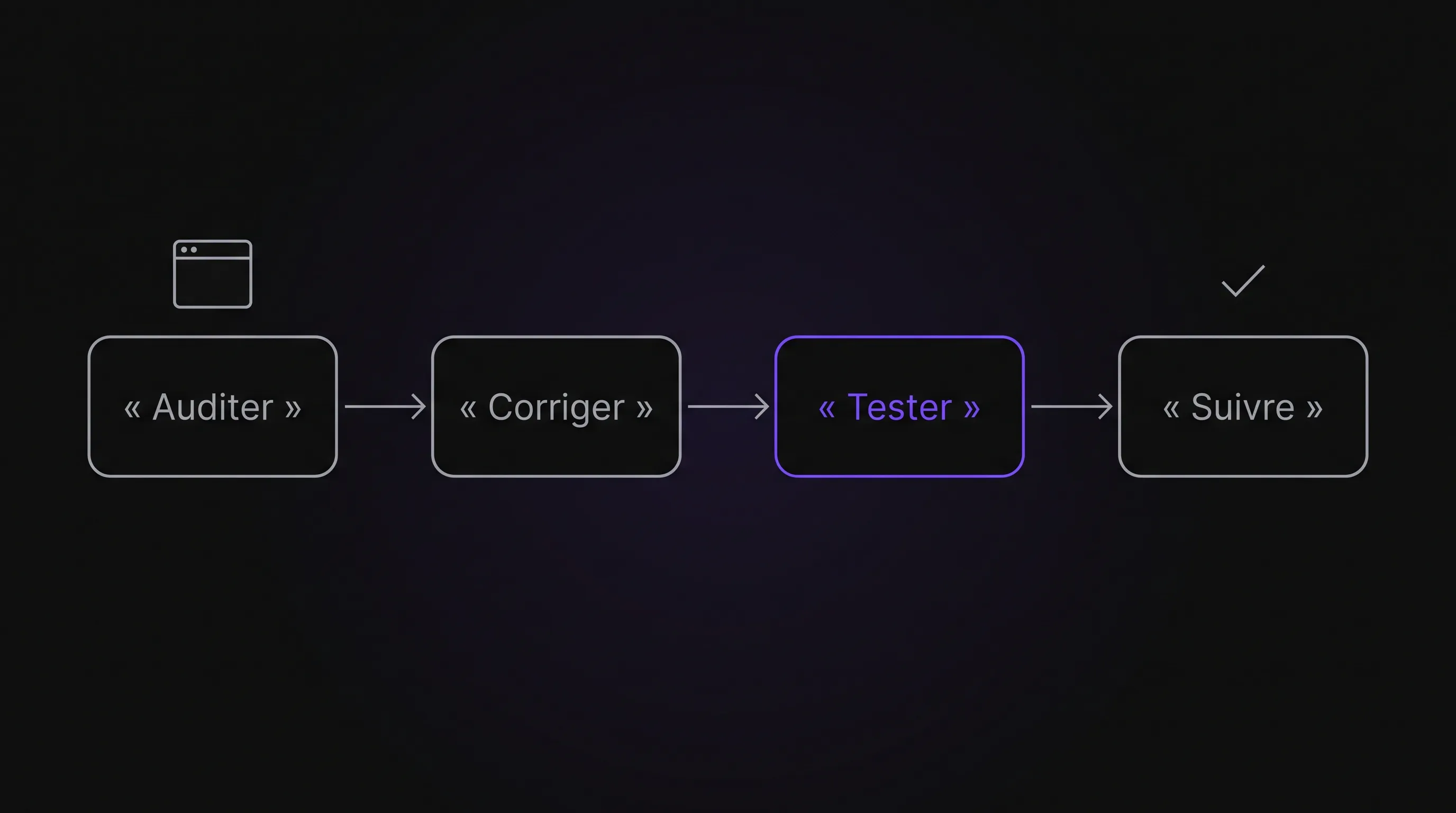
A practical method to improve accessibility using AI
The initiative becomes much easier to manage when each fix is linked to an observable barrier, an owner, and a validation test.
Select a sample that covers real user journeys
Do not limit yourself to the homepage. Examine primary page templates, shared components, and the steps required to complete a conversion.
A form must be tested in multiple states: empty, validly filled, in an error state, and post-submission. An interface that is accessible on initial load can become problematic when an error message appears without being announced, or when an update shifts focus unexpectedly.
For a website using artificial intelligence, include generated content and dynamic responses in this sample. Specifically, verify how results are announced and whether users can interrupt an interaction.
Document every issue with a URL, reproduction steps, user impact, and the component involved. This provides actionable context for both AI tools and developers.
Fix at the source, with sufficient context
Provide the assistant with only the necessary code, the identified issue, and the technical constraints. An effective prompt looks like this:
Analyze this form component. The error message is visually displayed but not linked to the input field. Suggest a minimal HTML fix, explain its effect on a screen reader, and list the manual tests to perform. Do not alter business logic rules. Flag any points you cannot verify from the provided code.
AI then serves as targeted assistance for your website, rather than being left to guess the desired outcome.
Before sharing code or examples, remove API keys, customer data, and unnecessary proprietary information. Also review data retention and reuse policies with your provider. The criteria for assessing the reliability of an AI tool can help guide this choice.
Validate with both automated and manual tests
Automated tests quickly detect common errors and monitor for regressions. They must be complemented by human review, particularly regarding interactions and the contextual relevance of alternative content.
For each priority user journey, verify at least the following:
Keyboard navigation: all actionable elements are reachable, navigation follows a logical order, and no component traps the focus.
Visible focus indicator: users always know where they are, including after opening a menu or modal.
Assistive reading: component names, roles, and states are clear when using a screen reader.
Forms: fields are clearly labeled, errors are explained, and users can make corrections without losing entered data.
Zoom & reflow: content remains legible and functional when users zoom in or view the site on narrow screens.
NVDA on Windows and VoiceOver on Apple devices are effective tools for checking user journeys with a screen reader. These tests require a structured methodology: a quick trial does not replace the experience of a trained evaluator.
Whenever possible, include people with disabilities in user testing. Their feedback enriches technical audits without replacing them.
Prevent regressions after deployment
A one-off fix won't hold if the next blog post introduces disordered headings or if an updated checkout reintroduces a barrier.
Integrate automatable checks into your CI/CD delivery pipeline. Also include a brief manual QA step for modified interactive components and critical user paths.
In the CMS, provide guidelines for content creators: when to add image alt text, how to structure headings logically, and how to write link text that makes sense out of context. AI can assist with drafting, but a human must remain responsible for publishing.
Training both editorial and development teams prevents paying multiple times to fix the same issue.
RGAA, WCAG, and legal requirements: keeping standards clear
Your legal obligations depend on your organization's legal status, industry, and size. Requirements are therefore not identical for every SME.
Since June 28, 2025, the provisions under the European Accessibility Act also apply to specific products and services, notably e-commerce, subject to defined scope, exemptions, and transition periods. Exemptions exist in particular for microenterprises providing services, according to the applicable definitions.
Artificial intelligence can accelerate fixes on your site, but it cannot determine your legal obligations on its own. Confirm your regulatory scope and applicable standard before publishing a declaration or making compliance claims.
An AI opportunity audit, an automated check, and a formal accessibility audit serve different purposes. Any quote or proposal should explicitly specify which one is being delivered.
Measuring progress beyond a single score
Start by tracking blockers resolved on critical user paths, followed by recurring issues in shared components. Distinguish between what is detected, what is fixed, and what is genuinely validated.
To manage the project, focus on a few key metrics: number of user journeys tested, open blocking issues, validated fixes, and regressions detected after release. Resolution time can also help assess the return on investment of AI assistance.
Separately monitor accepted AI suggestions versus those that required manual rework. A fast generation provides no real gain if reviewing and fixing it demands more effort than writing it from scratch.
Finally, offer an accessible channel for users to report difficulties. Incoming reports should feed directly into product tracking, with an assigned owner for resolution.
Frequently Asked Questions
Can AI make a website fully compliant automatically? No. It can prepare content and code fixes, but accessibility involves contextual criteria and complex interactions that require human evaluation. Instant compliance guarantees should be treated with caution.
Can we get started without a full site redesign? Yes. Many issues can be addressed directly in existing content, templates, or UI components. An initial diagnosis helps separate quick wins from deeper architectural platform limitations.
What should be our first project on a limited budget? Prioritize a critical user journey, such as requesting a quote or completing a purchase, followed by the shared components that make it up. AI can help your site progress faster if every prompt addresses a specific, testable problem.
Is a strong Lighthouse score enough? No. Lighthouse evaluates a subset of automated rules, but it cannot confirm the contextual relevance of content or the full usability of complex interactions.
Scoping an impactful first project with Impulse Lab
Before choosing a tool, identify a blocking journey, the affected components, and the tests required to validate improvements.
Impulse Lab supports businesses with their web and AI projects, from opportunity audits to custom engineering and team training. For an accessibility project, scoping clearly separates AI assistance, technical code fixes, and specialized auditing. The goal: verifiable improvements on your site, not just a superficial automation layer.