Modernizing IT Infrastructure with Artificial Intelligence
Intelligence artificielle
Stratégie IA
Automatisation
Optimisation
An IT and AI project is only worthwhile if it cuts downtime, simplifies support, or helps teams work better. For a growing SME, modernizing IT infrastructure does not mean buying specialized PCs for everyone or replacing every tool, but stabilizing fundamentals and testing AI on focused use cases.
October 21, 2026·9 min read
An IT and artificial intelligence project is only worthwhile if it reduces downtime, simplifies support, or improves team workflows. For a growing SME, modernizing its IT infrastructure does not mean outfitting every employee with a specialized computer or replacing all of its tools.
The right starting point is far more practical: identify what is slowing the business down, stabilize existing systems, and then test AI on a specific use case. Some challenges only require simple automation, while others truly warrant intelligent assistance. Making this distinction prevents investing in technology that adds more complexity than value.
Before AI: Upgrade Your IT Foundations
An assistant cannot compensate for obsolete workstations, shared accounts, or unusable backups. Before any experimentation, verify the fundamentals: actively supported operating systems, routine updates, multi-factor authentication, and tested backup restorations.
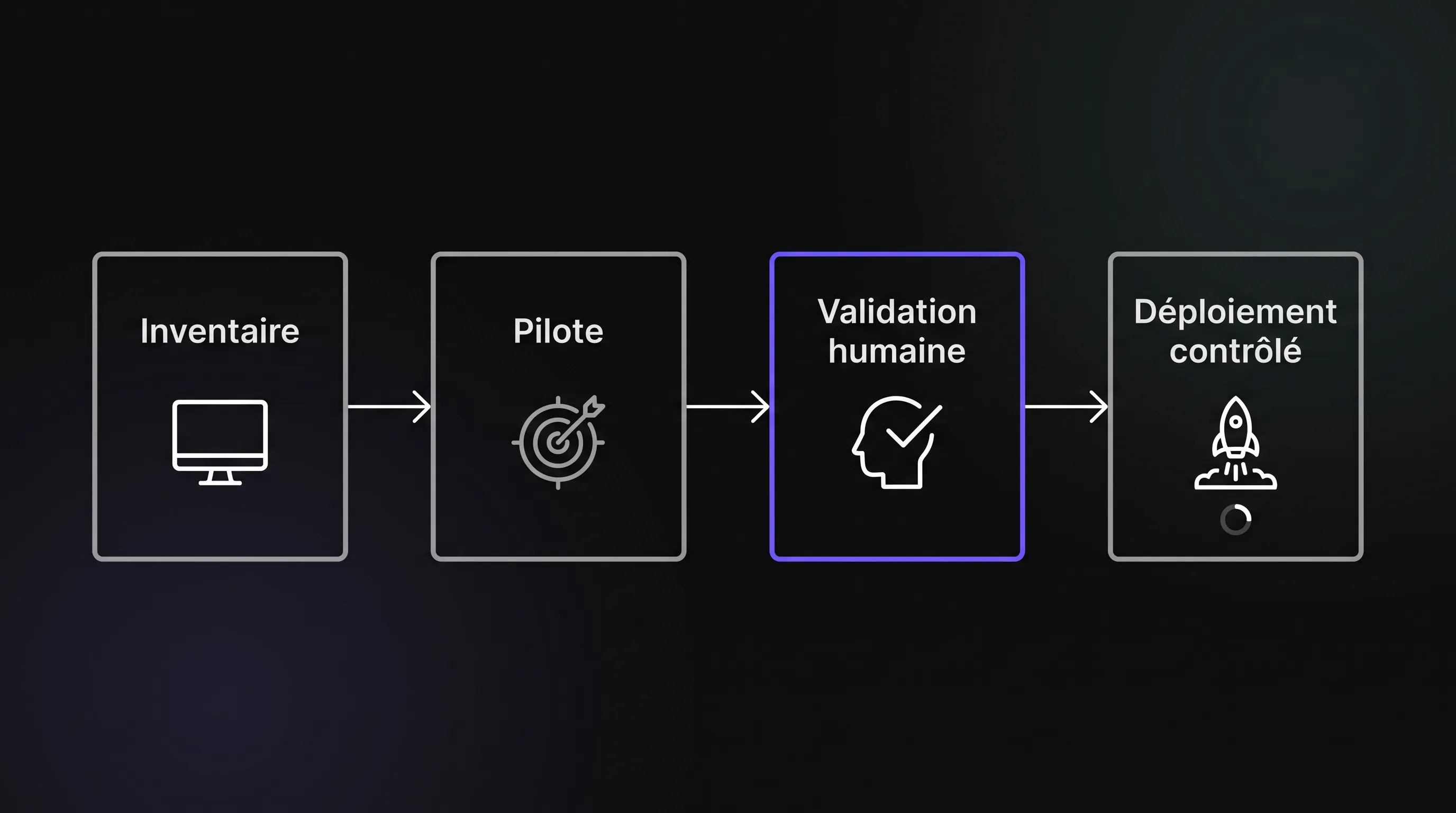
The inventory must cover computers, but also applications, SaaS subscriptions, user accounts, and connections between tools. For each asset, identify its owner, its actual usage, and the data it can access.
This snapshot helps separate three decisions that are often conflated: fixing the foundation, rationalizing tools, or introducing a new capability. An unused subscription calls for cancellation, not an AI model. A repetitive, predictable process usually calls for an automation rule.
Finally, document observable symptoms: long login times, recurring support tickets, incompatible software, or manual data re-entry. These will help you select a pilot project and verify whether the situation truly improves.
IT and Artificial Intelligence: Distinguishing Automation from AI
The right technology depends on the nature of the task. An explicit rule is best suited for predictable actions. AI becomes relevant when the input varies: free-form written requests, voluminous documentation, or incompletely described issues.
Encountered Need
Initial Approach to Consider
Potential Role for AI
Revoking access for a departing employee
Validated procedure and deterministic automation
Help prepare a checklist, without making authorization decisions
Routing support tickets
Simple rules if categories are stable
Suggest a category based on the ticket's text
Finding an internal procedure
Structured documentation knowledge base
Generate a response complete with source citations
Detecting unusual behavior
Monitoring and tailored thresholds
Help correlate signals, subject to human verification
When choosing between these approaches, distinguishing between process automation and AI assistance avoids a great deal of unnecessary development.
Sensitive actions must remain governed by explicit rules and authorizations, even if a model helps prepare them. Triage for a ticket and deleting an administrator account do not expose the company to the same level of risk.
Three Practical Use Cases for a Growing SME
Combining IT and artificial intelligence becomes valuable when request volume grows faster than the team's capacity to handle it. Here are three use cases to consider before attempting a complete overhaul.
Accelerating Support Ticket Resolution
AI can suggest a category, summarize ticket history, and draft a response based on approved procedures. The technician retains final decision-making power and can edit the draft before sending.
Start with a narrow scope: installing authorized software, configuring a printer, or standard access requests. Exclude security incidents and privilege changes from the initial pilot.
The meaningful metric is not merely the number of generated replies. Track resolution time, routing errors, and reopened tickets. A fast reply that leads to two extra back-and-forth messages is not progress.
Making Internal Documentation More Accessible
As a company grows, procedures become scattered across folders, messaging apps, and collaborative tools. A documentation assistant can help an employee find the right information without needing to know where it is stored.
When integrating IT with artificial intelligence, document quality matters just as much as model quality. You need up-to-date versions, designated owners, and consistent access rights.
The assistant must cite its sources and be able to indicate when reliable information is missing. It should never invent a procedure to fill the silence. Specifically test queries regarding retired software or conflicting documents.
Helping Prioritize Hardware Refreshes
Cross-referencing machine age, support status, logged incidents, and operational needs allows for better replacement planning. AI can facilitate the synthesis of technical comments or support tickets, though an explicit criteria-based scoring system is sometimes all that is needed.
The goal is to distinguish a machine that is genuinely a bottleneck from one that is simply old. A poorly configured newer machine can hinder productivity far more than an older machine well-suited to its tasks.
Likewise, avoid treating every anomaly as an imminent failure. Without relevant history and validation, detecting an unusual signal does not provide a dependable failure prediction.
Integrating AI Without Opening Uncontrolled Access
Connecting AI to your information system is often more delicate than generating an answer. A useful assistant must access the right data, but only what its user is authorized to view.
Restrict Permissions and Permitted Actions
A service account with broad permissions can expose information that the employee should never see. Permissions must be verified when retrieving documents, not simply when logging into the interface.
For an initial project combining IT and artificial intelligence, favor read-only access. Any subsequent action should go through pre-approved operations, with logging and human confirmation depending on its impact.
Text within a ticket or document might contain prompt injection attempts or malicious instructions targeting the model. That content must remain input data to analyze, never become authorization to run a command.
Safeguard Data Shared with Providers
Before connecting an external service, inspect the terms regarding data reuse, retention periods, sub-processors, and potential transfers outside the European Union. Also review what technical logs contain, as they may capture sensitive information.
The CNIL resources dedicated to artificial intelligence provide a strong baseline for managing personal data processing. Involve your Data Protection Officer or legal counsel when the context calls for it.
Measure Total Cost of Ownership, Not Just the Subscription
The advertised per-user price represents only a fraction of the budget. You must also account for integration, documentation cleanup, testing, training, and ongoing post-launch maintenance. Depending on the architecture, API, hosting, or storage fees may also apply.
Assess initial investments and recurring costs separately. For consumption-based services, model several usage volumes and set hard caps. A lightly tested pilot does not directly reflect the cost of a company-wide rollout.
Calculating Truly Recovered Capacity
Consider an illustrative example: across 240 monthly tickets, an assistant saves five minutes per ticket. That equals 20 gross hours. If reviews and corrections require four hours, the net gain drops to 16 hours.
At an assumed value of €45 per hour, this represents €720 in monthly capacity. This is not automatically a cash saving: that time must still be reallocated to productive work.
To evaluate an investment combining IT and artificial intelligence, compare this net gain against the total cost of ownership, then monitor service quality. Resolution rates, reopen rates, and user satisfaction must accompany time-based metrics.
An Indicative 90-Day Roadmap
This timeline is meant to structure decision-making, not promise a full deployment in three months. Legacy systems, poorly documented permissions, or regulatory requirements may demand more extensive preparation.
Days 1 to 30: Establish the Baseline
Bring together the relevant business lead, the IT lead, and, if needed, your external IT provider. Choose a frequent, measurable issue that is limited enough in scope to test without disrupting the broader organization.
Document its volume, time cost, typical errors, and required data. Appoint a project owner for the pilot as well as a stakeholder authorized to shut it down.
The expected deliverable is not a list of software tools. It is a decision brief: target issue, scope, metrics, maximum budget, and key risks to control. This gives your IT and AI project a verifiable objective.
Days 31 to 60: Test on a Controlled Scope
Involve a representative user group and use a staging environment whenever possible. Start with AI-generated suggestions without automatic execution, then compare the outcomes to normal operations.
Prepare edge cases: ambiguous requests, outdated documentation, missing details, or unauthorized users. Confirm that the system correctly refuses or escalates these scenarios.
Train participants to recognize questionable outputs and flag mistakes. A validation button is useless if no one knows what to check. Always maintain a fallback procedure that works without the assistant.
Days 61 to 90: Evaluate Before Expanding
Compare results against the criteria defined prior to the pilot. Is the time saved real once verified? Are error rates acceptable? Is the cost per request trending as projected?
Combining IT and artificial intelligence is only worth expanding if the benefits hold up against these checks. If not, narrow the scope, clean up the underlying data, or abandon the tested use case.
If you decide to deploy, roll it out in phases and document the rollback process: disconnecting integrations, revoking service accounts, and reverting to the prior workflow. Re-run tests following any major updates to models, documents, or integrations.
Frequently Asked Questions
Do we need to replace our computers to use AI? Not necessarily. Many services run entirely in a browser and execute calculations in the cloud. Check the hardware requirements of your selected tools before purchasing new equipment. Running models locally may demand more RAM or dedicated hardware, but it must address a clearly identified operational need.
Should a small business develop its own model? Rarely for standard support or documentation search use cases. Existing solutions, properly configured and integrated, are usually sufficient. Custom development is typically justified by unique processes, specialized integration requirements, or strict governance needs rather than the desire to own a model.
Can AI manage an IT infrastructure on its own? This is not a wise place to start. Permission changes, deletions, and sensitive system configurations require strict human oversight. When modernizing IT with artificial intelligence, it is better to start with assistive capabilities and only authorize strictly defined, thoroughly tested, and traceable automated actions later on.
How do we pick our first use case? Select a frequent operational pain point with an available process owner, legally accessible data, and measurable results. Avoid starting with your most critical core process. A modest scope allows you to validate costs, monitor errors, and build user adoption before taking on higher exposure.
Structure Your Modernization Before Investing
Before purchasing hardware or signing up for software licenses, clarify the core problem you want to solve and define what a successful test looks like. This groundwork allows you to separate baseline IT improvements from use cases that genuinely benefit from AI.
Impulse Lab supports organizations with AI opportunity audits, custom solution development, integration with existing systems, and user adoption training. An initial consultation can help define a priority use case alongside your internal team or IT provider before committing to a broader rollout.