Personalizing Customer Education with Artificial Intelligence
Intelligence artificielle
Stratégie IA
Marketing
Automatisation
SaaS
AI in customer education goes beyond school settings to help users master products. Discover how to personalize onboarding, boost user autonomy, and build reliable learning paths.
October 16, 2026·9 min read
The phrase "artificial intelligence education" mostly brings schools to mind. Yet it also applies to how a company helps its customers master its product. For an SME or scale-up, the challenge is very real: tutorials pile up, the same questions keep hitting support, and some users drop off before achieving their first meaningful outcome.
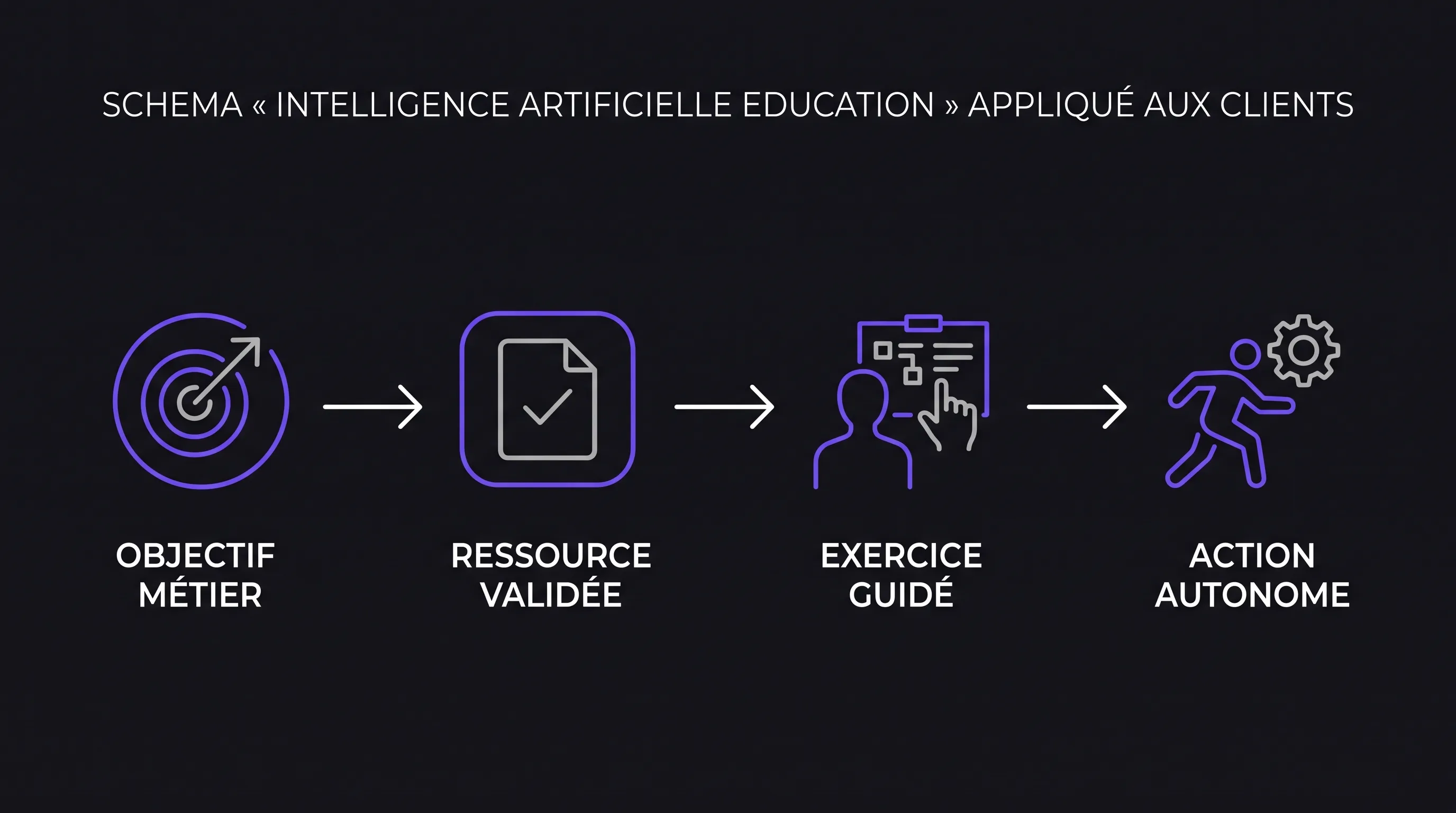
AI can tailor explanations to each customer's role, goal, and pain points. But it needs a clear mission. The goal is not to churn out more content, but to empower every customer to successfully complete a valuable action, backed by reliable assistance and accessible human support.
"Artificial intelligence education": What's in it for your customers?
Customer education refers to the resources and systems put in place to help users learn a product or service: onboarding, tutorials, practical exercises, training sessions, and hands-on guidance. It takes place after purchase, but also whenever a new feature rolls out or a customer brings on new team members.
Support typically solves an immediate issue. Education aims to impart a reusable method. A fix that unblocks a single action isn't always enough: the customer needs to understand how to repeat it on their own.
Artificial intelligence applied to customer education can adjust the depth of explanations, surface the right resource, or suggest a tailored exercise. An administrator doesn't need the same learning path as an occasional user, even if they work at the same company.
This level of personalization doesn't necessarily call for a complex model. A few explicit rules can guide the learning path. Generative AI becomes valuable when dealing with open-ended questions, rephrasing explanations, or guiding users through multiple attempts.
Start with a skill to acquire, not a chatbot
Before picking a tool, define what the customer needs to be able to do. "Understanding our platform" is too vague. "Scheduling their first field intervention without assistance" gives you an observable goal.
Take the example of a field service management software. A manager needs to learn how to build a schedule, whereas a field technician mainly needs to check their route and submit a report. Walking both through the exact same exhaustive tour of the interface only adds noise to their learning experience.
To frame an initial learning path, define four elements:
The target audience: their role, permissions, and stated experience level.
The target action: a specific task that delivers real business value.
The roadblock to solve: a misunderstood concept, an overlooked step, or a missing prerequisite.
The proof of success: a successfully completed task, not just a tutorial that was viewed.
Artificial intelligence in customer education then serves as a means toward this end. It can explain why a field is required, then let the user complete the task. If a simple contextual tooltip does the job, there's no need to build a conversational flow.
Personalizing three key moments in the customer journey
Adapting the initial onboarding
When a user gets started, ask only for information that genuinely changes the guidance they receive. Their role and immediate goal are often much more useful than a lengthy survey.
In our example, a manager who wants to organize their first week receives a workflow focused on creating an intervention and assigning it. Advanced features can wait. An experienced user can jump straight into a more complex workflow.
This path must remain flexible. A customer might make a mistake in their initial choice or their responsibilities may change. Personalization should offer direction, not lock the user into a rigid profile.
Explaining roadblocks in context
A question like "Why can't I assign this intervention?" lacks context when it lands in a support inbox on its own. With the right permissions, an embedded assistant could see the active screen and the user's role.
It could then look up the relevant procedure, explain which checks to run, and indicate the expected outcome. It shouldn't jump to conclusions without the necessary system details.
The real value of artificial intelligence in customer education lies in explanation: teaching users how to check availability or permission settings, rather than handing them an opaque workaround to follow blindly.
Reinforcing learning after an initial success
A completed task doesn't mean every concept has been mastered. Once an initial intervention is scheduled, you can introduce a slight variation: editing an assignment or handling an unexpected absence.
AI can tailor the exercise to a specific difficulty the user encountered, then provide feedback based on defined criteria. In a sandbox environment, customers learn without putting production data at risk.
Avoid inferring a skill gap from inactivity alone, however. The person may have simply been interrupted. It is far better to offer optional assistance than to trigger an automatic remedial workflow.
Building reliable answers from your documentation
Preparing a usable knowledge base
An assistant cannot fix contradictory documentation. Before rolling it out, identify reference content, assign ownership, and document which product versions it applies to. Strip outdated procedures from the search scope.
A RAG (Retrieval-Augmented Generation) architecture can retrieve excerpts from this documentation before generating an answer. This helps ground explanations in your verified content, without fully guaranteeing accuracy.
Every answer should cite the procedure used and state its limitations. Access controls must also apply to the indexed documents: a standard user must never see content restricted to administrators.
Applying artificial intelligence to customer education therefore demands ongoing editorial maintenance. Any product update must trigger updates to the corresponding documentation and test cases.
Separating explanation, decision, and action
Explaining how to edit a schedule is not the same as editing that schedule. Start with an assistant that guides users, without granting it the right to execute operations automatically.
Calculations, permission checks, and business rules should remain within deterministic components. The model can explain them, but it shouldn't invent them. For sensitive operations, require explicit confirmation and rely on your application's standard validation rules.
Clearly define escalation triggers: missing documentation, conflicting answers, or repeated requests without resolution. Conversational UI design principles help make these boundaries transparent, ensuring users are never left at a dead end.
Personalizing without unnecessary data collection
To tailor customer training, you can often make do with a declared role, a selected goal, and a few completed milestones. There is no need to store every conversation or build exhaustive user profiles.
As soon as this information involves personal data, GDPR principles outlined by CNIL come into play. Specifically, define the purpose, legal basis, authorized access, and an appropriate data retention policy.
Review your AI provider's terms of service: whether interactions are used for model training, data processing locations, subcontractors, and data deletion options. Remind users not to share secrets or sensitive data in their prompts.
Artificial intelligence in customer education must remain accessible. Always provide traditional documentation, keyboard-navigable content, and non-conversational alternatives. Struggling with a chatbot should never create an additional barrier to using your product.
Measuring acquired autonomy, not conversation volume
A heavily used assistant isn't necessarily an effective teacher. High engagement might signal helpfulness, but it could just as easily mask a confusing interface or endless back-and-forth that fails to resolve the issue.
Measure task completion first. Compare users with similar roles, permissions, and starting conditions. Whenever possible, use a control group to isolate the impact of the learning path from broader product improvements.
Metric
How to measure it
What it evaluates
Autonomous success
Share of users who complete the task without human support
Autonomy on the target goal
Time to success
Median time between starting the path and completing the task
Onboarding friction
Recurring inquiries
Support tickets on the same topic after completing the path
Persistent pain points
Answer reliability
Share of accurate answers across a verified test set
Educational and factual quality
Cost of the path
Technical spend and human maintenance time
Long-term sustainability
The true impact of artificial intelligence in customer education shows up in these metrics, not just in completion rates. Passing a quiz confirms theoretical knowledge, but it doesn't prove the user knows how to perform the action in the software.
Avoid directly attributing retention gains to the education workflow alone: pricing, product quality, and account management also influence retention.
Launching a focused pilot before scaling
Defining scope and responsibilities
Select a single customer segment, a specific task, and a tightly scoped set of validated resources. Appoint one person responsible for content and another for technical oversight, even within a small team.
Establish acceptance criteria prior to launch: alignment with standard operating procedures, strict permission enforcement, an operational human escalation path, and an observable learning outcome. To guide technical trade-offs, a structured approach helps you choose, integrate, and measure an artificial intelligence solution while staying anchored to business needs.
Testing edge cases
Compile a dataset of real user inquiries, stripping out confidential information. Include ambiguous questions, out-of-scope requests, and edge cases with no documentation coverage.
Verify that the assistant asks for clarification or acknowledges when it cannot help. Test how it handles outdated documentation and differing user permission tiers.
Deciding based on results
Roll out the experience to a pilot group and analyze failure points before expanding scope. A breakdown might stem from poor content, retrieval flaws, or interface issues—not necessarily the model itself.
When deploying AI in customer education, the right next step isn't always a more capable model. It might simply be clearer documentation, a better-structured exercise, or standard UI automation.
Frequently Asked Questions
What is the best AI tool for customer training? There is no one-size-fits-all tool. Evaluate solutions against your actual user queries and documentation. Assess accuracy, access control management, product integration capabilities, data privacy compliance, and total maintenance costs.
Can AI replace customer education and Customer Success teams? It can handle repetitive explanations and guide straightforward exercises. Human teams remain essential for designing learning paths, resolving complex edge cases, and supporting organizational change within customer accounts.
What are the primary risks of using AI in customer education? Key risks include inaccurate answers, unintended exposure of confidential information, and personalization driven by faulty signals. A curated knowledge base, strict access controls, and clear escalation routes mitigate these risks, though they do not eliminate them entirely.
Do you need to build a custom platform? Not necessarily. An off-the-shelf tool can be plenty to test an initial workflow. Custom development becomes worthwhile when guidance relies heavily on user permissions, proprietary business data, or in-app actions specific to your product.
Frame your first learning path with Impulse Lab
The best starting point is usually a task where customers repeatedly request assistance. Pinpoint the friction point, gather reliable documentation, and define how you will measure autonomous completion.
Impulse Lab delivers AI opportunity audits, custom web and AI development, integration with existing tools, and adoption training. Our team helps you scope an initial learning path tailored to your product before committing to a broader rollout.