Searching for new AI developments yields more news than an SME can test. The right choice isn't necessarily the latest model, but the update that streamlines a routine task without adding complexity.
October 23, 2026·9 min read
Searching for 'new AI developments' surfaces more announcements than an SME can reasonably test. For your business, the right choice isn't necessarily the latest model: it's the update that improves a frequent task without adding excessive oversight or complexity.
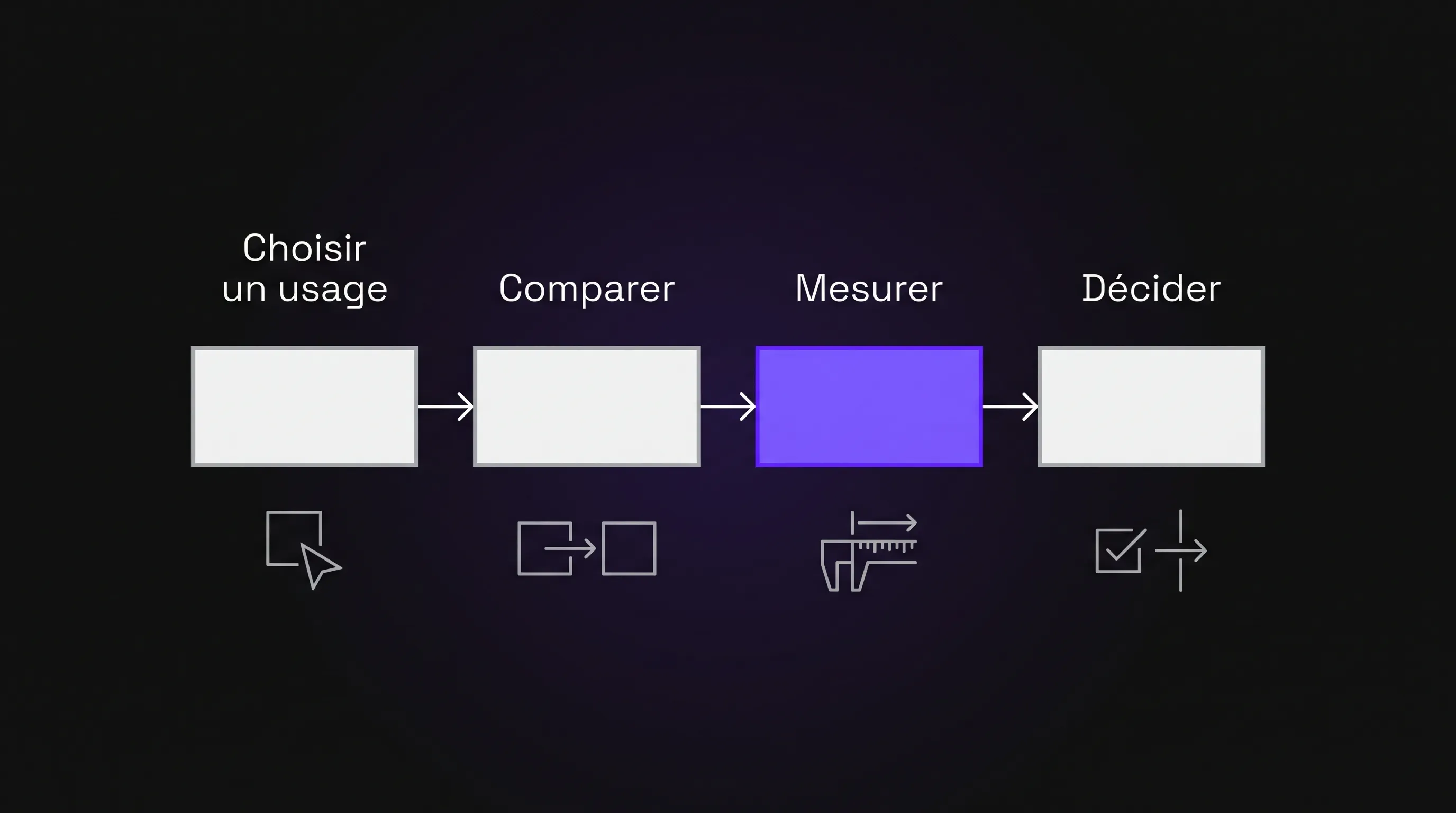
Each month, select one new feature, compare it to your current method, and decide whether to adopt, monitor, or discard it. Here are five categories of developments to consider and a reusable framework to turn your tech watch into concrete decisions.
Which AI developments deserve a test in your company?
These five avenues are a menu, not a mandatory checklist. Pick the one that addresses your main current pain point and corresponds to a feature actually available in your existing tools.
1. A higher-performing model on an existing task
Before adding new software, check whether a newer version of your current assistant improves an existing workflow: drafting a sales proposal, categorizing customer requests, or summarizing a file.
The test consists of submitting the exact same documents and instructions to both the old and new solutions. Compare omissions, factual errors, and correction time—not just the fluency of the text.
Among new AI releases, switching models can be worthwhile without disrupting your workflows. However, a longer or better-formatted response does not, in itself, constitute business value.
2. Document search that enables answer verification
For sales, support, or operations teams, finding reliable information often matters more than generating text. When a new document search feature becomes available, test it on a small, curated knowledge base: standard operating procedures, manuals, or commercial terms.
Ask questions to which you already know the answers, including one that requires cross-referencing two documents. Include another question that is impossible to answer using the provided sources.
The expected outcome is specific: locate the right excerpt, respect document versioning, and recognize when information is missing. A displayed citation is not enough: open it and verify that it genuinely supports the answer.
3. A multimodal feature to reduce manual data re-entry
Multimodality refers to the ability to process multiple content types, such as text, images, or audio. It is worth testing whenever your teams frequently retype or transfer information across these formats.
For example, test extracting fields from scanned documents or turning an authorized recording into a structured meeting summary. Pay special attention to proper nouns, figures, dates, and action items assigned to participants.
These AI innovations are only valuable if they reduce manual re-entry after verification. If the user has to correct every line, the promised productivity gain disappears. For audio, make sure to also review participant disclosure rules and applicable data retention policies.
4. A connector with your business tools
A connector enables two applications to exchange data. When an assistant introduces a new integration with your email, CRM, or document storage, start with read-only access.
An initial scenario could involve drafting a summary of a client file based solely on information the user is permitted to access. Check permissions carefully: a user should never access documents via the assistant that they wouldn't normally be authorized to view.
Only enable write access once read access has been thoroughly validated. Drafting a CRM update is far less risky than automatically modifying records or sending client messages.
5. An agent for a short, reversible sequence
An AI agent can chain multiple steps and leverage tools to accomplish a goal. For an initial test, keep its scope narrow: analyze an incoming request, suggest a category, and draft a response without sending it.
Define authorized actions, a cost cap, and situations requiring a hard stop. Any high-stakes action must remain subject to human approval throughout the pilot.
With these AI innovations, focus especially on evaluating edge cases. Does the agent detect a missing attachment? Does it halt when faced with conflicting instructions? A successful demo on an easy case does not prove a workflow is ready to run unattended.
Where to spot announcements truly worth testing
Start with official sources for the tools you already use. The ChatGPT release notes and the Google Workspace Updates blog are great for spotting product changes. The Microsoft 365 roadmap helps track planned or rolling-out features, though it doesn't guarantee immediate availability in your tenant.
For each announcement, check the eligible subscription plan, language, region, admin access requirements, and potential extra costs. Distinguish between an announcement, a preview version, and a feature actually enabled on your account.
If you need to first identify the main tool categories, our overview of current AI tools and models provides a starting point. Your monthly selection should then circle back to a concrete operational need, rather than becoming yet another broad comparison.
Organizing your AI watch in four weeks
For a small team, a single well-documented test per month is a practical starting point. Appoint a business lead, an end user familiar with the task, and someone able to verify technical access. These roles can be combined depending on your organization.
Week 1: Choose a hypothesis and define boundaries
Formulate a testable hypothesis: "This feature can cut meeting summary preparation time without increasing errors regarding the decisions made."
Define the monthly task volume, required data, and the maximum pilot budget. Also set a success threshold beforehand: net time saved, minimum acceptable quality, and zero blocking incidents.
Prioritize a frequent, relatively stable, and reversible task. Steer clear of early tests that directly trigger a payment, a hiring decision, or external communication without validation.
Week 2: Build a repeatable comparison
Prepare a small batch of representative test cases. As a baseline, select ten standard cases and three edge cases: an incomplete document, ambiguous wording, or an out-of-scope request. This small sample is meant to detect a signal, not prove production-grade reliability.
Keep track of inputs, prompts, configuration, and test dates. Measure your current method first, then the new solution on the exact same cases. Re-run critical scenarios to detect output variability.
Avoid modifying the model, documents, and prompt all at the same time. Otherwise, you won't know which variable drove the improvement or deterioration.
Week 3: Measure net gains after human corrections
Generation time is only part of the equation. Also time data preparation, review, edits, and transfer into your core software. Our guide to concrete business gains from AI helps differentiate productivity, quality, and broader business impacts.
Use a straightforward scorecard, identical across all cases:
Criterion
Metric to Track
Red Flag
Total time
Duration until a usable result is achieved
Corrections absorb all time savings
Quality
Errors, omissions, and required rework
A critical error goes unnoticed
Cost
Subscription, usage, and additional expenses
Costs rise without sufficient ROI
Stability
Performance on difficult and repeated cases
Success depends on overly fragile prompting
Hypothetical example: You process 40 cases per month at 12 minutes each. With AI, each case takes 6 minutes of preparation and 3 minutes of review. The net time saved is 2 hours per month. At a benchmark rate of €35 per hour, this represents €70 of unlocked capacity. Factoring in €40 in additional monthly costs, €30 in net value remains, before accounting for integration and maintenance.
This approach puts new AI developments in their proper perspective: a means to optimize a workflow. Saved time doesn't automatically translate into cash savings, but it allows you to handle higher volume without added headcount.
Week 4: Adopt, monitor, or abandon
Adopt if the ROI is repeatable, risks are controlled, and an owner manages ongoing operations. Begin with a limited scope and a fallback procedure.
Monitor if the potential is genuine but a barrier currently limits adoption: insufficient permissions, poor language support, or prohibitive cost. Document the specific milestone that would trigger a re-test.
Abandon if review and editing wipe out the benefits, or if the risk remains disproportionate. Keep a brief decision log: tested use case, results, limitations, and re-evaluation timeline. This prevents repeating identical tests months later.
What guardrails should you establish before moving to production?
Do not feed sensitive company data into a tool simply because a feature is accessible. Check the terms of service, data training policies, retention periods, and deletion capabilities. Free tiers and enterprise subscriptions often have drastically different data privacy policies.
For external documents or inbound messages, account for prompt injection risks. Analyzed content should never have the authority to trigger an action or grant elevated permissions on its own.
Finally, document assigned permissions, human review checkpoints, and rollback protocols. New AI features do not justify dismantling existing business controls. A feature that shines in a demo may still require custom integration, training, and ongoing supervision before being rolled out company-wide.
Frequently Asked Questions
Should you test a new tool every month? No. Upgrading or optimizing an existing tool is often more valuable than adding another subscription. Some months, no release justifies a test; you can use that time to refine prompts or evaluate existing implementations.
Can you start with a free plan? Yes, for an initial proof of concept using approved, non-sensitive data. However, be sure to review usage limits and data terms, and calculate the actual cost of the enterprise setup your team will ultimately require.
How can you avoid spending too much time tracking AI news? Keep a concise, curated list of announcements and discard anything that doesn't solve a recurring pain point. When evaluating new AI developments, relevance to your specific business context always trumps hype.
When should you re-test after adoption? Whenever there is a major update to the model, prompts, connectors, or underlying reference documents. Re-run your baseline test suite to catch regressions before expanding deployment.
Moving from an isolated trial to operational use
Your next test only requires a one-page brief: targeted task, owner, approved data, comparison plan, and exit criteria.
If you have competing opportunities or if your pilot requires integration with your internal systems, Impulse Lab supports businesses with AI opportunity audits, custom developments, automations, and adoption training. The goal: identify measurable use cases and build what is needed to make them truly usable day to day.