Why Artificial Intelligence Isn't Reducing Your Delivery Times
Intelligence artificielle
Stratégie d'entreprise
Productivité
Optimisation
You adopted AI to write proposals or code, but client wait times remain unchanged. Speeding up individual tasks doesn't guarantee faster delivery if queues, handoffs, and approvals aren't addressed. Here is how to target the true bottlenecks.
October 19, 2026·10 min read
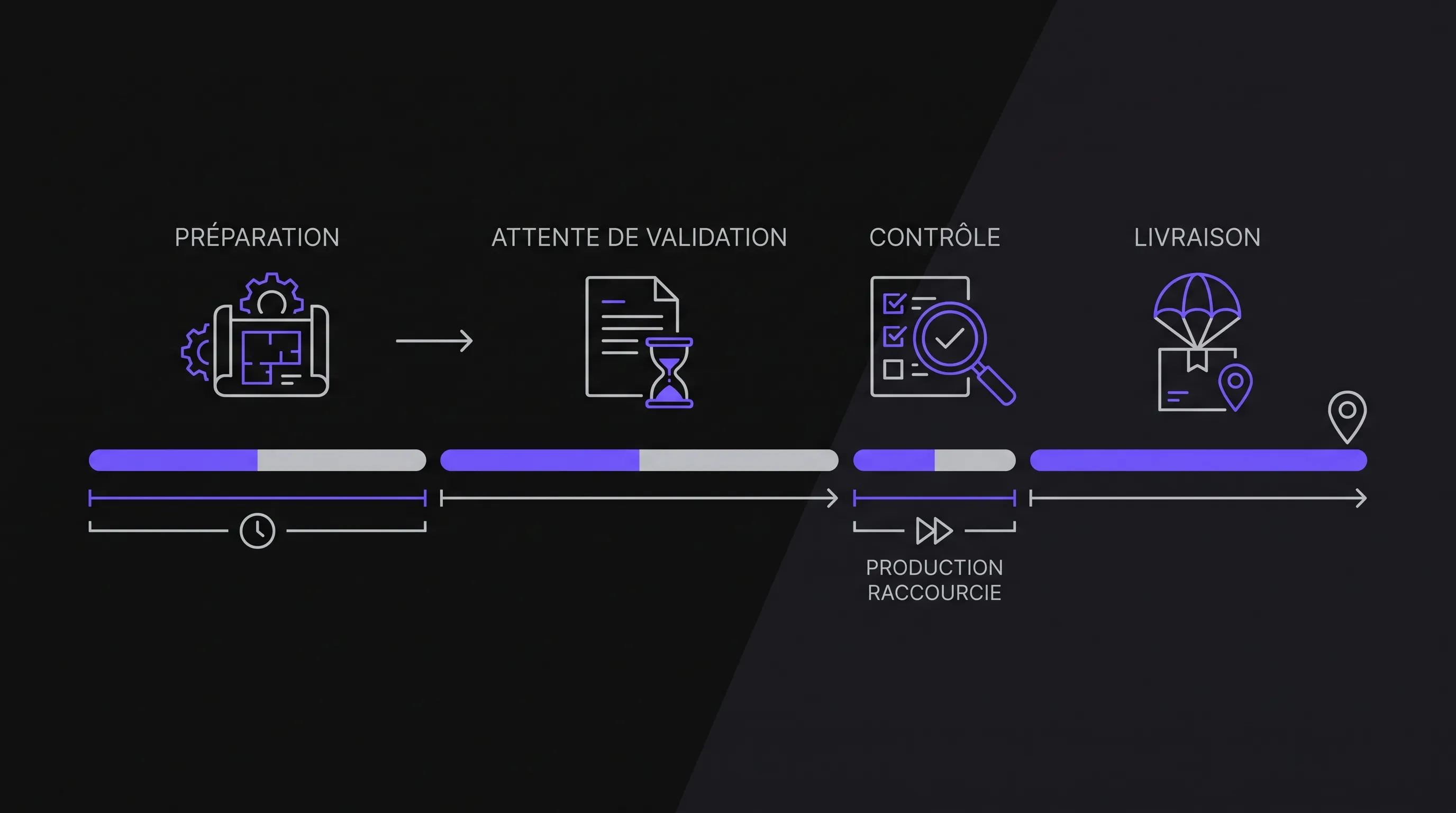
You adopted artificial intelligence to draft sales proposals, process requests, or write code. Tasks are completed faster, yet your clients are still waiting just as long. This gap does not necessarily mean the tool is underperforming. It often reveals that you accelerated the work without touching what truly slows down delivery: queues, approvals, and handoffs between teams.
A faster task does not guarantee a shorter turnaround time. To achieve that, you must look at the entire lifecycle of a request, not just the time spent producing it.
Active Working Time Is Only Part of the Lead Time
A file goes through two main categories of time: when someone is actively working on it, and when it is waiting. In a sequential process, these durations add up. Speeding up production does not eliminate wait times.
Let’s look at a fictional example, measured in business hours, for a sales proposal:
Step
Before
After AI Assistance
Proposal drafting
30 min
5 min
Waiting for validation
240 min
240 min
Review and adjustments
20 min
20 min
Waiting for internal sign-off
480 min
480 min
Sending and updating records
10 min
10 min
Total lead time
780 min
755 min
Drafting becomes roughly 83% faster. Yet, the total turnaround time drops by only about 3.2%, going from 13 hours to 12 hours and 35 minutes.
In this example, artificial intelligence delivers a genuine capacity gain, but it only affects a small portion of the overall lead time. The next investment should therefore target approval steps, not necessarily a faster writing tool.
Three Reasons Why Your Files Remain Blocked
You Are Accelerating Input into an Already Saturated Step
Your sales team drafts more proposals, but a single person remains authorized to approve them. The queue in front of that person grows longer. Each file is produced faster and waits longer.
The problem stems from the bottleneck—the stage whose capacity caps the throughput of the entire process. Speeding up another step does not automatically raise this ceiling.
Observe where files pile up, then determine why: lack of availability, rare expertise, decisions batched once a week, or incomplete submissions. These root causes require different solutions.
If artificial intelligence increases the volume sent to this stage without reducing its workload, it can even lengthen delivery times. You must first address decision readiness, delegation, or processing rules before further boosting upstream output.
Reviewing Absorbs the Time Saved
A draft generated in seconds may require extensive review. This is especially true when source information is hard to trace or acceptance criteria were never clearly defined.
The right calculation should not compare drafting time before and after in isolation. It must include data preparation, quality control, revisions, and potential rework after delivery.
Human review is not a flaw to eliminate on principle. It can be vital for commercial commitments, sensitive decisions, or irreversible actions. The goal is to make it proportionate to the risk and easier to carry out.
An output accompanied by its sources and a clear checklist of points to review will often be more actionable than fluid prose where every claim must be double-checked.
The Output Remains Disconnected from Operational Tools
A summary generated in a chat interface does not automatically update your CRM. A prepared quote is not necessarily filed in the right folder. A drafted response does not trigger the next workflow step on its own.
Someone still has to copy, reformat, assign the request, and notify the right stakeholder. These manual handoffs maintain friction in the process, even when generation itself is instantaneous.
In this context, artificial intelligence speeds up content creation, but not its flow. The most valuable initiative may be integrating it with your existing tools, backed by appropriate access controls and safeguards.
Before automating an action, clearly define what happens if data is missing, if the target system is down, or if the output needs to be rejected.
Measuring the Impact of AI on Your Lead Times
Define a Starting Point and Finish Line That Matter to the Customer
“The file is done” can mean the draft is ready, the manager approved it, or the customer received it. These events do not measure the same thing.
To evaluate end-to-end lead time, start from an observable trigger—such as receiving a request—through to a meaningful outcome: proposal sent, order confirmed, or issue resolved. Clarify whether you are tracking calendar or business hours.
Next, separate this lead time from active working time. This will tell you whether gains come from faster execution or reduced waiting periods.
Track Rework and Work-in-Progress
Across a representative sample of files, track intake, pickup, stage transitions, and final delivery. Include rework loops and their underlying causes. A simple spreadsheet is enough to start if your tools do not log these events automatically.
The median reflects the typical case. The 90th percentile shows the timeframe in which roughly 90% of observed files are completed. It exposes long turnaround times that an average can obscure, provided you have sufficient volume.
With artificial intelligence, also monitor rework rates and the age of open files. A series of quick wins can create a false sense of efficiency while complex edge cases remain stalled. The raw volume of generated content will not reveal this issue.
Reduce Work-in-Progress Rather Than Starting More Work
As organizations grow, they often try to start more work in parallel. Yet every new file becomes an additional commitment to monitor, prioritize, and complete.
Little’s Law shows that in a stable system observed over a consistent scope, the average number of items in progress, average throughput, and average cycle time are directly linked:
Average WIP = Average Throughput × Average Lead Time.
For illustration, having an average of 40 active files in a process that completes 10 per day means an average turnaround time of four days. This relationship helps assess how the process behaves; it does not guarantee that a single isolated tweak will resolve the issue.
The practical takeaway is clear: before starting more work, focus on finishing what is already waiting. You can cap work-in-progress, reserve dedicated validation windows, or prioritize long-standing blockers.
Do not simply push waiting time off the dashboard. A request left unread in an inbox is still a waiting request for your customer. Measure from the moment of initial receipt to avoid artificial performance gains.
A Testing Plan Focused on Delivery Dates
Pick a Specific Workflow and Its Primary Bottleneck
Avoid broad goals like “improve sales team productivity.” Aim for “reduce the turnaround time between receiving a complete request and sending an approved proposal.”
Choose a workflow that occurs frequently enough to measure, with sufficiently comparable cases. Separate standard requests from exceptions: a routine quote and a complex RFP response are not the same scope of work.
Assign single ownership over the entire end-to-end journey. Without this end-to-end ownership, each department might optimize its own step while nobody addresses the friction between teams.
When framing your initiative, the mistakes that cause AI pilots to fail provide valuable context. Here, the primary benchmark remains actual delivery, not the polish of a demo.
Target the Step That Truly Drives the Lead Time
Once the bottleneck is identified, choose a targeted intervention. If submissions arrive incomplete, improve data collection upfront. If sign-offs wait on a weekly meeting, revisit meeting cadence or delegation thresholds. If data is entered manually across tools, look into system integration.
Artificial intelligence adds real value when it lifts the burden from the limiting step: extracting data required for a decision, assembling verifiable documentation, or routing a request to the right owner.
Define exception handling early on. Who reviews uncertain outputs? How are errors detected? What happens if automation fails? A workflow that is fast in standard scenarios but lacks fallback plans will only create fresh bottlenecks.
Success lies in moving the file forward reliably, not in making every single step fully autonomous.
Benchmark Without Obscuring Workload Variations
Compare periods or cohorts with similar conditions: incoming volume, complexity, team availability, and quality standards. A quieter business period can shorten lead times without the tool being the real cause.
Set success criteria and guardrails before launching the test. For instance: a drop in end-to-end lead time with no spike in rework or quality degradation. Thresholds must reflect your operational reality, not a generic percentage.
Finally, distinguish between three potential outcomes: the task runs faster, processing capacity expands, or customer turnaround time decreases. These gains can compound, but they are not interchangeable. Keeping them distinct prevents treating a localized efficiency gain as an organization-wide improvement.
Sometimes, the Right Solution Is Not an AI Project
An unnecessary approval rule, unclear ownership, or missing data won’t be solved by deploying a larger model. A simple process change can be far easier to implement and maintain.
Similarly, moving predictable data between two systems is often best handled by standard automation. There is no need to ask an AI model to make decisions when the logic is deterministic and known.
AI shines when work involves variable information that must be interpreted, summarized, or structured—provided that capability genuinely moves the request closer to completion.
If delivery times don’t drop, do not immediately write off the effort as a failure. Time saved may have been absorbed by higher volume or better quality. But if your goal is faster turnaround, evaluate the project against that metric without shifting targets along the way.
Frequently Asked Questions
Why is my team saving time without delivering faster? The time saved likely targets a step that does not constrain the overall workflow. Files continue to wait on missing information, sign-offs, or downstream availability. Measure these waiting periods before introducing another tool.
Should we eliminate human reviews to cut delivery times? No. Some reviews safeguard your business and your clients. Start by clarifying review criteria, compiling supporting evidence upfront, and calibrating approval tiers to risk levels. Removing a check without assessing the fallout often triggers more rework.
How can we tell if AI is genuinely improving the process? Track the elapsed time between initial request and final resolution on comparable cases. Simultaneously monitor output quality, rework rates, and the age of active files. A faster draft alone is not proof of faster delivery.
Can we get started without dedicated workflow tracking tools? Yes. Manually logging key milestones is enough to pinpoint where files stall. You can automate tracking later if the overhead becomes too high or if continuous monitoring is required.
Start with the Lead Time You Need to Cut, Not the Tool to Buy
Before your next investment, select a workflow and analyze where files actually spend their time. You will then know whether to revisit a rule, integrate your software stack, automate a task, or assist analytical work.
Impulse Lab delivers AI opportunity audits, system integrations, and custom web and AI solutions. The best starting point is always a specific operational challenge: which wait time to eliminate, in which workflow, and with what success metric?