AI and design: how to scope, prototype, and measure ROI
Intelligence artificielle
Stratégie IA
Design UI/UX
ROI
Automatisation
When discussing **AI and design**, many teams think of interfaces, prompts, and mockups. In reality, the subject is broader (and more demanding): it involves **designing a probabilistic system** that must produce measurable value, within an existing workflow, with risks (dat...
When we talk about AI and design, many teams first think of interfaces, prompts, and mockups. In reality, the subject is broader (and more demanding): it is about designing a probabilistic system that must produce measurable value, within an existing workflow, while mastering risks (data, errors, compliance).
If you run an SME or a scale-up, the goal is not to "do an AI POC", but to scope a profitable use case, prototype quickly without getting locked in, and then prove the ROI with simple KPIs and minimal instrumentation.
1) Scoping: start with value, not the model
A good "AI + design" scope looks more like a product sheet than an R&D note. You are looking to reduce uncertainty on 4 points: utility, feasibility, risk, measurement.
Define the job-to-be-done and the right format (assistant, copilot, automation)
Before drawing anything, clarify:
Who does the task today (role, expertise level, context)?
Which frequent task costs time, money, or creates a quality risk?
What "acceptable" result (not "perfect") is enough to create value?
Then, choose a format that fits the need:
Copilot (AI proposes, human decides): ideal when errors are costly.
Automation with validation (AI prepares, human validates): good ROI/risk compromise.
Automation without validation: only if the domain is stable and controllable.
Agent (AI acts via tools): powerful, but requires guardrails, logs, and idempotency.
To deepen the "format vs risk" logic, you can complement this with our resource on AI design (UX) for assistants and chatbots, then come back here for the scoping and ROI part.
Define the AI "contract" (and what it doesn't do)
In classic design, we specify screens. In AI, we must specify a usage contract:
Authorized inputs (types of requests, accepted data).
Expected outputs (format, tone, structure, degree of explanation).
Sources of truth (documents, CRM, article base, ERP).
Behaviors in case of uncertainty (clarification questions, refusal, escalation).
This contract reduces misunderstandings, facilitates prototyping, and protects your ROI (fewer "random" iterations).
Scope data and compliance from the start
Two frequent errors kill AI and design projects:
Designing a "magical" experience that assumes data that cannot be found.
Discovering too late that the data cannot be used in that way (GDPR, confidentiality, AI Act depending on the case).
In France and the EU, keep a simple reflex: data minimization, clear purpose, access control, traceability. For general frameworks, you can rely on the NIST AI Risk Management Framework and the principles of the European AI Act regulation (risk level, associated obligations).
Recommended deliverable: the "ROI-first" scoping sheet
Element
What needs to be decided
Example (illustrative)
Business objective
Which lever (margin, time, revenue, risk)?
Reduce support processing time
Users
Who uses it, where, when?
L1 support agents, peak 9am-6pm
Targeted tasks
1 to 3 frequent tasks
Summarize a ticket, propose a response, tag
Data
Which reliable sources?
Article base, ticket history
Constraints
Security, GDPR, internal requirements
No sensitive data in the prompt
KPI + baseline
Measurement before / after
AHT, resolution rate, CSAT
Guardrails
Limits, escalation, validation
Human handoff if confidence is low
This sheet becomes your prototype "brief" and prevents scope creep.
2) Prototyping: reduce uncertainty in 10 business days
AI and design prototyping is not just visual. It must prove 3 things:
The experience is usable (UX, trust, friction).
The system is sufficiently reliable on representative cases.
Measurement is possible (events, logs, cost, quality).
Choose the right type of prototype
Prototype
When to use it
Advantage
Limitation
Wizard-of-Oz (human behind)
Test UX and acceptance
Very fast, little tech
Does not measure model quality
"Prompted" LLM prototype
Explore the value of drafting assistance
Fast setup, fast iterations
Risk of illusion if not instrumented
Minimal RAG prototype
Need for sourced answers (support, knowledge)
Reduces hallucinations
Requires a clean corpus
"Actions" prototype (tool-calling)
Need to act (CRM, ticketing, ERP)
Measures real operational gain
Requires guardrails and logs
The right reflex: prototype the workflow, not just the chat. If the AI produces an answer but no one uses it, your ROI is zero.
Design a test protocol (before "designing" the solution)
To avoid misleading demos, build a set of scenarios:
30 to 80 realistic cases (from tickets, emails, internal requests).
A definition of "acceptable response" (simple criteria).
A tagging of risky cases (legal, sensitive data, critical decision).
This becomes your test "golden set". You iterate on it with each version.
Prototype the interface without overinvesting
For design, stay frugal:
Mockup the flow (in your usual tool, for example Figma) only to validate the interaction: where the AI intervenes, what the user can correct, how escalation happens.
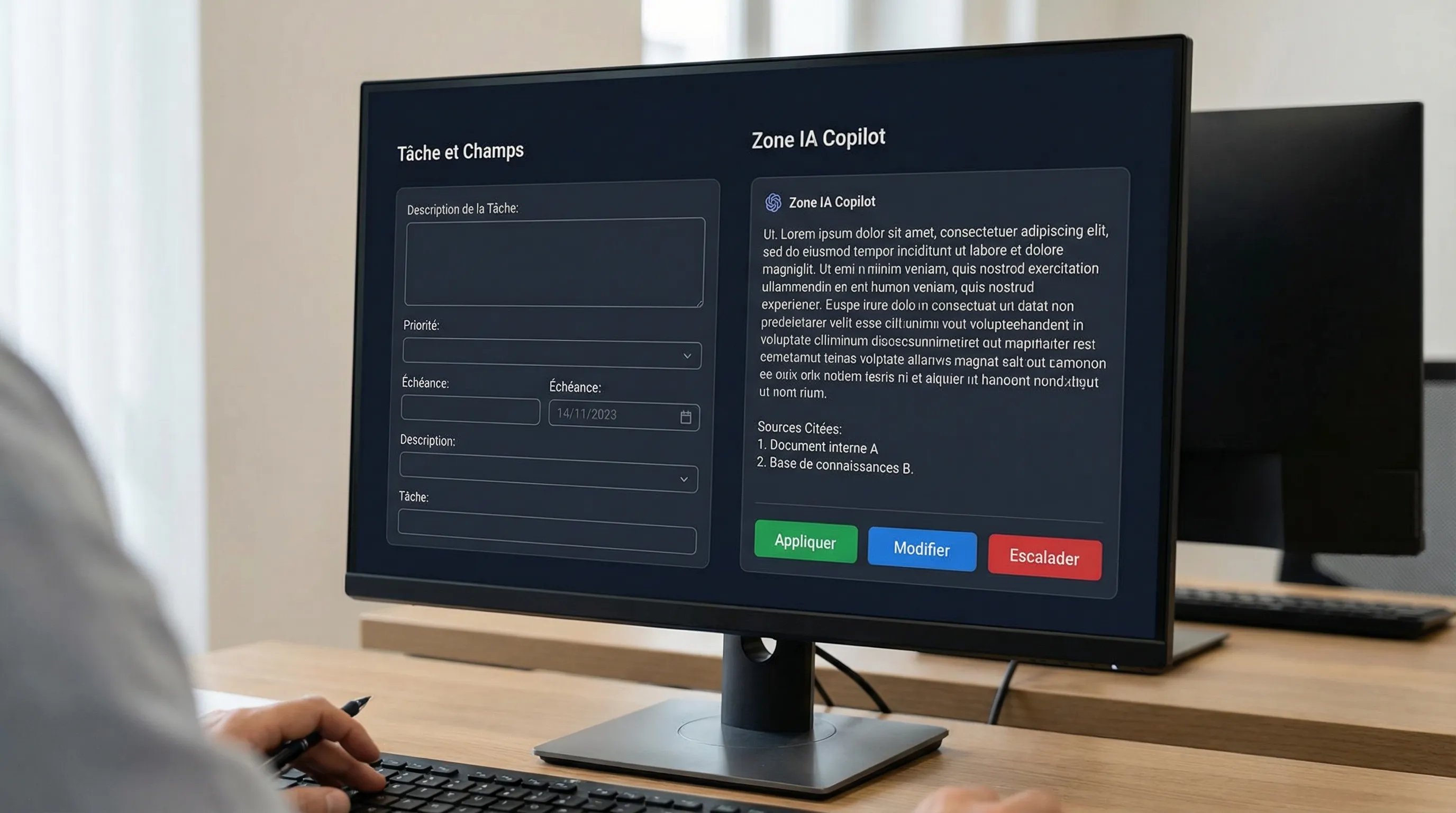
Add trust patterns: sources, "I don't know", confirmation before action, clear history.
A useful rule: if your prototype doesn't plan for failure, it isn't ready.
Instrument from the prototype stage (otherwise you won't be able to prove ROI)
Even in a prototype, plan for:
A session ID, a user ID (or role), a task ID.
Structured logs (input, output, sources, latency, inference cost if possible).
The result on the business side (e.g., ticket resolved, appointment booked, document validated).
Without this, you will have "usage", but no proof.
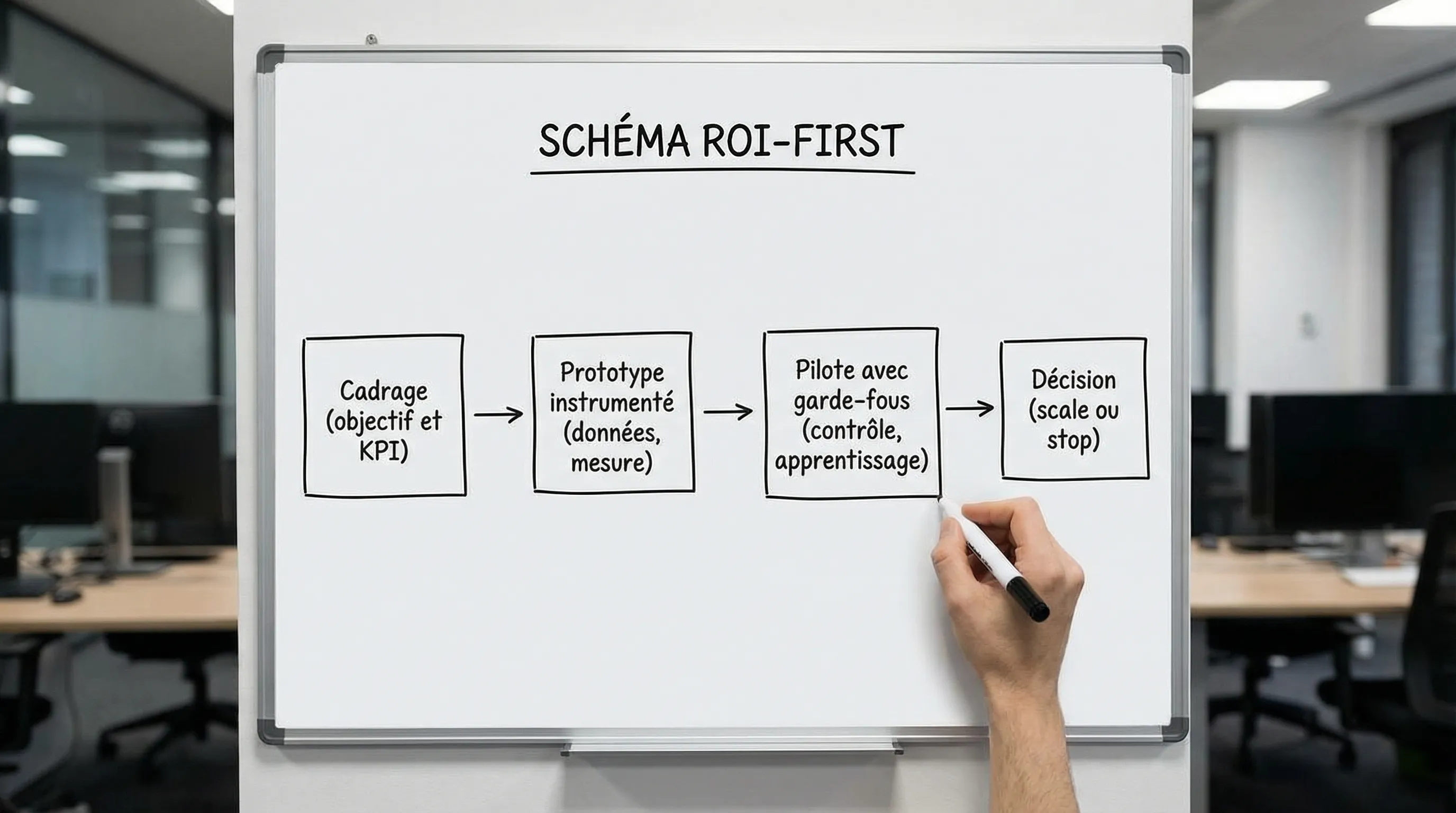
3) Measuring ROI: KPI, baseline, pilot, decision
The goal is not to measure 50 metrics. It is to link AI usage to a business result in a credible way.
The ROI calculation (simple, but complete)
You can start with an operational formula:
ROI (%) = (Net gains over a period – Total costs) / Total costs × 100
With:
Net gains = time saved (valued), costs avoided, incremental revenue, risk reduction (when quantifiable).
The classic trap is forgetting operations. An AI useful in production is a mini-product.
Build a baseline (before AI)
Before deploying, measure for 1 to 2 weeks:
Volume (tickets, requests, files).
Time (AHT, delay, research time).
Quality (error rate, reopening, escalations).
Without a baseline, you won't know if the AI created a gain or if the team just "did it differently".
Recommended KPIs: 4 layers, 3 to 5 indicators
Layer
Question
KPI examples
Business
Does it create value?
€ savings / month, incremental revenue, payback
Process
Is the workflow improving?
cycle time, AHT, reopening rate
Experience
Are people adopting it correctly?
task success, edit rate, human handoff
Technical
Is it stable and controlled?
latency, cost per task, error rate, groundedness (if RAG)
In practice, choose:
1 North Star KPI (e.g., average handling time, conversion, response time).
2 Support KPIs (e.g., resolution rate, volume processed).
1 to 2 guardrails (e.g., error rate, escalations, incidents).
If you want a broader framework for AI KPIs, our article "AI chatbots: KPI" goes further into instrumentation logic (useful even outside chatbots): AI chatbots: Essential KPIs to prove ROI.
Pilot: control group, short period, clear decision
A solid pilot looks like a product test:
A reduced scope (1 team, 1 channel, 1 type of request).
A short period (2 to 4 weeks).
A comparison point (before/after, or Team A vs Team B).
A decision scorecard: scale, iterate, or stop.
If you have to "argue" for 3 months to prove impact, it is often a signal that the scoping was too vague.
4) Design for reliability: guardrails, errors, accessibility
AI and design is not just about "making it pretty", it's about making the system safe and actionable.
Guardrail patterns to plan for
Make limits explicit: the AI must be able to say "I don't know" and propose an alternative.
Show sources when it is a knowledge subject (RAG, internal documents).
Preview before action (especially if the AI triggers an email, modifies a CRM, creates a ticket).
Logs and audit: essential for understanding, correcting, and justifying.
Do not forget accessibility (often neglected in AI)
Conversational interfaces and copilots must remain accessible: keyboard navigation, contrast, structure, text alternatives. A good basis is to align with WCAG and tool the evaluation. If the subject is new to you, our glossary on web accessibility can serve as a starting point.
5) Moving from prototype to sustainable ROI: integration and cadence
ROI does not come from an AI "on the side". It comes from an AI in the flow: CRM, helpdesk, ERP, documentation, internal tools.
Two pragmatic recommendations:
Integrate to the minimum from the pilot stage: SSO, permissions, a source of truth, and a concrete action (e.g., create a ticket, propose a response, tag).
Deliver every week: an AI project is won through iteration, not a "big bang".
Is AI and design more of a UX subject or a data/tech subject? It is both. Design defines the workflow, trust, guardrails, and adoption. Data/tech guarantees reliability, integration, security, and cost. Without one, the other does not create sustainable ROI.
What is the right scope for a first prototype? A single user role, 1 to 3 frequent tasks, a reliable data source, and a main KPI. If you can't explain the prototype in 30 seconds, it is often too broad.
Can ROI be measured without an A/B test? Yes, if you have a clean baseline and a stable scope (before/after). But as soon as the context changes (seasonality, different team), a control group becomes very useful.
Which KPIs are the most "decisive" for an SME? Those that touch a simple lever: time saved (valuable), reduction of costly errors, or incremental revenue. "Usage" metrics alone (number of messages, sessions) do not prove value.
When should one move from prototype to a custom solution? When the use case is frequent, integrations become critical (permissions, actions, traceability), or confidentiality and compliance impose specific controls. At this stage, an AI product must be operable and maintainable.
Transform your AI and design into measurable ROI with Impulse Lab
If you have an idea for an assistant, copilot, or automation, but want to avoid the trap of a POC without impact, Impulse Lab can support you from end to end: opportunity audit, instrumented prototyping, integration into your tools, then adoption training.
To start quickly, you can:
Launch an AI audit to identify 2 to 4 use cases with short ROI and their KPIs.
Build a measurable prototype in real conditions, with guardrails.
Industrialize via a custom web and AI platform connected to your stack.
Discover the approach on impulselab.ai and contact the team to scope a first results-oriented pilot.
IA et cybersécurité : les contrôles minimums pour une PME
Un assistant qui résume des contrats, un outil connecté au CRM ou un agent qui prépare des factures : chaque usage crée de nouveaux accès à contrôler. Pour une PME, **IA et cybersécurité** doivent donc se traiter ensemble, avant de connecter des données confidentielles ou d’autoriser des actions aut...