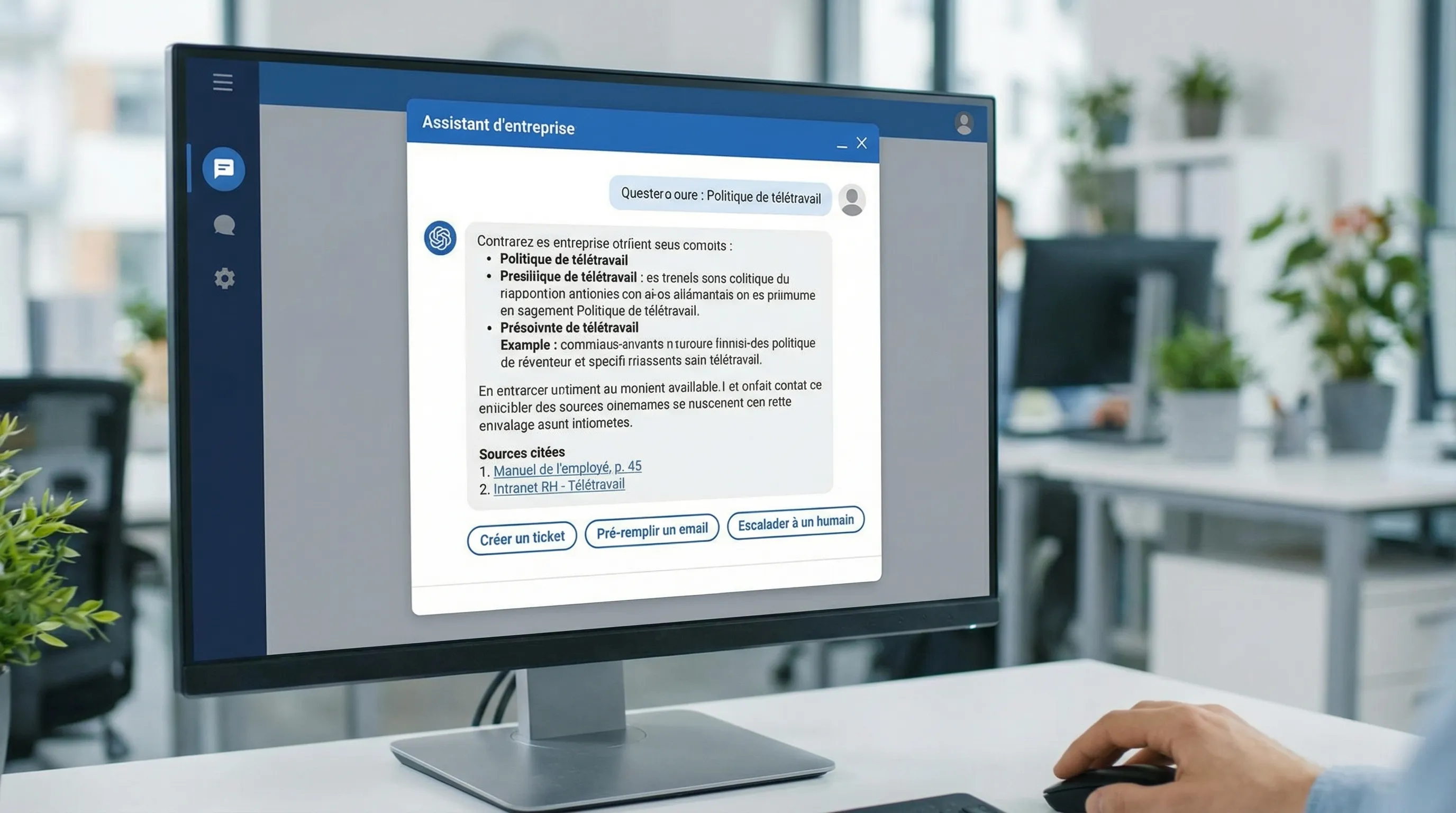
AI Design: UX Guide for Enterprise Assistants and Chatbots
Intelligence artificielle
Stratégie IA
Conception conversationnelle
Design UI/UX
An AI assistant might seem "simple" to launch—a chat box, a model, some docs. In enterprise, this is rarely the case. The best assistants win not because they "answer well," but because they **integrate into real work**, make their limits visible, and trigger reliable actions.
February 12, 2026·8 min read
An AI assistant might seem “simple” to launch—a chat box, a model, some docs. In enterprise, this is rarely the case. The best assistants and chatbots don’t win because they “answer well,” but because they integrate into real work, make their limits visible, and trigger reliable actions (without creating new risks).
This AI design guide covers UX specific to assistants and chatbots in a professional context, with concrete patterns for designing trust, action, accessibility, and measurement.
AI design: what really changes compared to “classic” UX
Traditional UX designs deterministic paths: screens, forms, rules. With an LLM-based assistant, the interface becomes probabilistic:
The user formulates their need in natural language (often vague).
The system must interpret the intent, choose a strategy, and generate a response.
Quality varies according to context, available data, and phrasing.
Consequence: in AI design, the UX mission is not just to “make the interface pleasant.” It is to reduce uncertainty and make the product “steerable”: expectations, guardrails, error recovery, traceability, and KPIs.
If you want to lay the UX/UI foundations regarding vocabulary and methods, the Impulse Lab glossary sheet on UX/UI is a good refresher.
1) Choosing the right format: chatbot, copilot, or agent (and not making the wrong promise)
Many projects fail from the start due to a format error: deploying a “generalist” chatbot when the need is work assistance within a tool, or vice versa.
Here is a simple grid, useful for product scoping.
Format
Where it lives
What it's for
Dominant UX
Main risk
Chatbot (web, support)
Site, helpdesk, WhatsApp, etc.
Answering, guiding, qualifying
Intent coverage, escalation
“Polite but useless answers”
Internal Assistant (knowledge)
Intranet, Slack/Teams, portal
Finding info, summarizing, helping decide
Trust, sources, context
Hallucinations + obsolete info
Tooled Copilot (actions)
In the business tool (CRM, ERP)
Executing tasks via tools (tool-calling)
Confirmation, control, audit
Incorrect actions, costs, security
Semi-autonomous Agent
Orchestrator + tools
Chaining steps (workflow)
Governance, supervision
Silent errors + drift
To clarify product terms, you can also reread the glossary definition of AI agent and chatbot.
2) Framing the intent: the UX foundation that avoids the “empty chat”
Before opening Figma, your best UX lever is a very concrete intent framing.
The quick test: “at the end, what does the user have?”
A pro assistant must produce an actionable output: a sourced answer, a draft, an action in a tool, a decision with options, or a transfer to a human. If the output is vague, the UX will be too.
Describe, for 5 to 10 real scenarios:
The trigger (e.g., “client requests a refund”)
The available context (data, history, knowledge base)
The expected result (e.g., “refund policy + next step + internal link”)
The guardrail (e.g., “if amount > X, manager validation”)
Defining the assistant's “contract”
In AI design, an explicit contract reduces frustration:
What the assistant knows how to do (short list)
What it doesn't do (and why)
What it does in case of doubt (question, source, escalation)
This contract must be visible: onboarding, field placeholder, examples, and contextual “help”.
3) Designing trust: transparency, sources, and displayed limits
In enterprise, an assistant's UX is primarily a UX of trust. Without trust, low adoption. With unjustified trust, high risk.
UX patterns that increase trust without overpromising
Indicate the level of certainty: “I'm not sure,” “I didn't find this in your internal sources,” “Here is what procedure X says.”
Display sources when possible (excerpts, links, update date). RAG (retrieval-augmented generation) type assistants are made for this. See the definition of RAG.
Trace the perimeter: “I answer based on your Support base (internal articles), not based on your CRM.”
Offer an alternative: “I can create a ticket” or “I can escalate to an agent.”
Telling the truth about memory
The user often assumes that “the bot remembers.” In enterprise, this is precisely where problems arise.
Good AI design:
explain what is memorized (session, preferences, history)
make memory editable (delete, correct)
avoid “fake personalization” (which gives the impression of surveillance)
On compliance, keep a simple principle: minimize data and make usage explicit. The CNIL regularly publishes useful recommendations on personal data and compliance.
4) Designing action: from text to buttons, forms, and confirmations
An assistant that “talks” but does nothing quickly creates friction. Conversely, an assistant that acts without control is dangerous.
The good UX compromise for many SMEs and scale-ups: chat + guided actions.
Effective patterns for moving to action
Structured responses: instead of a block of text, use cards (summary, steps, fields).
Action buttons: “Create a ticket,” “Pre-fill an email,” “Open client file,” “Generate a summary.”
Preview before execution: the user validates what will be sent or modified.
Explicit confirmation for any irreversible action.
“UX Idempotency”: avoiding double actions
Assistants can repeat an action if latency is long, if the user retries, or if the orchestration “retries.” Even without getting into architecture, UX must provide:
a clear status (“action in progress,” “completed,” “failed”)
an action history
protection against duplicates (“already sent 2 min ago”)
This becomes even more important when the assistant is integrated with multiple tools. Impulse Lab works precisely on integration with existing tools and automation, so that AI doesn't remain an isolated screen.
5) Handling errors: the UX that distinguishes a prototype from a product
In AI design, errors are not a marginal case; they are part of the product.
Three categories of failure to handle in UX
Type of failure
User-side symptom
Expected UX response
Example guardrail
Lack of info
Vague answer
Ask a targeted question, offer options
“Which product are we talking about?”
Uncertainty / contradiction
Incoherent answers
Display doubt, cite sources, ask for validation
“Procedure A and B diverge, which do you wish to apply?”
Critical error
Risky action
Block, escalate, require strong confirmation
“High amount, validation required”
“Useful” error messages
Avoid generic errors (“An error occurred”). A good assistant must say:
what happened (without jargon)
what it can do now
what the user can do
if a human is required
6) Accessibility: often forgotten, yet decisive
Conversational interfaces seem “simple,” but they can become difficult to use: keyboard focus, screen readers, contrasts, dynamic states, timing.
offer alternatives to long text (summaries, steps)
For a broader checklist (WCAG, testing tools, best practices), the Impulse Lab sheet on web accessibility is a practical base.
7) Prototyping and testing: a UX process adapted to assistants
Testing an assistant like a classic UI (static mockups) is not enough. You must test conversations, results, and actions.
A simple process in 3 loops
Loop 1 (qualitative): user tests on 10 to 20 scenarios. Objective: understand language, blockers, need for control.
Loop 2 (replicable evaluations): build an “evaluation set” (golden set) of questions and expected answers, to measure evolution.
Loop 3 (production): instrumentation, error tracking, and weekly iteration.
Impulse Lab is used to delivering in short cycles (weekly cadence). This cadence is particularly adapted to AI design, because UX and quality are built through iterations and measurements.
What to test, and when?
Stage
UX Artifact
Recommended test
Success signal
Scoping
Scenarios, assistant contract
Business review + risks
“Frequent” scenarios validated
Prototype
Scripts + conversational mockups
Guided user tests
The user reaches the expected output
MVP
Assistant connected to sources
Golden set + situational tests
Stability, sources, low rate of “unjustified” escalation
Pilot
Limited deployment
Adoption + quality + cost KPIs
Measurable gains, errors under control
To properly scope prompts and behaviors, the sheet on prompt engineering can help, but keep in mind that a good assistant is not “saved” by the prompt. It is designed through UX + data + integrations.
8) Designing a conversational design system (yes, it exists)
As you scale, the assistant must not depend on “the person who knows how to talk to the model.” You must standardize.
Typical elements of a conversational design system:
Tone and style (level of formality, short sentences, forbidden terms)
Response templates (summary, steps, next action)
UI states (loading, streaming, error, action in progress)
Components (sources, citations, buttons, forms)
Escalation rules (when to switch to human)
If your designers work in Figma, the Impulse Lab glossary on Figma can be useful for structuring components and versions with the dev team.
9) Measuring what matters: UX KPIs specific to assistants
Without measurement, you will have endless debates on “it answers well.” With measurement, you steer.
Some often actionable UX metrics (to adapt to the case):
Resolution rate (without human) vs escalation rate
Time to output (e.g., actionable answer, created action)
Reformulation rate (the user repeats their question)
For an ROI and instrumentation-oriented approach, you can also read the Impulse Lab article on AI chatbot KPIs.
Putting it all in motion (without turning the project into a factory)
If you are an SME or a scale-up, your advantage is not to aim for “a universal assistant.” It is to quickly deliver a useful assistant on 1 to 2 frequent paths, then industrialize: reliable sources, actionable integrations, trusted UX, and measurement.
At Impulse Lab, the typical approach for this type of topic combines:
AI opportunity audit (scoping, risks, prioritization)
Custom design and development (web + AI)
Integration with your tools
Training for adoption at the point of usage
If you want to secure an assistant (or revamp a chatbot already in place) with a UX oriented towards action, compliance, and ROI, you can start with a conversation via Impulse Lab.