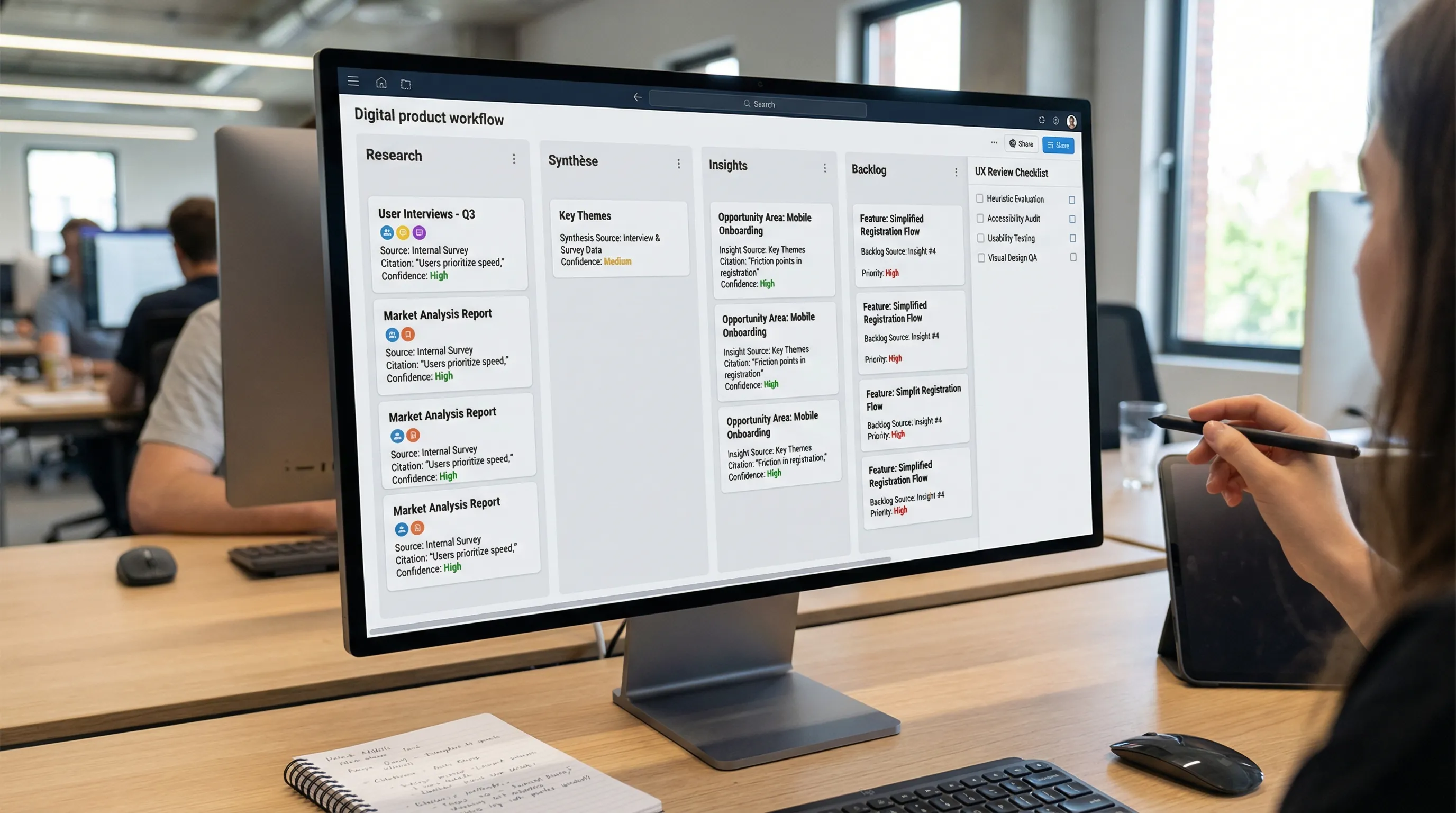
AI for design: 9 concrete use cases for your product team
Intelligence artificielle
Outils IA
Design UI/UX
Productivité
Automatisation
When discussing **AI for design**, the goal isn't just "making screens faster." In 2026, the challenge is to **reduce time spent on repetitive tasks**, **better leverage knowledge (research, feedback, data)**, and **standardize quality** (accessibility, consistency, copy, design system).
When we talk about AI for design (AI applied to product design), the challenge is not to "make screens faster" at all costs. The challenge, in 2026, is to reduce time spent on repetitive tasks, to better leverage knowledge (research, feedback, data), and to standardize quality (accessibility, consistency, copy, design system).
The right benchmark for a product team (PM, design, research, front): if AI isn't connected to your reality (sources, constraints, decisions), it remains a gadget. If it is scoped, instrumented, and integrated into the workflow, it becomes a delivery lever.
Before the use cases: 3 rules to avoid the "demo" effect
Start with a real deliverable, not a prompt. Example: "Interview synthesis + top 10 actionable insights + problem backlog ranked by severity," rather than "summarize these notes for me."
Work with verifiable sources. Models can hallucinate. You want "anchored" outputs: citations, links to the source, excerpts, traceable decisions.
Define a simple quality control (human in the loop). In design, the cost of a silent error (bad wording, wrong legal constraint, bad logic) can be high.
To set the framework, you can rely on benchmarks already documented at Impulse Lab, for example on AI design applied to assistants and chatbots (useful if you design conversational interfaces) and on UX/UI fundamentals in the UX/UI glossary.
9 concrete AI for design use cases for a product team
The objective here is very operational: for each case, you have the moment in the product cycle, the expected result, the inputs to provide, and simple KPIs.
AI for design Use Case
Where it helps most
Useful Inputs
Expected Output
KPI to track
1) Research synthesis
Discovery
verbatims, notes, transcripts
insights, themes, tensions, opportunities
synthesis time, rate of "actioned" insights
2) Journey mapping and scenarios
Discovery, framing
goals, contexts, jobs-to-be-done
journeys, key scenarios, "edge cases"
scenario coverage, reduction in late feedback
3) AI for information architecture
Definition
tree structure, content, SEO constraints
sitemap, labels, navigation, missing content
orientation time, internal search rate
4) UX writing and controlled microcopy
Delivery
tone design system, legal constraints
variants, errors, empty states, confirmations
reduction in "I don't understand" tickets
5) Design system documentation and governance
Scaling
tokens, components, guidelines
docs, usage rules, checklists
DS adoption, reduction in UI debt
1) Research synthesis (interviews, support, feedback) into actionable insights
In many teams, research exists, but its formatting is the bottleneck. AI helps mainly to:
Group verbatims by themes.
Identify tensions (what people want vs. what they accept).
Extract a list of properly formulated "problems."
The key is to ask for traceable outputs: citations, link to the interview, confidence score, and a clear separation between "observed fact" and "interpretation."
Good pattern: a weekly synthesis that directly feeds a backlog (Linear/Jira/Notion), with tags (persona, context, journey stage).
2) Journey mapping and scenarios (and especially "edge cases")
AI is very useful for accelerating the "we understood, now we must formalize" phase. Based on a user goal and product constraints, it can propose:
A nominal journey (happy path).
Alternative scenarios (doubt, comparison, abandonment, return).
The gain: you arrive at the workshop with a base, then do the real work (arbitrating and simplifying). Concrete result: fewer late back-and-forths in QA or support.
3) AI for information architecture (IA) and content structuring
When a product grows, architecture and labels become a performance issue, not cosmetic. AI can help you test quickly:
Structure options (sitemap, sections, groupings).
Understandable labels (and consistent with your vocabulary).
A list of missing content (help pages, empty states, onboarding).
If your product has a significant web dimension, you can link this work to your SEO constraints (without turning AI into an automatic text generator). For a clear benchmark on tools and design collaboration, see the Figma glossary.
4) UX writing and controlled microcopy (variants, tone, compliance)
It's one of the best quick wins, provided you have a minimum "charter." AI helps produce and iterate on:
The classic trap: generating 15 variants, then choosing "by feeling." Best practice: a simple grid (clarity, brevity, tone consistency, legal risk) + an A/B test when critical.
5) Design system: documentation, usage rules, and consistency at scale
When you scale, UI debt and inconsistency cost dearly (dev time, QA, support, brand). AI can play a "documentation copilot" role:
Transform scattered notes into readable guidelines.
Here too, value comes from the link with your reality: tokens, components, design decisions, naming rules, and exceptions. If you are looking to make accessibility reliable in the same move, the web accessibility glossary can serve as a common base.
6) Rapid prototyping: from need to testable flow (without "making pixels")
"Wireframe to UI" tools exist, but the real gain for a product team is elsewhere: quickly producing a testable flow to learn.
AI is useful for:
Declining flow variations (e.g., short vs. progressive signup).
Proposing "structural" screens (not final visual design).
Preparing a test script (tasks, success criteria, questions).
The discipline: keep the prototype at the abstraction level that serves the decision. Too detailed too soon, you slow down.
The right usage: a preparation copilot, not a judge. You keep the arbitration, but you save time and standardize reasoning.
How to choose your first 2 use cases (without spreading yourself thin)
If you are an SME or a scale-up structuring itself, you don't need 9 projects. You need 2 frequent cases, visible, and measurable.
Here is a simple grid (to fill in 20 minutes):
Criterion
Question
"Go" Signal
Frequency
Does it come back every week?
Yes
Data
Do you have the sources (notes, tickets, analytics)?
Yes, accessible
Risk
Is it reversible if we get it wrong?
Yes
Integration
Can we connect it to your tools (Notion, Jira, Slack, CRM)?
Yes, minimal
Measurement
Can we measure a simple gain (time, quality, conversion)?
Yes
Vigilance points (specific to product design)
Confidentiality and rights: mockups, assets, briefs, and verbatims may contain sensitive information. Formalize a classification rule (what is authorized, anonymized, forbidden).
Hallucinations and "false certainties": demand sourced outputs when AI summarizes research.
Brand consistency: without a tone charter and validated examples, generated UX writing becomes inconsistent.
Accessibility: AI can suggest, but you must test with dedicated tools and WCAG criteria.
Moving from test to adoption: a pragmatic approach
A simple deployment that works well in a product team:
Week 1: choose 1 use case (e.g., research synthesis), define 1 standard deliverable, and measure a baseline (time, quality).
Weeks 2 to 3: iterate on the format (templates), add a traceability rule (citations, sources), and integrate the output into the target tool (Notion, Linear, Jira).
Week 4: formalize mini-governance (who validates, where it's stored, what is forbidden) and decide (stop, continue, scale).
This "mini-product" logic avoids the syndrome of the tool adopted then abandoned.
Need an AI for design truly integrated into your workflows?
Impulse Lab accompanies product teams (PM, design, engineering) to transform AI into measurable gains: opportunity audit, targeted training, and custom development (automation, integrations, platforms).
If you want to identify your 2 best design use cases (and deliver them properly, with guardrails and KPIs), you can start with a conversation via impulselab.ai.
AI and Cybersecurity: The Minimum Controls for an SME
From summarizing contracts to drafting invoices, each AI use case introduces new access risks. For an SME, AI and cybersecurity must be addressed together before connecting sensitive data or automating actions. Discover eight essential controls and a 30-day rollout plan.