In 2026, **AI sites** (web-accessible AI tools) are everywhere in teams: writing, support, operations, sales, product, finance. The problem is no longer "finding an AI", it is **choosing a reliable tool** that won't create risks (data leaks, non-compliance,...
In 2026, AI sites (web-accessible AI tools) are everywhere in teams: writing, support, operations, sales, product, finance. The problem is no longer "finding an AI", it is choosing a reliable tool that won't create risks (data leaks, non-compliance, costly errors) or integration debt.
This guide proposes a pragmatic method, designed for SMEs and scale-ups: filter quickly, ask for the right proofs, then validate in real-world situations before deploying.
What "reliable" means for an AI site in 2026
A "reliable" AI site isn't just a tool that "answers well". In a corporate context, reliability combines several dimensions:
Functional reliability: the tool does what you buy it for (precise, repeatable use case, useful daily).
Result reliability: quality, consistency, ability to cite sources (when necessary), error handling.
Operational reliability: availability, latency, support, ability to scale without breaking your processes.
"Purchasing" reliability: a viable provider, a clear contract, possible reversibility.
In 2026, this requirement is rising for a simple reason: tools are moving from "copilot" assistants to more agentic systems (actions, integrations, automations). The more a tool is allowed to act, the higher the reliability bar must be.
The 3 quick filters before even testing a tool
Before comparing features, start by eliminating 50% of options with three filters. This avoids infinite POCs.
Filter 1: data criticality
Decide what can, or cannot, be sent to an AI site.
"Green" data: public content, non-sensitive marketing drafts.
"Amber" data: internal non-critical information (processes, non-confidential internal docs).
"Red" data: personal data, client data, contracts, finances, trade secrets.
If your use cases touch amber/red data, you will need strong requirements (contract, non-retention options, access control, auditability). The CNIL offers useful benchmarks on AI and personal data issues: CNIL resources on AI.
Filter 2: the "job to be done" (just one, concrete)
A reliable AI site is chosen based on a usage, not a general promise.
Examples of concrete jobs:
Summarizing meetings and pushing actionable minutes.
Answering questions based on an internal knowledge base.
Accelerating marketing asset production with a brand guide.
Automating a sequence of tasks (collection, transformation, ticket creation, notification).
If you can't write in one sentence "who does what, to produce which output", you are going to evaluate at random.
Filter 3: integration and reversibility
In 2026, the issue is no longer the tool, it's the workflow.
Ask two simple questions:
"How does the output get to where the team is already working (CRM, helpdesk, Notion/Confluence, Slack, Google Workspace/Microsoft 365, etc.)?"
"If I change tools in 12 months, do I get my data, prompts, settings, logs, and content back?"
Without integration or reversibility, you are buying a demo, not a productivity lever.
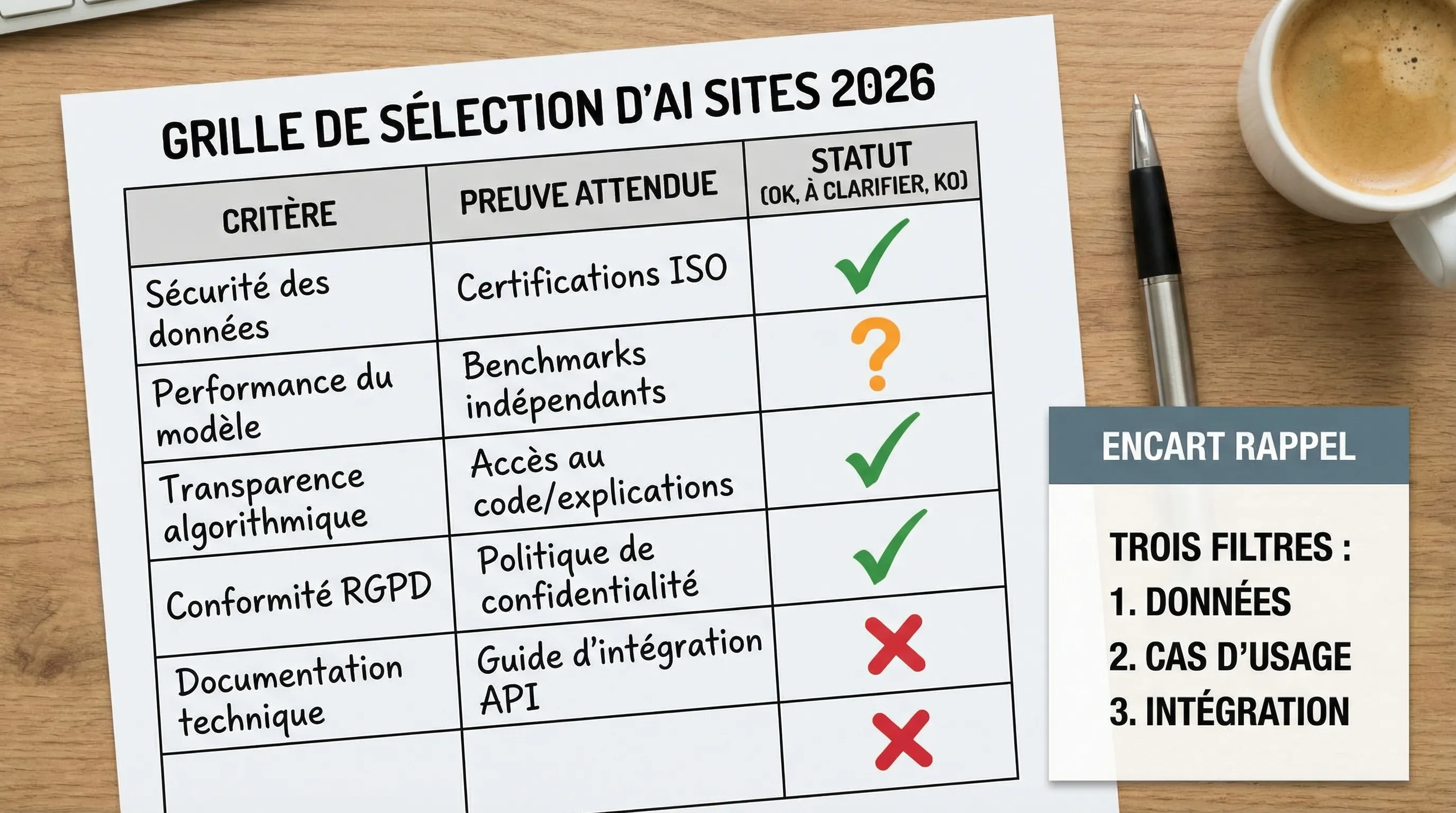
The 2026 grid: 9 concrete criteria to judge an AI site
The grid below is intentionally decision-oriented. The goal is to be able to say "yes", "no", or "not now".
Criterion
What you are looking for
Questions to ask / to verify
Covered use case
Clear and repeatable value
Which exact tasks? Which outputs? What realistic success rate?
Quality and stability
Less variance, fewer surprises
Is the tool stable over 20 tries? Does it handle edge cases?
Traceability (if necessary)
Understanding where answers come from
Are there sources, citations, links, excerpts? Can it be audited?
Retention? Training on your data? Non-usage options? DPA available?
Compliance
Being aligned with your obligations
GDPR, sector-specific requirements, and trajectory regarding the EU AI Act
Integrations
Moving from tool to system
API? Webhooks? Connectors? Data export?
Total Cost (TCO)
Avoiding "it explodes in prod"
Who configures? Who maintains? Hidden costs (training, QA, monitoring)
This grid applies equally to a "consumer" tool and a more enterprise AI site. What changes is the level of requirement per criterion.
The proofs to ask for (and why it matters)
In practice, many teams evaluate AI sites "by feeling". In 2026, you must buy proofs, not an impression.
Security and contractual proofs
Without getting into an endless checklist, three elements save a lot of time:
DPA (Data Processing Agreement) if you process personal data.
Data retention and usage policies (storage, logs, training, sub-processors).
Access controls and identity: SSO/MFA, roles, and ideally audit logs.
For risks specific to LLM systems (prompt injection, data exfiltration, unwanted actions), OWASP maintains a useful reference: OWASP Top 10 for LLM Applications. It's not a "turnkey" contractual standard, but it's an excellent base to challenge a provider or frame a pilot.
Governance and risk management proofs
If the tool impacts a sensitive process (support, finance, legal, HR), you must be able to answer:
Who can use it?
On what data?
With what limits?
How are errors detected?
How is what was done proven (logs, history, versioning)?
Add observable success criteria: "usable output without editing", "answer with sources", "creation of a correctly categorized ticket", etc.
Day 2: test 2 or 3 tools maximum
Beyond 3, you are comparing impressions, not results.
Measure simple elements:
Time saved (or not)
Edit rate
Critical errors
Ability to integrate context (documents, CRM, helpdesk)
Day 3: decide on guardrails
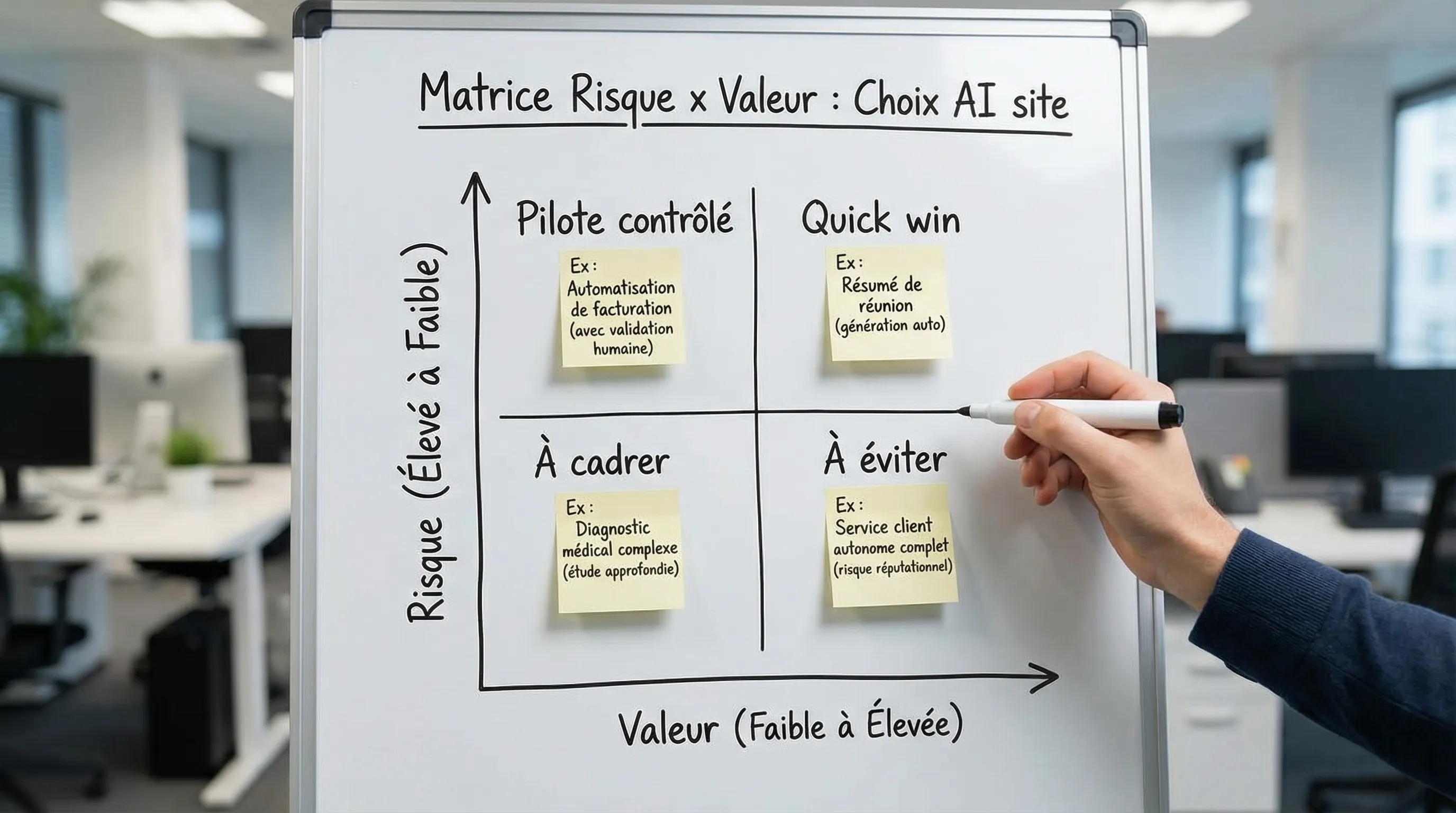
In 2026, the safest deployment isn't "no AI". It's "AI with limits".
Examples of useful guardrails:
Ban red data in the tool if you don't have solid guarantees.
Force the use of sources (RAG, citations) for factual answers.
Put a human in the loop on sensitive actions (client sending, financial decision, data change).
Day 4: mini-pilot with 3 to 10 users
Don't look for massive adoption. Look for:
real daily usage,
a stabilized workflow,
a simple metric.
A successful pilot is an easy decision: "we expand" or "we stop".
Day 5: decision and deployment plan
Decide by looking at:
measured value,
residual risks,
integration effort,
total cost over 6 to 12 months.
If you can't estimate the total cost, you haven't finished the evaluation.
Warning signals (red flags) to take seriously
Some signals should make you slow down, even if the tool is "impressive".
Red flag
Why it's a problem
What to do
Vagueness on data usage
Legal risk and info leak
Demand a written answer and a DPA if necessary
No serious access control
Everyone sees everything, internal risk
Ask for roles, SSO/MFA, logs
"It works" but impossible to reproduce
High variance, not industrializable
Test on a fixed set of cases and measure
No integration or fragile integration
Debt and hidden costs
Check API, exports, connectors
Promise of total autonomy
Risk of uncontrolled actions
Impose a human in the loop on sensitive actions
And what if no AI site checks all the boxes?
It's common, and it's not a failure.
In 2026, many organizations end up with a hybrid approach:
"Market" AI sites for low-criticality tasks (quick win, low risk).
Integrations and automations around your existing tools (to capture value in the workflow).
Custom solutions when you need to connect internal data, manage rights, trace, control costs, or meet strong constraints.
If your problem is "I want a reliable internal assistant on our documents" or "I want to automate a process", you are often closer to an integration and platform topic than a simple tool choice. A good starting point can be to clarify what a "platform" is and where it fits in your stack: web platform (definition) and artificial intelligence platform: selection criteria.
Frequently Asked Questions
Can a free AI site be "reliable" for a company? Yes for non-sensitive data uses (public content, brainstorming). As soon as you touch internal or client data, look at retention, training, and contractualization. To frame this, you can start from this logic: Free AI: useful tools without compromising your data.
What questions to ask to know if my data is used to train the model? Ask for a written answer in the terms of use or a privacy document. Explicitly look for "training", "improvement", "data retention", "opt-out", and log management.
How to integrate the EU AI Act into the choice of a tool? Without becoming a lawyer, check: is your use case sensitive (HR, credit, health, scoring), what data is used, what control measures exist, and if the provider has a clear compliance posture. The official European Commission page is a good entry point: Artificial Intelligence Act (EU).
Who should decide on the choice of an AI site internally? Ideally a "business + data/IT/security lead" duo, with a sponsor. The business validates value, IT/security validates risk and integration.
What is the best way to compare 2 tools without wasting time? A set of real cases, a simple metric (time saved, edit rate, errors), and an integration constraint (where the output goes). Without that, you are comparing demos.
Need a secure choice (and a deployment that truly creates value)?
Choosing a reliable AI site in 2026 isn't just "picking the best tool". It's securing data, validating value on a real case, then integrating AI into your workflows to obtain a measurable gain.
Impulse Lab accompanies SMEs and scale-ups with:
AI audits to map opportunities and risks,
adoption training (best practices, usage rules, security),
development of custom web & AI solutions (automation, integration, platforms), with weekly delivery and a dedicated client portal.
If you want to quickly frame your criteria, properly test 2 or 3 options, then decide without making a mistake, you can start here: https://impulselab.ai.
IA et cybersécurité : les contrôles minimums pour une PME
Un assistant qui résume des contrats, un outil connecté au CRM ou un agent qui prépare des factures : chaque usage crée de nouveaux accès à contrôler. Pour une PME, **IA et cybersécurité** doivent donc se traiter ensemble, avant de connecter des données confidentielles ou d’autoriser des actions aut...