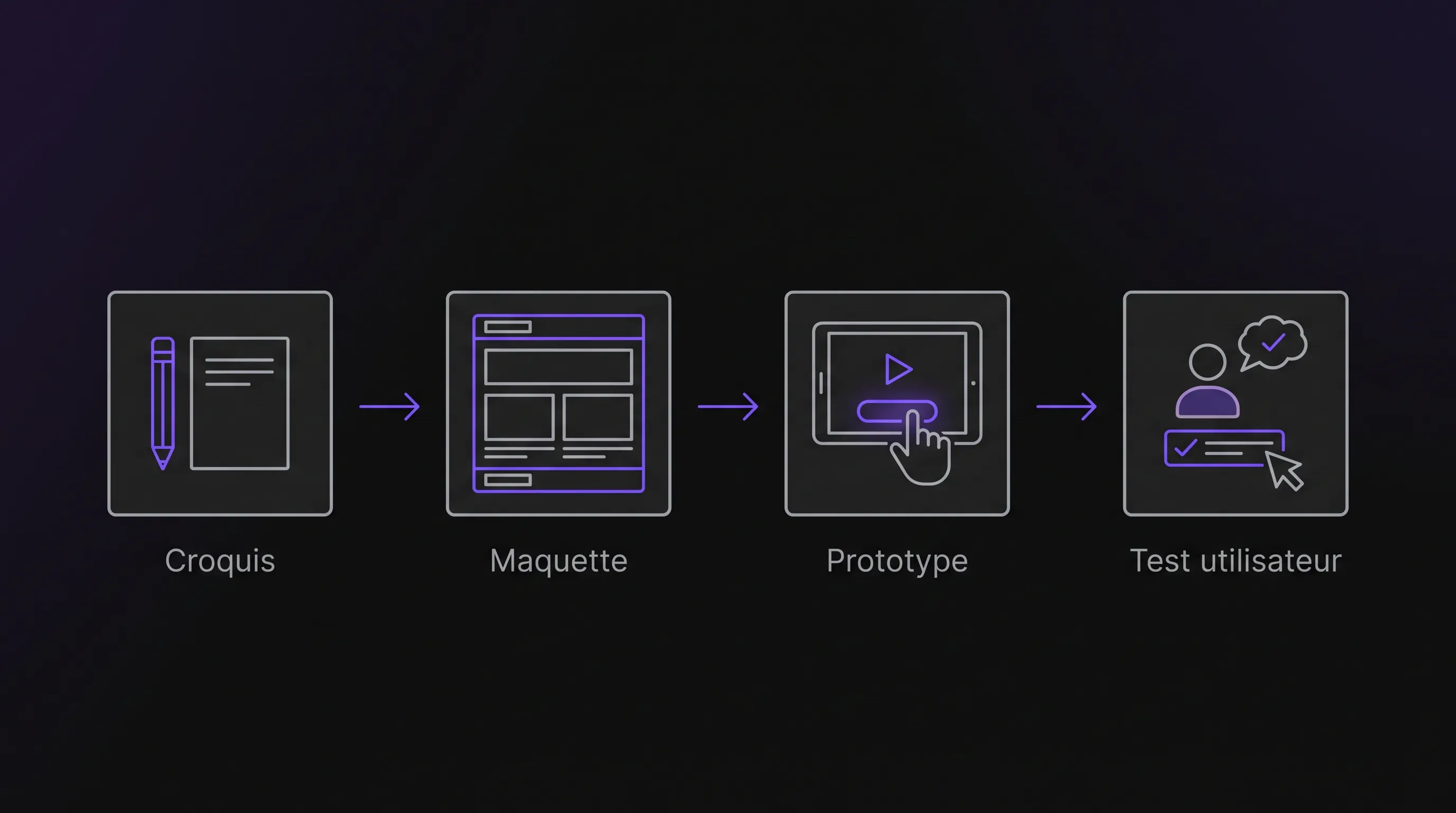
From Sketch to Prototype with Artificial Intelligence
Intelligence artificielle
Outils IA
Design UI/UX
Productivité
Développement logiciel
Turn paper sketches into functional web prototypes using AI. Test ideas, validate user journeys, and clarify business rules before writing production code.
October 13, 2026·10 min read
A paper sketch can be enough to kick off the design of a business tool. Yet, those rectangles, arrows, and annotations still need to be turned into a usable user journey. A search for "artificial intelligence sketch" often points to image generation, but it also opens up a practical path for SMEs and scale-ups: using a sketch to build a web prototype. The goal is not to get a pretty screenshot. It is to test an idea before investing in its development.
What Can You Get from "Artificial Intelligence Sketch"?
A multimodal model capable of analyzing text and images can interpret the elements of a sketch: fields, buttons, tables, or navigation areas. Depending on the tool used, it can produce a structured description, a mockup, or interface code.
However, these deliverables serve different needs.
Deliverable
What It Helps Verify
What It Does Not Guarantee
Interface image
Visual organization and general appearance
Functional interactions
Clickable mockup
Navigation across multiple screens
Actual data processing
Functional web prototype
Executable interactions with dummy or limited data
A secure, production-ready application
Production application
Real-world use in an operational environment
Quality without testing, maintenance, and monitoring
A prototype is meant to guide a decision, not prove that development is finished. An interface may look complete even while access controls, backups, or integrations with existing tools have yet to be built.
To get started, pair an image-capable tool with an environment that lets you edit and test the output. Figma or Penpot can be used to refine a mockup. A development environment with live preview is better suited if you want to test real interactions. Check the available features rather than assuming a single tool covers the entire journey.
Moving from Sketch to Prototype in Five Steps
1. Draw a Business Task, Not the Whole Application
Choose a specific task: logging a service request, preparing a quote, or approving an expense. The drawing should show what the user is trying to accomplish, rather than packing in every conceivable feature.
A rough sketch, also called a wireframe, is enough. Legible rectangles and clear annotations are far more useful than an elaborate illustration lacking practical user logic.
In particular, specify:
The target user: sales rep, team lead, or field technician.
The necessary information: client, amount, date, or status.
The primary action: save, submit, or approve.
The expected next step: confirmation, status change, or return to the list.
Artificial intelligence can interpret a drawing, but it does not know your internal business rules. If an approval depends on an amount or a role, write that condition next to the sketch.
Then, take a straight-on photo of the page with legible text. Blur or remove client names and sensitive information before uploading anything.
2. Give the AI a Brief to Complement the Sketch
The image shows a layout. The brief explains the expected behaviors. Without this context, the model risks inventing fields, steps, or features that do not exist in your business operations.
Describe the context, the task to be tested, and the prototype's boundaries. First ask for an interpretation of the sketch, then validate it before kicking off generation.
Here is an example prompt you can adapt:
Based on this sketch, describe an interface that lets a coordinator create a service request. It includes a client, an address, a requested date, and a description. The "Save" button creates a request with the status "To Schedule". Use only mock data. Do not include any payment options or connections to our business software. Start by rephrasing the user journey, the fields, and the business rules. Point out any illegible or ambiguous elements instead of guessing them.
Once validated, specify the desired deliverable: a clickable mockup or a web prototype with local interactions. Separating these steps prevents generating code based on a misunderstood requirement.
3. Check the Structure Before Working on Appearance
Compare the proposal against both the sketch and the brief. Are all the fields there? Is the primary action easy to identify? Do the labels match the terminology used by your teams?
The model can produce an elegant interface while altering the intended logic. For instance, a "Submit" button might be interpreted as a final approval when you only intended to save a draft.
To move from sketch to prototype with artificial intelligence, address these semantic discrepancies first. Colors and spacing come later.
Ask for targeted revisions: "replace this free-text field with a dropdown of mock clients" or "keep the request in draft status as long as the date is not filled in". A precise prompt provides better control over changes than a generic request for improvement.
Keep a validated version before each major change. That way, you can easily roll back to the initial journey if a new generation strips out a useful behavior.
4. Make the Journey Truly Testable
A clickable mockup is sufficient to assess screen flow. A coded prototype becomes useful when you need to verify dynamic behaviors: filtering a list, calculating a total, or displaying an error message after invalid input.
Define what works and what remains simulated. A button can show a confirmation message without actually sending a notification. A table can use dummy data without connecting to your customer database. These boundaries must be clear to the people testing the prototype.
Also plan for states that generated code easily overlooks: an empty list, an input error, or an unavailable action. These often uncover more issues than a screen filled with flawless data.
If code is generated, have someone verify that it executes properly and supports the features needed for testing. Code that renders correctly is not necessarily reliable code, even for a simple demo.
5. Watch Real Users Complete the Task
Put the prototype in front of a few people who will actually perform the work. For an initial exploratory test, you can start with three users with different habits, without treating this small sample as an exhaustive validation.
Give them a concrete task: "Create a request for this client and find it in the list." Avoid telling them where to click. You want to observe their comprehension of the flow, not their ability to follow instructions.
Note hesitations, mistakes, and missing information. Then ask what they expected to happen after each key action.
Artificial intelligence helps turn a sketch into an interface, but observation determines whether that interface actually fits the job. Fix blockers before adding new features.
In the end, decide on a clear next step: proceed with the project, revise the journey, or abandon the idea. A prototype that helps avoid unnecessary development has served its purpose.
Example: Testing a Service Request Tool
Let's take a hypothetical example: a service-based SME receives requests by phone and email. Its leader sketches an entry screen, followed by a list featuring the statuses "To Schedule", "Scheduled", and "Completed".
The first prototype does not need to sync calendars or send SMS alerts. It only needs to answer a simpler question: can the team log a request without omitting critical details required for scheduling?
AI can help build the form, the list, and basic interactions. Testing then reveals that an "On-site Contact" field is missing and that users confuse the requested date with the confirmed date. These adjustments are much easier to make before starting integrations.
Here, moving from sketch to prototype with the help of artificial intelligence helps clarify requirements. It does not yet prove that the final solution will shorten turnaround times.
The valuable deliverable at this stage includes the prototype, validated business rules, and remaining open questions. This package helps the development team estimate remaining work without having to reinterpret the initial idea from scratch.
Precautions Before Sharing or Deploying
Protect Data Sent to AI Tools
A sketch may contain personal data or commercial information: contact details, negotiated pricing, or internal workflows. Whenever possible, use fictitious examples and check the tool's terms regarding file retention, potential reuse, and access rights.
If personal data is required, the choice of service and its usage must be evaluated under the GDPR. The CNIL resources on artificial intelligence provide a helpful framework to identify relevant compliance obligations.
This check is necessary even if the project simply begins with a photograph of a hand-drawn sketch.
Review Accessibility and Code Quality
Test keyboard navigation, text contrast and readability, and the clarity of error messages. The W3C WCAG resources provide benchmark standards for web accessibility.
Before any real-world use, have permissions, server-side validation, and data protection reviewed as well. Client-side checks in the UI can easily be bypassed. Generating an interface is no substitute for a thorough technical review and risk-appropriate testing.
Verify Rights on Assets Used
An original sketch drawn by your team does not raise the same legal questions as a competitor's screenshot or an illustration pulled from the web. Avoid prompting tools for direct reproductions of protected works.
The budget goes beyond a tool subscription. It includes scoping, preparing the sketch, generation, revisions, and testing. A rapid initial output can demand heavy rework if the underlying business rules were vague.
To compare different approaches, measure the total time required to reach a validated workflow. Do not look solely at how quickly you got the first visible screen.
Artificial intelligence applied to sketching delivers value when it streamlines discussions and enables faster decision-making. That value must then be weighed against the actual costs of development, integrations, and long-term maintenance.
Before moving forward, define measurable criteria: the user completes the task unaided, essential fields are present, and critical rules are understood. To decide what comes next, you can rely on our framework for choosing and integrating an artificial intelligence solution.
Frequently Asked Questions
Do you need to know how to draw to build a prototype with AI? No. Legible blocks, clear labels, and arrows are plenty for a web interface. Clear business rules matter far more than artistic quality.
Can a sketch directly turn into a complete application? Some tools generate code from an image, but the output still requires review. Data storage, permissions, integrations, and real-world operations cannot simply be deduced from a drawn screen.
Should you choose a clickable mockup or a coded prototype? Choose a mockup to test navigation and comprehension. Opt for a coded prototype when the test relies on calculations, filtering, or input validation logic.
Does this method work for a physical product? AI can help explore its visual look. However, a rendering cannot replace a CAD model, verified dimensions, or manufacturing constraints.
Turn Your Sketch into an Actionable Starting Point
Pick a single business task, sketch its workflow, and define the exact decision the prototype must help you make. That will give you a far more impactful goal than simply generating an interface.
Impulse Lab helps companies navigate AI opportunity audits, develop custom web and AI solutions, and provide training for practical adoption. An initial scoping phase can clarify what is worth prototyping, and what should ultimately be built and integrated into your core systems.