Moving from Excel to a Reliable Workflow Without Rebuilding Everything
Stratégie d'entreprise
Productivité
Automatisation
Optimisation
Gestion de projet
To move from Excel to a reliable workflow, you don't need to replace all your tools. The first shift is to stop relying on colored cells, email reminders, and one person's memory. Keep what works, import your existing data, and gradually secure the critical steps.
Moving from Excel to a reliable workflow doesn't necessarily require replacing all your tools. The first shift is to stop relying on colored cells, email follow-ups, and a single person's memory to track work. You can keep useful calculations, migrate existing data, and gradually secure the steps that cause issues.
As a business grows, a spreadsheet originally built for a few users can easily become the bottleneck for an entire team. The goal isn't to ditch Excel on principle, but to distinguish between what it does well and what deserves a more structured process.
What Does Moving from Excel to a Reliable Workflow Mean?
A spreadsheet organizes information. A workflow organizes its processing: who intervenes, in what order, under what conditions, and what happens when a step fails?
Take a fictional example: an SME tracks its client files in a workbook. Each row contains a client, an assignee, a deadline, and a status. The spreadsheet displays activity, but file approval happens via a separate message. Someone then has to update the row and notify the execution team.
The risk lies between these actions. An approval can be forgotten, an outdated version of the file used, or a file handed off despite missing information.
A reliable workflow makes handoffs between steps explicit and verifiable. A record only becomes "ready to process" once all required conditions are met. The owner knows what to do, and any error remains visible until it is resolved.
Depending on your setup, Excel may already offer co-authoring and version history. While these features facilitate collaboration, they alone are not enough to formalize business rules and accountabilities.
Deciding What to Keep, Connect, or Replace
Start by examining how the workbook is actually used. The most complex tabs are not necessarily the ones that need replacing first. A simple "Approved" column can carry far more operational risk than a sophisticated calculation model.
Current Use
What Can Stay in Excel
What Should Be Secured Elsewhere If Needed
Calculations and simulations
Assumptions, formulas, and ad hoc analyses
Versioning of rules used for operational decisions
Information gathering
Occasional imports and data preparation
Mandatory fields, validations, and record identification
Case/Record tracking
Lookup views and exports
Statuses, responsibilities, and authorized transitions
Validation
Pre-decision analysis
Approver identity, timestamp, and sign-off conditions
Reporting
Pivot tables and exploratory analyses
Sourcing from a defined single source of truth
This separation avoids rebuilding every formula, chart, or historical tab inside a new application. Some components should remain analytical tools, not production software features.
Three trajectories are possible: improve the existing workbook, add an input interface and automations to it, or move active data to a shared tool. The choice largely depends on the number of stakeholders, required permissions, and the impact of an error.
Before investing in a platform, identify the point where information must turn into a controlled action. This is often the ideal scope for a first version.
Define the Rules Before Choosing the Tool
Define a Minimal Structure for Records
A migration often exposes ambiguities that were previously absorbed by the team's tribal knowledge: two different names for the same client, dates stored as text, or multiple meanings behind an "in progress" status.
For each record, define a unique identifier, an owner, a status, and the next deadline when relevant. Add fields specific to your business, but avoid making every column mandatory by default.
The identifier must remain stable, even if the client's name changes. It serves to identify the same record across the spreadsheet, a form, and connected tools. A row number is not a reliable identifier, as it can shift after sorting or deleting rows.
Document field meanings as well. "Delivery Date" should denote either an estimated date or an actual date—not both depending on who fills in the cell.
Describe Transitions and Exceptions
A list of statuses is not yet a process. For every transition, specify the entry condition, the authorized person to act, and the expected outcome.
For example, a record moves from "To Review" to "Ready" only if required fields are complete and a manager has signed off. Simply filling in a cell shouldn't trigger an execution if formal approval is still needed.
Also account for edge cases: canceled requests, records sent back for revision, or revoked approvals. Without handling these cases, the team will inevitably bypass the system with free-form notes and private messages.
These rules can often fit on a single page. Yet they represent an essential deliverable: they guide tool selection and make testing behavior possible.
Build Around Excel Rather Than Replacing Everything
Establish a Single Source of Truth for Each Data Point
The main hazard of a phased transition is the coexistence of multiple editable versions of the same information. If a record owner changes in Excel but not in the application, which one is authoritative?
Define a single source of truth for each data type. Customer contact details can live in the CRM, operational statuses in the tracking tool, and simulation assumptions in Excel. This division must be clear to the team.
Syncing doesn't automatically solve conflicts. It needs to define data flow direction, frequency, and error handling. To start, a one-way sync is often much easier to control than two-way synchronization.
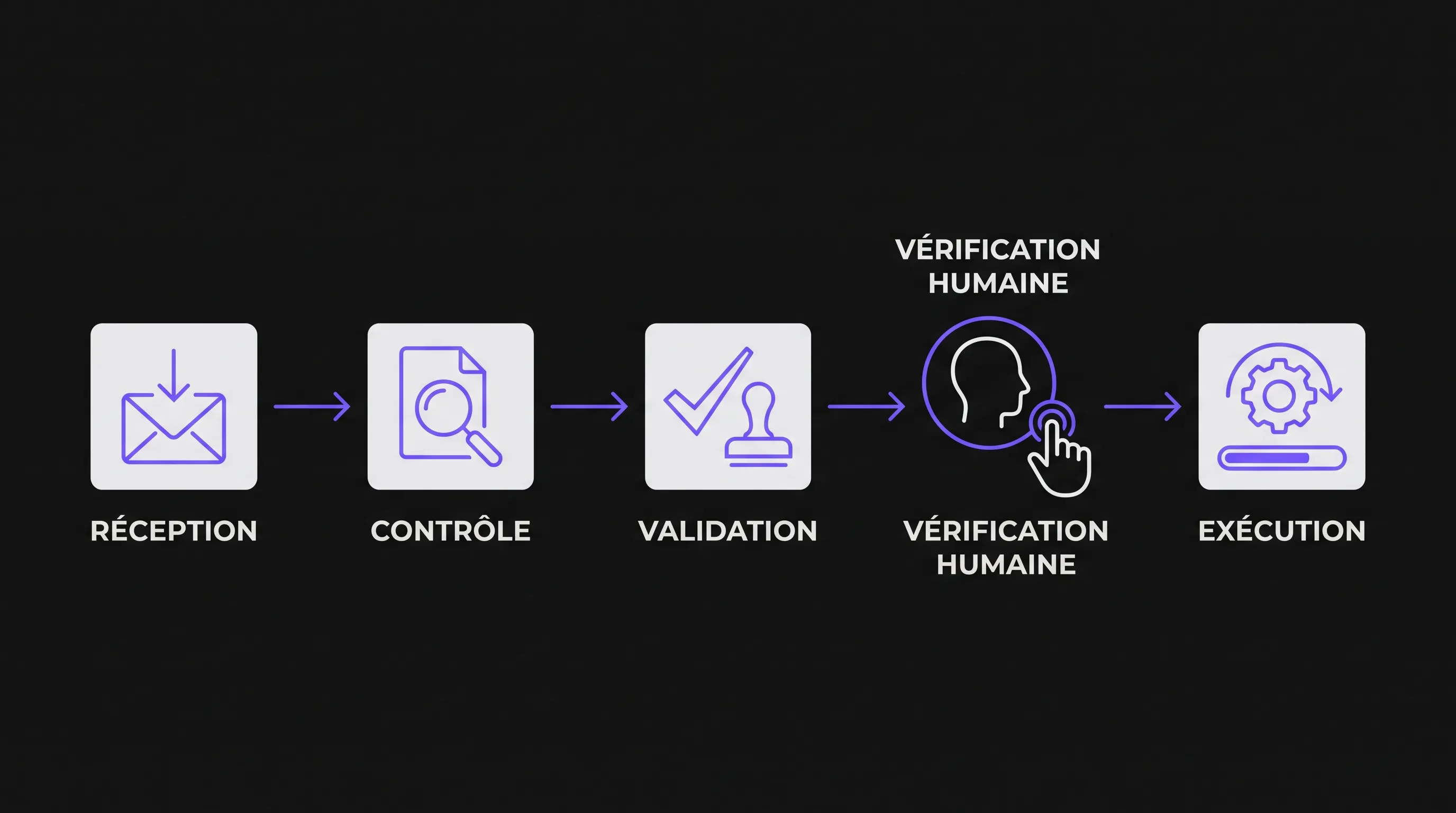
Choose an operation with clear inputs and outputs. For example: receiving a file, verifying required fields, then assigning it to an owner.
A first version could use an intake form, shared storage, and a dashboard of records to process. Excel would remain available for analysis and exports. These are possible architectural choices, not a mandatory combination.
If your rules or integrations justify a dedicated application, scoping custom software, its stages, and its deliverables helps define this initial version. The challenge is to build the useful scope, not to replicate the spreadsheet screen by screen.
A slightly less feature-rich interface may be preferable if it makes actions clearer. Secondary calculations and legacy views can wait.
Prevent Errors from Becoming Invisible
An automation can fail without anyone noticing: expired credentials, a missing field, or an unavailable external service. It can also receive the same event twice and create duplicate records.
Therefore, the workflow must include control mechanisms, not just the happy path.
Prevent duplicates: recognize an already processed request via its unique ID, rather than creating a new record each time.
Maintain an audit trail: record the action taken, its outcome, and who performed it (human or automated).
Make failures visible: surface blocked records in a dedicated view and assign someone to resolve them.
Enable controlled retries: re-run a step without duplicating previously executed actions, such as sending an email or creating an entity in another tool.
This last point is often referred to as "idempotence": repeating an operation should not produce unintended side effects. For a business leader, the practical question is straightforward: what happens if someone clicks the button twice?
Access permissions also matter. Viewing a file, editing it, and approving it are distinct permissions. They should reflect actual roles, especially when handling personal or sensitive data.
Migrating Without Disrupting Daily Operations
Test Real-World Scenarios, Including Failure Cases
Testing shouldn't be limited to a pristine record. Select representative scenarios: incomplete details, duplicate submissions, owner changes, cancellations, and integration timeouts.
Verify that each case produces the intended outcome or a clear block. An explained, assigned error is far better than partial processing flagged as successful.
You can run the new solution in shadow mode on a copy of the data. It computes expected states without dispatching notifications or modifying production systems. This lets you compare outputs without running two competing operational paths.
Involve users who handle day-to-day exceptions. They often know tribal rules missing from both the spreadsheet and written procedures.
Plan a Clean Cutover
For the migrated scope, set a definitive cutover point when the old spreadsheet becomes read-only. Prepare a final export and reconcile the migrated data: record count, unique IDs, essential fields, and relevant business totals.
Keep the legacy workbook as a read-only archive if required for retention. Leaving it active "just in case" invites parallel edits and blurs the single source of truth.
Establish a rollback plan: who decides, what data is recovered, and how previously executed actions are handled. Restoring a spreadsheet cannot unsend an email or undo an already dispatched intervention.
Finally, train the team on day-to-day tasks: creating a record, correcting information, clearing an error, and looking up a past decision. A feature-by-feature tour is far less effective than hands-on practice with realistic cases.
AI Is Not a Prerequisite for a Reliable Process
To verify that a field is filled in, apply a threshold, or trigger a scheduled reminder, deterministic rules are usually all you need. Injecting AI into these steps can introduce uncertainty without tangible benefit.
AI becomes valuable when inputs are unstructured: extracting information from a document, suggesting a category from an email, or summarizing a file. These outputs must be supervised according to the risk level of the downstream action.
Separate suggestion from decision. A model can recommend a classification, but authorizing a sensitive action must rely on explicit rules and, when necessary, human sign-off.
A clean database and clear accountabilities will naturally pave the way for these AI use cases. The reverse is not true: AI cannot permanently fix a process whose underlying rules remain ambiguous.
Measure Reliability, Not Just Time Saved
Prior to migration, observe a representative cycle. Measure delays, rework, and manual workarounds, then track the exact same metrics post-cutover.
A few metrics are enough: percentage of complete records at intake, unassigned records, sign-offs overdue, and unresolved integration errors. Time spent per record is helpful, but it shouldn't conceal an increase in rework.
The true mark of success is a process that multiple team members can run without relying on any single individual. If the team keeps returning to their parallel spreadsheet to figure out what to do next, the migration isn't finished.
Resolve those lingering ambiguities before adding new automations.
Frequently Asked Questions
Do we have to abandon Excel to make operations reliable? No. Excel can remain a valuable tool for calculations, analysis, or data exports. The need for change mainly concerns steps that require structured accountability, approvals, and traceability.
Is a no-code solution sufficient? It can be, provided it accommodates your business rules, data volumes, access permissions, and integrations. Be sure to test edge cases and error handling, not just how easy it is to spin up a form.
Do we need to migrate the entire history? Not necessarily. You can migrate active records and archive historical data in an accessible format, depending on compliance and reference requirements.
Which process should we migrate first? Pick a high-frequency workflow with clear rules and an observable pain point: missed tasks, duplicate entries, or dropped approvals. Avoid starting with the one process that gathers every single exception in the company.
Scoping the First Step with Impulse Lab
Before rebuilding your toolset, identify the record to track, the transition to secure, and the data that must serve as the single source of truth. This scoping helps distinguish between an improved spreadsheet, a targeted integration, and a genuine need for custom development.