Most teams spend too much time on emails, call notes, and research. Good news: three AI tool categories can save hours without disrupting your stack—smart call recorders, AI-assisted email clients, and augmented search browsers. Here is how to choose, deploy, and measure them.
Most teams still spend a disproportionate part of their week managing emails, taking call notes, and searching for info. Good news: three categories of AI tools allow you to save hours without disrupting your stack: an intelligent call recorder, an AI-assisted email client, and an augmented search browser. Here is how to choose them, deploy them, and measure their impact in an SMB or scale-up.
1) Calls, Finally Frictionless: AI Recording and Reporting
Examples of solutions: Amie, Granola.
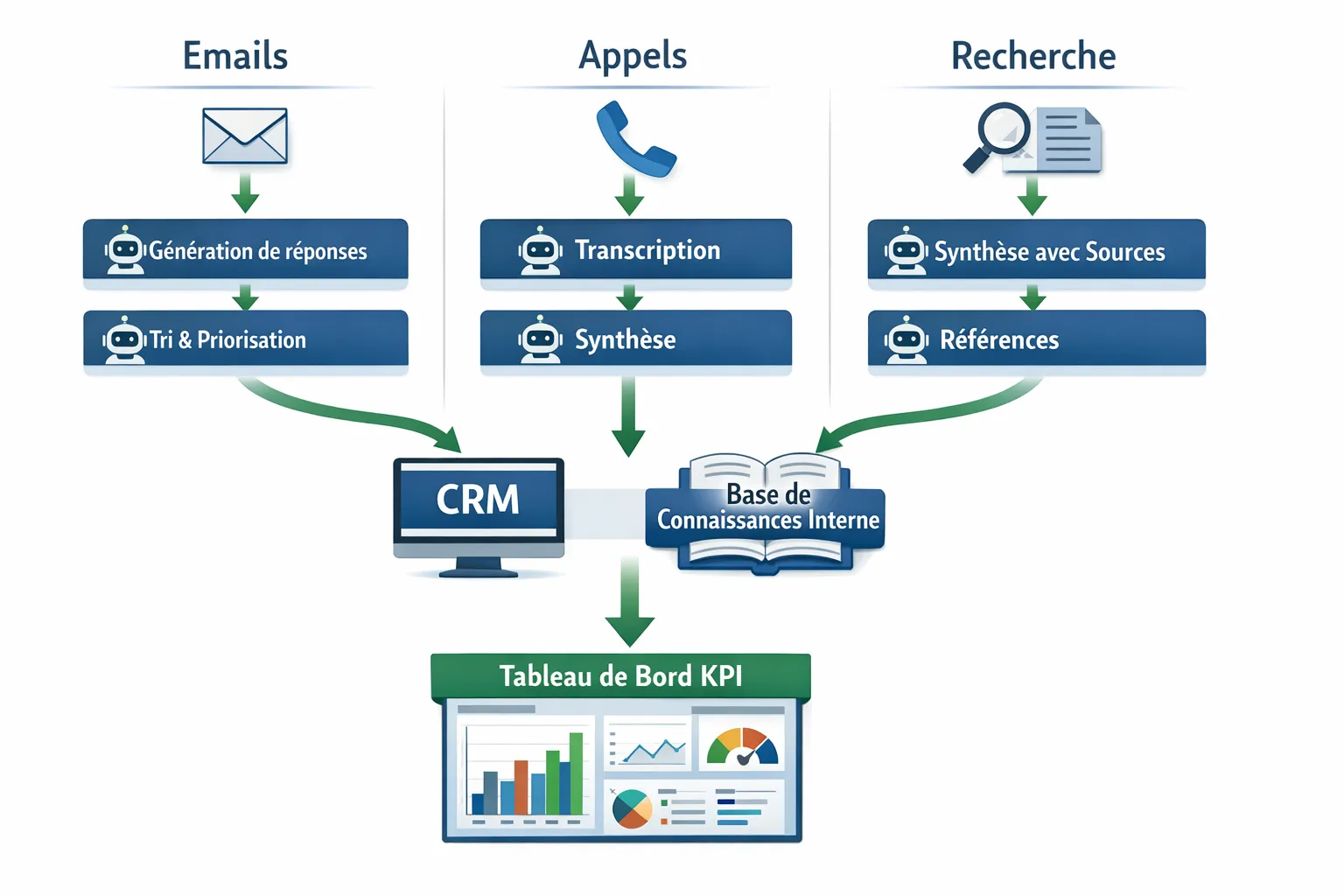
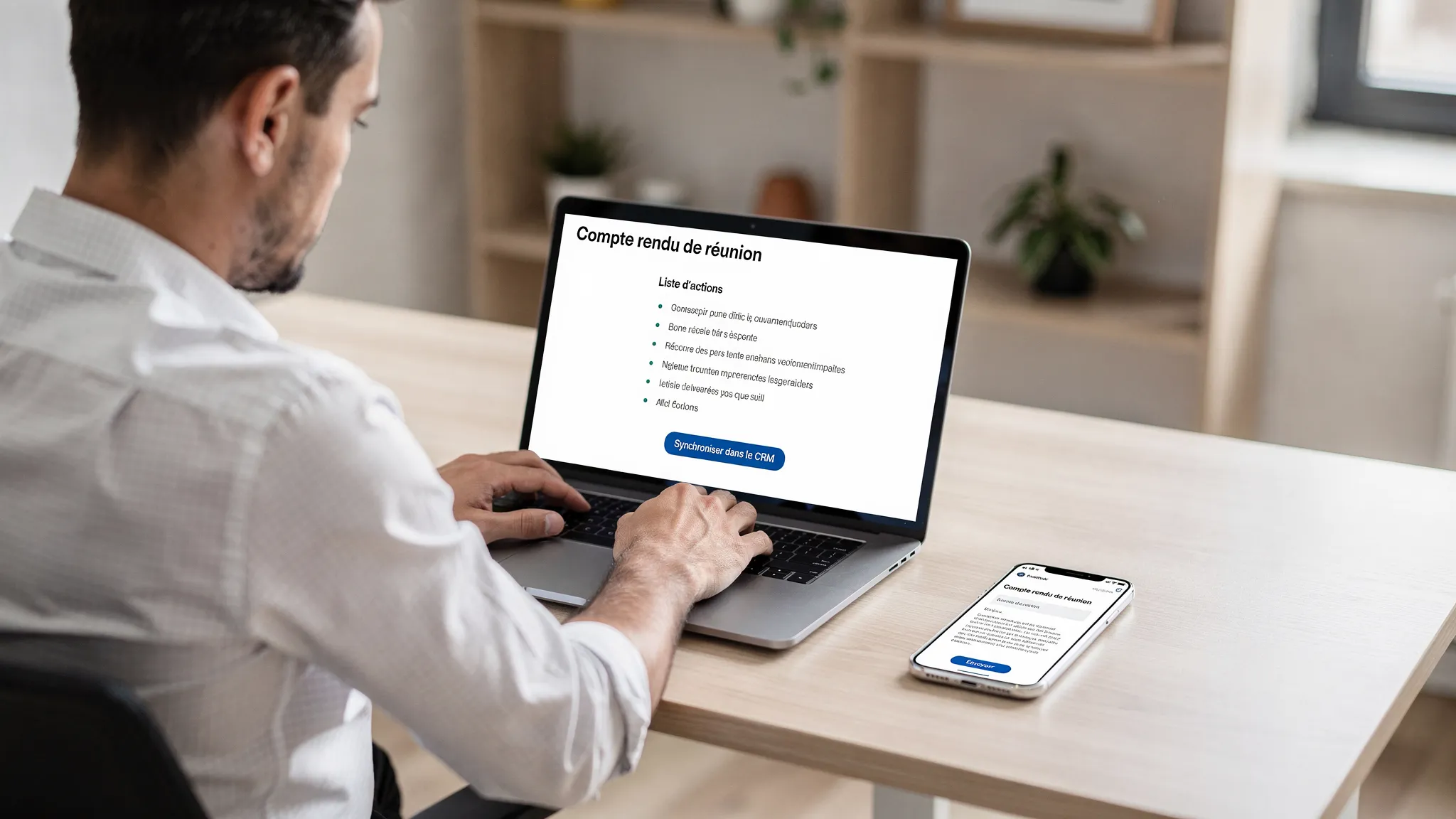
What this category does. The tool connects to your meetings, records audio with consent, transcribes in near real-time, then generates structured minutes, follow-up actions, and sometimes a recap email draft. The goal is not to replace active listening, but to eliminate manual note-taking and industrialize knowledge capitalization.
High-impact use cases.
Sales, discovery and demos, standardized summaries and automatic push to CRM.
Customer success, steering committees, tracking actions and highlighted risks.
Product, user research, extraction of verbatims and recurring trends.
Deployment best practices.
Inform and obtain consent, add a mention at the start of the call, activate the beep if available.
Connect the calendar and video conferencing tool to avoid connection failures.
Define a reporting template by meeting type: objectives, needs, objections, next steps, owners, and deadlines.
Configure CRM synchronization via notes or tasks, avoid wild copy-pasting.
Implement a quick review, 2 minutes to validate the summary before sending.
KPIs to track.
Time spent writing reports, target 80 to 90 percent time saved.
Follow-up sending delay, in hours instead of days.
CRM field completeness rate after meetings.
Manual review rate, aim for trust but keep a safety net.
Points of vigilance.
Industry jargon and proper names, provide a glossary and correction prompts.
Accents and poor audio quality, test on a real sample before general rollout.
Privacy and recording retention, apply a purge policy and restricted access.
2) Email, Much Faster: The AI-Assisted Email Client
Examples of solutions: Spark, Superhuman.
What this category does. AI helps sort, summarize threads, draft contextualized responses, translate, and harmonize tone. The time saving comes from moving from a blank page to a useful draft and automating recurring responses.
High-impact use cases.
Prospecting and follow-up, personalized drafts, scheduled follow-ups, and instant translation.
Customer support, consistent responses based on a knowledge base and defined tone.
Management and operations, automatic weekly summary of key threads with decisions and open points.
Deployment best practices.
Define a short style guide: tone, length, polite formulas, 5 to 7 examples are enough.
Create 10 response templates for 80 percent of cases: info requests, schedules, quotes, payment reminders, confirmation.
Require human validation before sending, especially for prospecting and sensitive support.
Activate unique signature and alias management for brand consistency.
Link to calendar, automatically propose 3 slots to book a call.
KPIs to track.
Average time to process the inbox, visible reduction from the first week.
Response rate within 24 hours and first response time.
Error rate detected during review, aim for a constant decrease.
Conversions associated with assisted email campaigns, meetings booked, payments recovered.
Points of vigilance.
Hallucinations and over-promising, keep your factual guarantees under control.
Sensitive data in prompts, prioritize non-sensitive excerpts and citation of internal sources.
Governance of models and logs, see security section.
3) Research and Monitoring, in a Sourced Synthesis: The AI Browser
Examples of solutions: Comet, ChatGPT Atlas.
What this category does. The AI browser orchestrates research, reading, and synthesis. It answers in natural language, cites its sources, proposes an outline or a memo, and allows for rapid iteration.
High-impact use cases.
Benchmark and competitive monitoring, synthesis of offers, positioning, and weak signals.
Meeting preparation, company profile and key arguments with verifiable links.
RFP response, consolidation of requirements and compliance checklist.
Deployment best practices.
Require citation of multiple sources and keep URLs in the memo.
Establish a double human verification rule for any critical information.
Link your internal documents when possible: FAQ, product sheets, policies.
Use stable prompts, requesting synthesis with contradictions, risks, and actions, to avoid overly smooth summaries.
KPIs to track.
Time to first memo draft, aim for less than 20 minutes.
Average number of sources cited per deliverable, minimum 3 of quality.
Rate of erroneous elements detected during review, target decreasing.
How to Choose and Integrate Painlessly
Category
Expected Gains
Key Integrations
Controls to Check
AI Call Recorder, ex Amie, Granola
Reports 10 times faster, better CRM tracking
Calendar, video conf, CRM, Slack or Teams
Consent, encryption, retention and export, access control
AI Email, ex Spark, Superhuman
Accelerated triage, quality responses, tone standardization
Gmail or Microsoft 365, calendar, template management
Logging, DLP, human validation, unified signature
AI Browser, ex Comet, ChatGPT Atlas
Structured and sourced research, immediate memo
Team bookmarks, internal knowledge base
Mandatory citations, double human check, source policy
Security and Compliance: The Minimum Viable.
Choose offers with encryption in transit and at rest, access control via SSO and roles.
Limit retention of recordings and logs, set up an automatic purge.
Microsoft's 2024 Work Trend Index highlights the contribution of generative AI to writing and research, with tangible time savings on repetitive tasks, Microsoft WorkLab.
McKinsey's 2024 surveys show a rise in AI usage in sales and support functions, with a focus on knowledge productivity, McKinsey, The State of AI in 2024.
FAQ
Is recording meetings legal in France and Europe? Yes, if you respect GDPR: legal basis, prior information of participants, clear purpose, limited retention duration, and access rights. Consult your DPO and document the procedure.
Can AI send emails without human review? For prospecting or support, it is better to impose human validation. Reserve automatic sending for simple notifications and validated scheduled follow-ups.
How to avoid factual errors in research summaries? Require citations, diversify sources, and implement manual verification for any sensitive information: prices, compliance, commitments.
Spark or Superhuman, how to choose? List your criteria: compatibility with Gmail or Microsoft 365, speed, shortcuts, integrated AI, governance, and test for a week with 3 users. The winner will be the one that best reduces your processing time.
Are AI call reports good enough for the CRM? Yes, if you define a clear template, a glossary, and a quick review. Measure the completeness rate and perceived quality, then iterate on the prompts.
Should we connect these tools to our knowledge base? It is a value multiplier. Frame access, synchronize only what is useful, and avoid unnecessary sensitive documents.
Move from Intention to Real Time Savings
You want to industrialize these three use cases without overloading your teams? Impulse Lab designs and integrates custom AI solutions, from opportunity audits to production rollout, with training and weekly deliveries. Tell us about your context and objectives, and we will propose an adoption plan and clear KPIs. Book a discussion on Impulse Lab or explore our RevOps approach and the role of the GTM Engineer to make your flows between tools and CRM reliable.