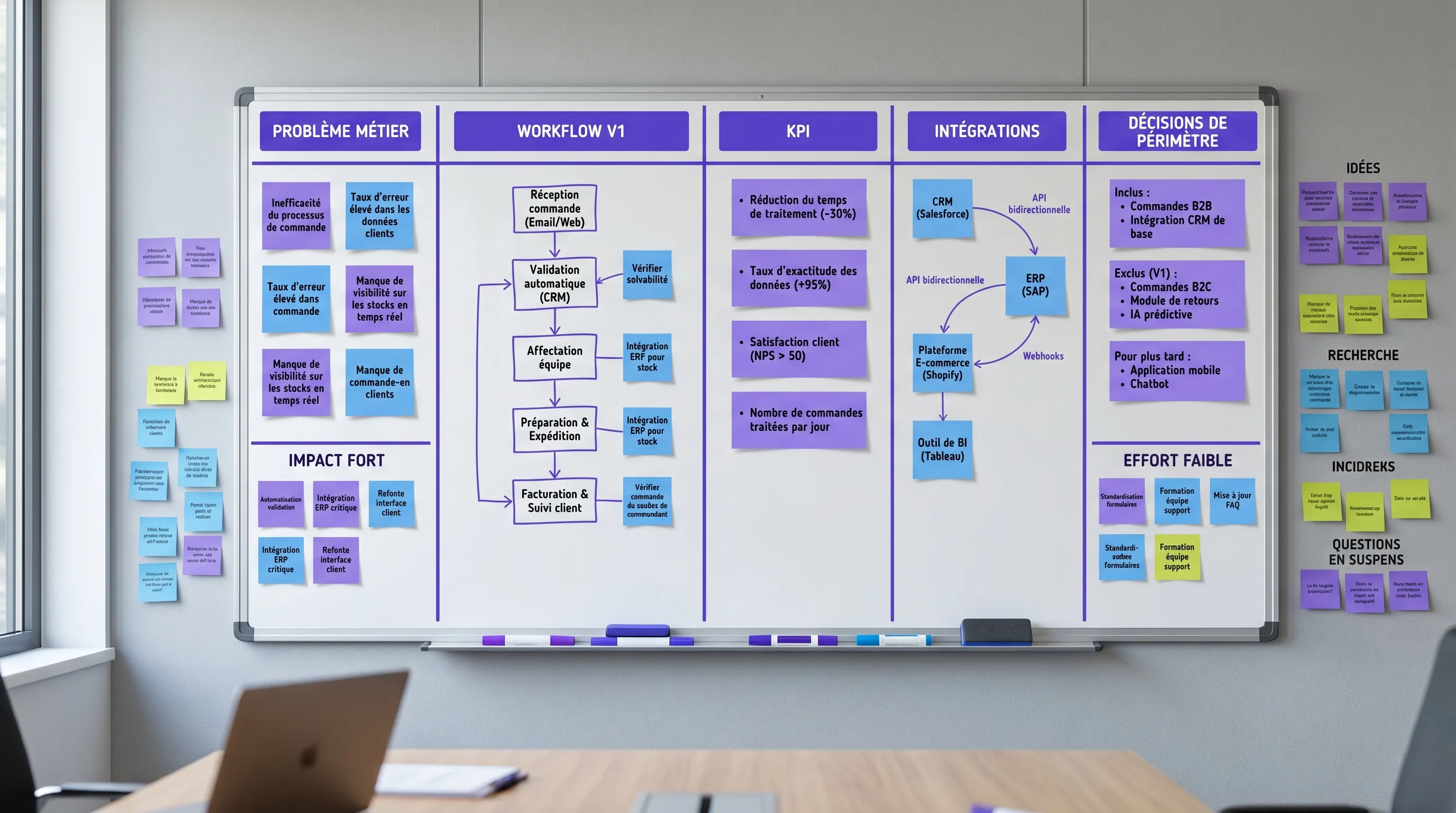
A custom application can be an excellent lever for productivity, margins, or differentiation. But it can also turn into a vague budget, an endless backlog, and a tool that teams bypass after three weeks.
June 10, 2026·15 min read
A custom application can be an excellent lever for productivity, margins, or differentiation. But it can also turn into a vague budget, an endless backlog, and a tool that teams bypass after three weeks.
The difference rarely comes down to technology at the start. It comes down to scoping the V1: what specific problem are we solving, for whom, with what profitability indicator, and what features do we agree not to develop right now?
For an SMB or a scale-up, the goal is not to build the perfect application. The goal is to deliver a first version complete enough to be used in real conditions, but limited enough to quickly prove its value. Here is a concrete method to scope a profitable V1 before launching development.
What a profitable V1 really is
A profitable V1 is not a poor version. It is a first version that covers a business workflow from end to end and answers a simple question: does this application deserve to be expanded?
It must therefore be more robust than a demo, but less ambitious than a complete product. It includes the essential building blocks to create value, measure usage, and avoid workarounds, without incorporating all the ideas that might be useful in the long term.
Type of first version
Main objective
Common risk
Right decision
Prototype
Show that an idea is feasible
Appealing but unusable
Test a technical or UX hypothesis
MVP
Verify that a use case exists
Too minimal to measure ROI
Observe adoption and pain points
Profitable V1
Produce a measurable business gain
Scope too broad or missing KPI
Prove value, cost, and adoption
For a custom application, a profitable V1 must generally tick five boxes: a clearly identified user, a complete process, reliable data, minimal integration with existing tools, and a before/after KPI.
If you are instead looking for an overview of the steps, timelines, and deliverables of a project, you can supplement this with our guide on custom software creation. Here, we will focus on the business scoping of the V1.
1. Start from a measurable loss, not an application idea
Most projects start with a sentence like: we need an application to centralize our requests, automate our quotes, track our customers, manage our operations. It is a good starting point, but it is not yet a scope.
The first question to ask is more direct: how much does the current problem cost?
This cost can take several forms. Wasted time, data entry errors, missed sales opportunities, delays that degrade the customer experience, a lack of managerial visibility, reliance on a key person, or repetitive tasks that prevent the team from handling more volume.
A simple formula is enough to start:
Monthly cost of the problem = monthly volume x average loss per case x unit cost or value
For example, if a team processes 300 requests per month and loses 8 minutes per request copy-pasting between tools, the problem represents 40 hours per month even before counting errors. If an application cuts this time in half and adoption is real, the V1 already has a path to profitability.
The trap is scoping a solution instead of scoping a loss. A feature is only a priority if it reduces a loss, increases a gain, or mitigates a major risk.
2. Choose a single complete workflow
A profitable V1 should not cover the entire company. It must cover a specific workflow, from input to output.
This is often called a vertical slice. Instead of developing a large, incomplete foundation, you build a usable journey: a request comes in, it is qualified, it is processed, its status is visible, an action is triggered, and the result is measured.
To scope this workflow, write it in one sentence:
When a user of type X receives or creates Y, the application allows them to do Z until they achieve a measurable result W.
Examples:
When a sales rep receives an inbound lead, the application allows them to qualify it, propose the right time slot, and automatically create the opportunity in the CRM.
When a customer submits a request, the application allows them to track its status, add required documents, and reduce email follow-ups.
When an ops team receives a document, the application allows them to extract key information, validate it, and send it to the business tool.
The important word is until. If the V1 stops before the business result, you will have usage but not necessarily measurable profitability.
3. Define the profitability KPI before the backlog
Before listing screens, you must choose the KPI that will tell if the V1 is working. This KPI must be linked to a real gain, not just to the application's activity.
A good V1 KPI meets three criteria. It has a baseline before development, it can be measured from the first weeks of use, and it influences a business decision.
Custom application use case
Possible main KPI
Gain variables to estimate
Customer portal
Number of support follow-ups avoided
Support time, satisfaction, response time
Quoting tool
Average time to send a quote
Conversion rate, average order value, sales time
Back-office console
Processing time per file
Operational cost, errors, volume processed
Sales cockpit
Rate of leads processed within 24h
Conversion, incremental revenue, CRM discipline
Document application
Search or validation time
Productivity, compliance, decision quality
Profitability is then calculated with caution. Do not use the ideal scenario. Use a conservative scenario, with a realistic adoption rate and run costs included.
Monthly net gain = valued time savings + incremental revenue + avoided costs - monthly run costs
Estimated payback = cost of V1 / monthly net gain
This calculation does not need to be perfect. It is mainly used to compare options. If no one can formulate a plausible gain, the project might be useful, but it is not yet scoped as a profitable V1.
4. Write a one-page results contract
The results contract is the document that prevents scope creep. It does not replace detailed specifications, but it sets the non-negotiable decisions.
It must fit on one page and be understandable by the executive, the business owner, the product owner, and the technical team.
Element to scope
Question to settle
Example formulation
Problem
What loss do we want to reduce?
Too much time spent reprocessing incoming requests
Mobile app, advanced BI, predictive engine, multi-language
Integrations
Which tools must be connected?
CRM in read-write and transactional email
Risks
What could block adoption?
Incomplete data, user permissions, duplicates
This document must be explicitly signed or validated. Without this, every meeting can reopen the scope.
To prevent the project from becoming infinite, the rule is simple: any new idea goes into Next or Later, unless it is essential to the V1 KPI. This is also one of the key principles to create custom software without scope creep.
5. Prioritize features with a simple scorecard
All features seem important when discussed in isolation. The scorecard allows them to be compared against the same criteria.
You can score each feature from 0 to 3 across six dimensions: business impact, frequency of use, necessity for the workflow, risk if absent, technical complexity, and ability to measure the effect.
Criterion
Scoring question
High score if...
Business impact
Does it reduce a loss or create a gain?
The link to the KPI is direct
Frequency
Will it be used often?
Daily or weekly use
Necessity
Does it block the workflow if absent?
Impossible to finish the journey without it
Risk
Does it mitigate a major risk?
Security, compliance, critical errors
Complexity
Is it expensive to build?
Strong dependencies or unstable business logic
Measurement
Can we track its effect?
Traceable and interpretable event
A high-impact feature that is very frequent and necessary for the workflow deserves to be in V1, even if it is less visible. An appealing but rarely used feature must wait.
In custom application projects, invisible features are often the most profitable: access rights, statuses, history, validation, clean exports, useful notifications, activity logs. They don't make for a great demo, but they allow the tool to truly replace spreadsheets and emails.
6. Integrate early, but don't connect everything from the start
The ROI of a custom application often comes from integration with existing systems. If the application forces teams to copy the same information into the CRM, ERP, or support tool, it adds an interface instead of removing friction.
But connecting everything in V1 can blow up the budget. You must distinguish three levels.
Integration level
When to use
Example
Essential V1
Without it, the workflow doesn't work
Create an opportunity in the CRM after qualification
Semi-automatic
Useful, but not critical at launch
Daily CSV import or scheduled synchronization
Temporary manual
Sufficient to validate value
Weekly export or human validation
The right question is not: can we connect this tool? The right question is: what integration is necessary to prove the V1 KPI?
Data must also be addressed during scoping. What data is collected, where is it stored, who can see it, how long is it kept, and what happens in case of an error? The CNIL notably reminds us of the importance of the principles of minimization, purpose, and security under the GDPR.
7. Define acceptance criteria before developing
A profitable V1 must have a clear definition of done. Otherwise, user acceptance testing becomes subjective: there is always a missing detail, a filter, an edge case, an export.
Acceptance criteria must be written for every major feature. They describe what the user must be able to do, under what conditions, with what visible result.
Example for a customer request:
An authenticated customer can create a request with the mandatory fields.
The internal team receives a notification with the correct priority level.
The status of the request is visible on the customer side and the internal side.
Every status change is logged in the history.
The time between creation and first response is measured.
The last line is essential. If the V1 does not measure its own impact, you will have to decide based on gut feeling. But a profitable V1 must produce evidence: adoption rate, time saved, reduction in errors, conversion, volume processed, user satisfaction, or avoided costs.
8. Plan for AI only if it improves the workflow
In 2026, many custom application projects include an AI component. This is relevant if AI improves the business result or reduces real friction. It is dangerous if it only serves to make the V1 more impressive.
The most useful cases in V1 are often simple: summarize a request, classify a ticket, extract fields from a document, suggest a response, search a knowledge base, detect an anomaly, or prepare a draft. In all cases, keep human validation if the action has a customer, financial, or legal impact.
For an AI project, scoping must add three decisions: source of truth, guardrails, and evaluation. What documents or data feed the response? What actions are prohibited? How do we test quality before and after going into production? You can dive deeper with this AI project scoping checklist.
Example: scoping a profitable V1 for a quoting tool
Let's take a B2B SMB that receives quote requests via email and forms. The information is incomplete, sales reps follow up manually, response times vary by person, and the executive lacks visibility into the pipeline.
A bad V1 would consist of developing a large sales portal with full pricing management, electronic signatures, a customer area, advanced reporting, automated follow-ups, recommendation AI, and a mobile app.
A profitable V1 could be much more targeted: a structured internal or external form, mandatory qualification, generation of a draft quote, validation by a manager, sending or exporting, visible status, creation or update in the CRM, and tracking of processing time.
The main KPI could be the median time between request received and quote sent. Secondary KPIs could be the rate of complete requests, the rate of quotes sent within 24 hours, sales time per quote, and conversion rate.
What remains out of V1: complex pricing engine, multi-currency, mobile app, predictive scoring, advanced financial reporting. These elements can be very useful later, but they are not essential to prove initial value.
The 10-day scoping plan
Effective scoping shouldn't take three months. For a reasonably sized custom application, ten working days are often enough to significantly reduce uncertainty before development.
Period
Objective
Expected deliverables
D1-D2
Understand the problem and baseline
Process mapping, cost of the problem, candidate KPI
D3-D4
Define the V1 workflow
Target journey, users, roles, statuses, major edge cases
D5-D6
Prioritize and estimate
V1 backlog, out of scope, scorecard, ROI hypothesis
D7-D8
Secure data and integrations
Data sources, permissions, integrations, GDPR and security risks
D9-D10
Prepare for delivery
Mockups, acceptance criteria, tracking plan, short schedule
At the end, you must be able to clearly answer four questions: what are we delivering, why now, how do we measure value, and what will we do if the results fall short?
Mistakes that destroy the profitability of a V1
The first mistake is confusing the sponsor user with the real user. The executive or manager sees the problem, but it is often the operational teams who experience the details of the workflow. Without them, the V1 risks being logical on paper and unusable in the field.
The second mistake is adding features for reassurance. The more the scope grows, the longer the delay, and the later the feedback arrives. A profitable V1 must accept the discomfort of making choices.
The third mistake is postponing integrations until later when they are a prerequisite for adoption. If the application doesn't talk to the system of record, it can create double data entry. Conversely, integrating everything from the start can be excessive. Scoping must find the minimum viable integration.
The fourth mistake is failing to plan for the "run" phase. A useful application must be maintained, monitored, secured, and improved. Even a V1 must have a business owner, a feedback channel, incident tracking, and a budget for evolution.
The fifth mistake is measuring only the delivery. Meeting the schedule does not prove that the application is profitable. The real indicators arrive after launch: adoption, process impact, quality, run cost, and satisfaction.
When a custom application is the right choice
Custom-built is not always the best option. A standard SaaS or a no-code stack may suffice if your process is standard, not highly differentiating, and well covered by the market.
A custom application becomes more relevant when the workflow is specific, when integrations are central, when the customer or operational experience is a differentiating factor, or when standard tools require too many workarounds.
It is also relevant when you want to combine several building blocks: customer portal, automation, CRM connection, dashboard, business logic, controlled AI, fine-grained permissions. In this case, the value comes less from an isolated screen than from the complete orchestration.
If your need looks like a portal, an extranet, or a customer area, these resources can help you refine the scope: custom customer portal and custom extranet.
What good scoping should produce
Before developing, ask for concrete deliverables. They prevent ambiguities and make it easier to compare several technical options.
Serious scoping must produce at a minimum: a problem brief, a baseline KPI, a V1 workflow, a prioritized backlog, an out-of-scope list, mockups or key screens, a simple data schema, an integration list, acceptance criteria, an ROI hypothesis, and a tracking plan.
These deliverables do not slow down the project. They prevent building quickly in the wrong direction.
At Impulse Lab, this type of scoping serves as a bridge between audit, development, and adoption. The goal is to transform a business need into a usable web or AI platform, integrated with existing tools, delivered in short cycles, and measured from V1.
FAQ
How long does it take to scope a custom application V1? For a reasonable scope, initial scoping can take 1 to 2 weeks. More complex projects, with multiple business lines, sensitive data, or critical integrations, may require a more in-depth audit.
What is the difference between an MVP and a profitable V1? An MVP primarily tests the existence of a use case. A profitable V1 goes further: it covers a complete workflow, measures a business KPI, and allows you to decide whether the investment should be continued.
Should AI be integrated from V1? Yes, if AI reduces significant friction and can be properly evaluated. No, if it adds uncertainty without a direct link to the KPI. In many cases, simple automation or good integration produces more ROI than premature AI.
How to avoid budget overruns? You must lock in the results contract, limit the V1 workflow, write down what is out of scope, prioritize with a scorecard, and organize frequent demos. Changes are not forbidden, but they must be weighed against the KPI and the budget.
What KPIs should be tracked after launch? Track a main KPI linked to ROI, then a few supporting indicators: active adoption, time saved, errors, processing time, conversion, user satisfaction, incidents, and run cost. Avoid overly broad dashboards in V1.
Want to scope a profitable V1 without going in all directions?
Impulse Lab supports SMBs and scale-ups in the scoping, development, and adoption of custom applications, web platforms, and AI solutions integrated with your existing tools.
We can help you identify the right workflow, estimate ROI, prioritize the V1, automate useful processes, and deliver in short cycles with continuous involvement from your teams.
If you have an application idea, a process that is bottlenecking, or an internal tool that has become too limited, contact Impulse Lab to transform your need into a measurable, usable, and profitable V1.