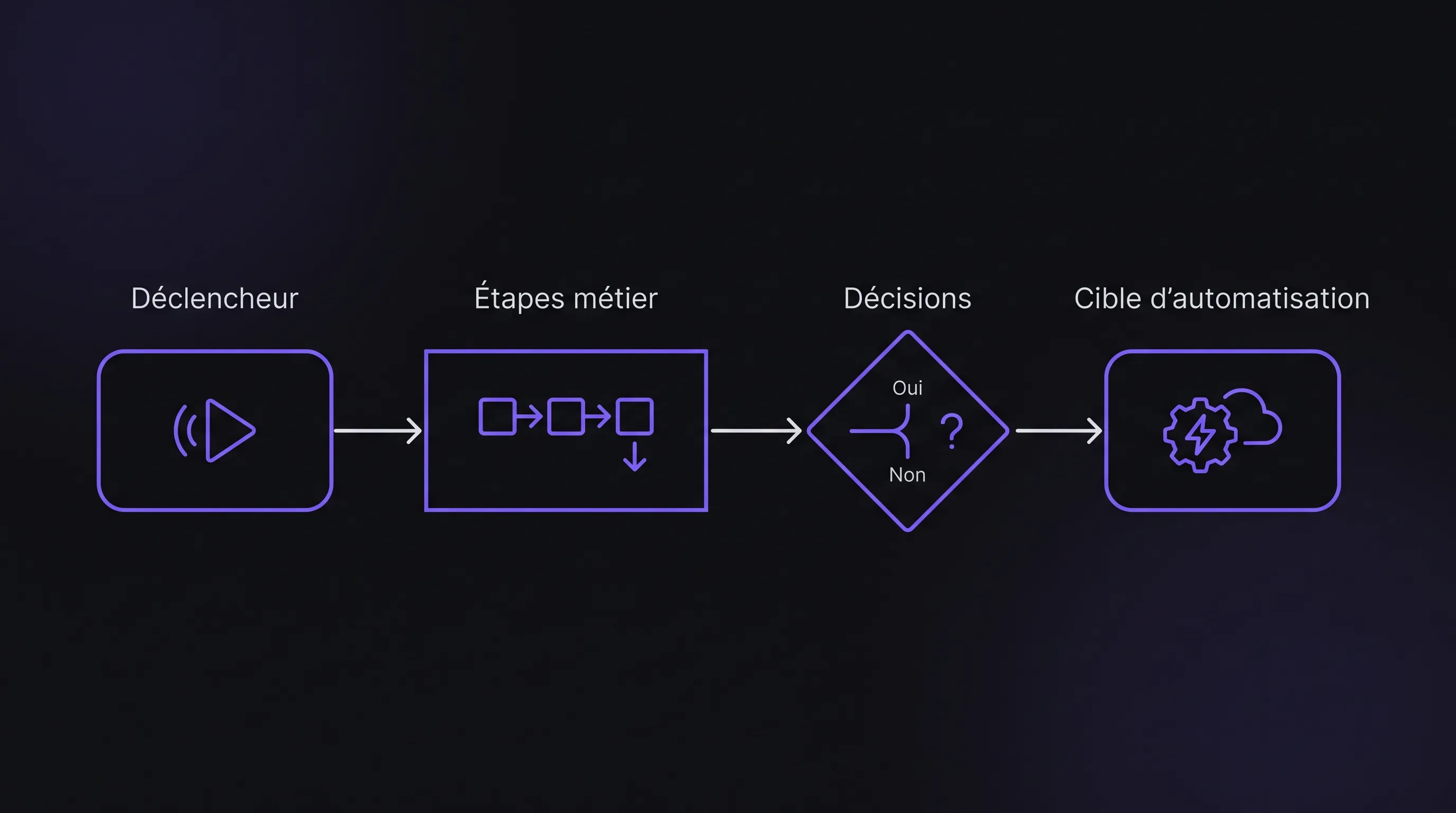
Automating too quickly often means accelerating an existing mess. Before plugging in a tool, RPA bot, or AI solution, you must map your process as it actually runs: its variations, decisions, friction points, and exceptions to identify what to automate and what to simplify.
September 21, 2026·13 min read
Automating too quickly often comes down to accelerating an existing mess. Before plugging in a tool, an RPA bot, or an AI solution, you must map a process as it actually runs on the ground—with its variations, decisions, friction points, and exceptions. This map is what allows you to distinguish what deserves to be automated, what should first be simplified, and what still requires human judgment.
For an SME or scale-up, the stakes are very practical: saving time without building an overcomplicated monstrosity. A good process map isn't a theoretical document meant to gather dust in a shared drive. It is a decision-making tool that aligns business teams, operations managers, and technical profiles around the exact same reality.
Why Map a Process Before Automating It?
Automation doesn't automatically fix a broken process. If the steps are vague, data is incomplete, or ownership is unclear, the tool will simply replicate these flaws at scale. In some cases, it will even make them harder to detect.
Mapping a process first helps move past assumptions. Many teams think they know how they work—until the steps are laid flat on the table. That's when you uncover duplicate entries, informal sign-offs, shadow spreadsheets, redundant checks, or decisions made without explicit rules.
This phase also prevents a common mistake: picking the technology before understanding the need. A simple workflow can sometimes be solved with deterministic automation. Document processing might require an AI component. Scattered data might call for tool integration. The map helps make this diagnosis.
If you are still deciding on your first initiative, Impulse Lab's article on process automation for SMEs complements this approach by explaining how to prioritize a use case before moving to execution.
Defining the Scope Before Mapping a Process
The first mistake is trying to map everything at once. A process that is too broad becomes unreadable, and therefore useless. Before the workshop, choose a precise scope: for example, handling a customer request, validating a supplier invoice, or onboarding a new employee.
A good scope has a clear trigger and a measurable output. The trigger could be an incoming email, a new ticket, a purchase order, or an uploaded document. The output could be an approved invoice, a shipped order, a complete file, or a reply sent to the customer.
Scoping element
Useful question
Example
Trigger
What kicks off the process?
Receiving an invoice by email
Expected output
When is the process considered complete?
Invoice approved and sent to accounting
Actors
Who intervenes, approves, or provides information?
Business owner, finance, supplier
Tools
Where are actions carried out?
Inbox, ERP, spreadsheet, CRM
Volume
How many cases per week or month?
300 monthly invoices
Variations
Which cases deviate from the standard flow?
Invoice without a purchase order
This clarity prevents abstract debates. It also allows you to compare multiple processes and choose the one offering the greatest automation potential.
Bringing the Right People to the Table
A reliable map isn't built solely with a manager or department head. The people who actually execute the process on a daily basis must be in the room, as they know the workarounds, exceptions, and practical tricks that don't appear in any official SOP.
The ideal setup is a small group: a process owner, one or two people who run it daily, a systems or data representative, and if necessary, someone responsible for compliance or quality. Beyond six or seven participants, workshops tend to drag.
The facilitator's role is to remain factual. They are not there to judge the process, but to understand how it works. Keep questions simple: “What happens next?”, “Who makes this decision?”, “Where is this data entered?”, “What do you do when a case isn't standard?”.
This mindset is essential, as teams might fear that mapping will be used to monitor their performance or eliminate their jobs. Frame the exercise instead as a way to eliminate repetitive tasks, friction, and avoidable errors.
How to Map a Process Step by Step
To properly map a process, you must start with reality, not the ideal procedure. The map must reflect what happens today, warts and all. The target process will come later.
1. Describe the current flow from start to finish
Start by walking through a standard scenario, without diving straight into exceptions. Note every action in chronological order: receive, review, enter, verify, approve, follow up, transfer, archive.
At this stage, use action verbs. “Check amount”, “copy info into the ERP”, “request manager sign-off” are far more useful than vague labels like “administrative management” or “file processing”.
A best practice is to distinguish between three types of steps: actions performed by a human, actions performed by a system, and decisions. This distinction makes the next phase much simpler, as not all steps are automated the same way.
2. Identify decisions and their business rules
Every branch in the process must be made explicit. If an invoice exceeds a certain threshold, who approves it? If a customer already exists in the CRM, what happens? If a data point is missing, who gets pinged?
Decisions are often the weak link in poorly documented processes. Some rely on clear rules, while others depend on an individual's intuition or experience. Distinguishing between the two is vital for automation. An explicit rule can be encoded into a workflow. A nuanced judgment may require AI assistance, a human-in-the-loop validation step, or a process redesign.
If rules aren't formalized, don't invent them during the workshop. Mark them as areas to clarify. This prevents building an automation that gives a false sense of rigor to unstable decisions.
3. Locate data and tools
Automation relies heavily on available data. For each step, note where information resides, what format it arrives in, and where it must be sent.
In many growing companies, data flows across multiple tools: CRM, ERP, ticketing software, email, spreadsheets, cloud storage, core line-of-business platforms. The map should highlight these handoffs, as they often reveal the best business process automation opportunities.
Also flag manual re-entry. Whenever someone copies data from one tool to another, there is a risk of error, lost time, and potentially an integration opportunity.
4. Document exceptions, not just the happy path
A process can seem deceptively simple when looking only at the standard path. Yet exceptions often dictate the feasibility of automation.
Ask teams which edge cases crop up regularly: unreadable documents, missing data, unlisted customers, duplicates, mismatched systems, absent approvers, urgent requests. Also note their approximate frequency. An exception that happens once a year doesn't necessarily need to hold up automation. An exception affecting 30% of cases must be designed into the system.
This step helps decide whether automation should cover 100% of cases or just the standard flow with controlled fallbacks to human review. In many projects, automating 70% to 80% of volume with solid exception handling is much more realistic than targeting 100% coverage from day one.
5. Measure pain points and time sinks
The map becomes truly useful when it incorporates quantitative data, even rough estimates. Add estimated handling times per step, wait times, error rates, processed volume, and follow-up frequency.
These numbers don't need to be pinpoint accurate at the start. They serve to compare issues. A step taking two minutes that occurs 2,000 times a month may be far more compelling to automate than a complex task performed ten times a month.
It's also important to separate work time from waiting time. An approval that takes 30 seconds of work but stalls a file for three days can be a critical bottleneck. Process mapping brings these delays to light.
Choosing the Right Level of Detail for the Automation Type
Not all automations demand the same level of granularity. An RPA bot replicating UI actions requires an exact breakdown of screens, clicks, fields, and business logic. An API integration between two tools mainly requires clarity on data schemas, triggers, and payload formats.
For an AI project, the map must also detail decisions, quality benchmarks, and human checkpoints. For example, if AI categorizes incoming tickets, you need to define target categories, training examples, ambiguous cases, and confidence thresholds triggering human review.
Decisions, examples, confidence thresholds, human review
Ambiguous cases and risk of error
Custom platform
Target workflow, user roles, permissions, data, scalability
Over-engineering in version one
This distinction prevents generating over-burdensome documentation or, conversely, leaving out vital details. The goal isn't an immaculate theoretical diagram, but sufficient substance to engineer reliable automation.
Moving from the Current Map to the Target Process
Once the current process is mapped, don't rush into tools. The right question is: “What should this process become before it gets automated?”. Some steps should be eliminated, others merged, standardized, or turned into explicit rules.
The target process must remain simple. Automating an unnecessarily complex workflow creates operational debt. Conversely, simplifying approvals, statuses, and required inputs first makes the automation faster to build and easier to maintain.
To shift from the current map to the target state, work in three stages. First, eliminate non-value-added steps. Next, standardize data and rules. Finally, identify which steps can be automated immediately and which should stay human.
This mindset is especially crucial for projects blending AI and automation. If your process involves classification, data extraction, or decision support, you can rely on a structured methodology like the one outlined in AI Processes: From Idea to Production in 6 Steps.
Translating the Map into Actionable Specifications
A process map is only as valuable as the action it enables. By the end of the exercise, you should be able to produce scoping clear enough to estimate effort, select a technical approach, and define a v1 scope.
The deliverable doesn't need to be an 80-page document. For a first automation project, lean yet precise specifications are usually plenty. It should include the scope, current process, target process, business rules, tools involved, data used, exceptions, roles, and success metrics.
Metrics are vital. Without baseline and post-launch measurements, demonstrating ROI will be tough. Depending on the context, you might track average processing time, cycle time, error rates, touchless processing rate, follow-up volume, or team satisfaction.
At this stage, a specialized agency can help translate the map into a realistic delivery plan. At Impulse Lab, this work is part of a broader offering: AI opportunity audits, process automation, integrations with existing tooling, custom platform development, and team enablement.
Example: Mapping Customer Request Handling
Consider a common B2B SME scenario: a customer request arrives via email and needs to be qualified, logged, assigned, and tracked through resolution.
In the current process, the support team reads the email, identifies the customer, looks up their CRM history, copies details into a ticketing tool, picks a category, assigns the ticket, and sends an acknowledgment email. If information is missing, a follow-up email is sent. If it's a sales inquiry, it gets forwarded to the sales team.
Mapping reveals multiple friction points: manual customer lookups, double entry between inbox and ticketing, inconsistent categorization, lack of clear rules for blended requests, and dropped follow-ups when info is missing.
The target process can then be streamlined: automated ticket creation from incoming email, automated CRM customer matching, AI-assisted categorization, rule-based routing, and human escalation only for ambiguous cases. The solution isn't merely “automating emails”; it is rooted in a clear understanding of the flow, data, and decisions.
The first pitfall is mapping the process as it should work rather than how it actually works. This yields a reassuring yet useless diagram. The discrepancies between official policy and field practice are precisely what you need to uncover.
The second pitfall is ignoring exceptions. An automation that breaks as soon as an edge case arises frustrates users and shifts the problem elsewhere. Plan from day one for manual fallback queues, escalation rules, and error tracking.
The third pitfall is confusing mapping with exhaustive documentation. Spending weeks crafting hyper-detailed diagrams without taking action defeats the purpose. The map must serve to prioritize, simplify, and launch a v1.
The fourth pitfall is neglecting adoption. Automation shifts work habits. If end users don't understand what changes, why it changes, and how to handle exceptions, they will quickly revert to workarounds in spreadsheets and shadow emails.
Pre-Automation Checklist
Before development begins, ensure your map answers key questions. This checklist serves as a bridge between business analysis and technical design:
The process trigger and final output are clearly defined.
Current steps are mapped in their actual sequence of execution.
Actors, tools, and data are identified for every step.
Decisions and business rules are explicit or flagged for clarification.
Frequent exceptions are documented alongside their estimated frequency.
Primary pain points are tied to simple metrics.
The target process removes or streamlines non-value-add steps.
Success indicators are set before implementation.
If several points remain fuzzy, that is not a failure. That is precisely the point of process mapping: uncovering what needs fixing before investing in software.
FAQ
Do we need to use BPMN to map a process? Not necessarily. BPMN is useful for complex or heavily regulated processes, but an SME can easily start with simple boxes, decision diamonds, and arrows. The best format is the one your team understands and actually uses.
How long does it take to map a process? For a targeted process, an initial 1.5- to 3-hour workshop is usually enough to produce an actionable draft. Follow up with validation from frontline staff and, if needed, a brief observation phase.
Who should lead process mapping? The business process owner must be involved, but facilitation is best handled by a neutral party: an operations manager, product manager, consultant, or specialized partner. The key is combining frontline insight with objective methodology.
Should every automation be mapped beforehand? Yes, though the depth of detail varies. A simple internal zap might only need a quick sketch. A project spanning multiple systems, teams, or business-critical decisions requires structured mapping.
How do you know if a process is ready for automation? A process is ready when its core steps are stable, rules are sufficiently clear, data is accessible, and common exceptions are well understood. If the process changes weekly, stabilize it before automating.
Need an Outside Perspective on Your Processes?
Process mapping is often when you spot the highest-leverage wins: fewer manual entries, fewer follow-ups, lower error rates, and greater operational visibility. However, turning that map into robust automation requires both business acumen and technical expertise.
Impulse Lab supports SMEs and scale-ups with AI opportunity assessments, process automation, integrations with existing systems, custom web/AI development, and team adoption. If you want to take a messy workflow and turn it into concrete automation, explore the Impulse Lab approach and scope out your first high-impact initiative.
Yes, robotic intelligence can help a small warehouse, especially when teams spend a lot of time moving goods or repeating simple checks. But buying a robot solves neither inaccurate inventory nor disorganized picking. For an SME, the key is identifying genuinely avoidable physical work.