Choosing a no-code automation tool is rarely about flashy demos or recognizable logos. For an SME or scale-up, the right choice automates a real business process, integrates with existing tools, and remains maintainable as volume scales.
September 29, 2026·9 min read
Choosing a no-code automation tool is rarely about flashy demos or recognizable logos. For an SME or scale-up, the right choice automates a real business process, integrates with existing tools, and remains maintainable as volume scales.
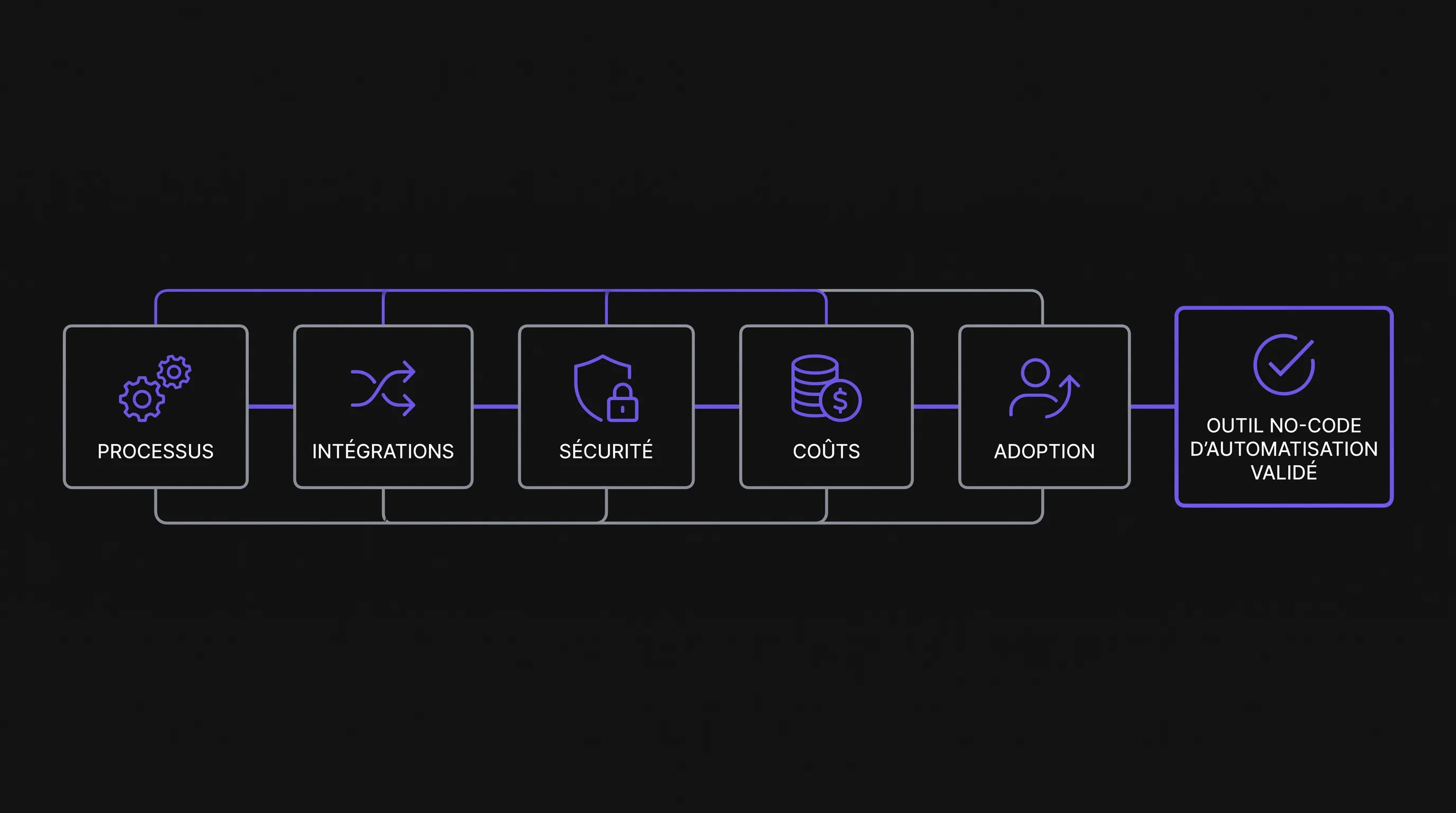
In 2026, solutions like Make, Zapier, n8n, Microsoft Power Automate, or Airtable Automations make automation more accessible than ever. Yet this accessibility can also create operational debt if you move too fast. Here are the 5 criteria to consider before choosing a no-code automation tool.
Before the criteria: start with the process, not the tool
A no-code tool automates a sequence of actions. If that sequence is vague, unstable, or poorly understood, automation will only accelerate existing chaos. Before comparing platforms, map out the process you want to improve: trigger, steps, data used, people involved, exceptions, and expected outcome.
This step avoids two common mistakes. The first is buying a tool that is too powerful for a simple need, introducing unnecessary cost and complexity. The second is choosing a very simple solution, only to discover later that it cannot handle approvals, errors, or real-world volumes.
A good scoping document fits on one page. It should clarify which business problem the automation solves, which metric it should improve, and who will be responsible for monitoring it after deployment.
Criterion 1: the no-code automation tool must match the real process
The first criterion is functional fit. A no-code automation tool should be evaluated against a concrete scenario, not a generic feature checklist. Take a representative use case—such as automatically creating a lead in your CRM, sending a quote, syncing inventory, or following up on an invoice.
Then test the entire workflow, including messy edge cases: missing fields, duplicates, existing customers, invalid file formats, rejected approvals, or third-party API delays. Automations rarely fail on the happy path; they fail on exceptions.
Ask yourself these key questions:
Does the workflow support multiple conditions without becoming unreadable?
Can errors be retried without restarting the entire process?
Are human-in-the-loop approvals easy to integrate?
Can a non-technical person understand what is happening?
If the answer is no on several points, the tool may produce an impressive prototype that proves difficult to operate daily.
Criterion 2: integrations must be reliable, not just numerous
Most no-code tools boast about their number of connectors. That’s helpful, but not enough. What really matters is the depth and reliability of integrations with your core stack: CRM, ERP, office suite, invoicing software, database, customer support, internal messaging, or e-commerce platform.
A native connector can be very convenient to get started, but you must check its depth. Some connectors only provide access to a handful of fields or triggers. Others cannot properly search for records, update existing entries, or handle permissions.
Element to check
Why it matters
Red flag
Native connectors
Speed up implementation
Limited available fields or actions
APIs and webhooks
Enable going beyond standard scenarios
Poor documentation or complicated authentication
Data transformation
Prevents errors between tools
Requires workarounds at every step
Error handling
Reduces business disruptions
No clear logs or difficult manual retry
For a growing business, the challenge is not just connecting tools. It is about creating a coherent data flow across sales, operations, finance, and support teams.
Criterion 3: security, compliance, and governance are not optional
A no-code automation tool often handles sensitive data: contacts, contracts, quotes, invoices, HR details, or customer records. It must therefore be evaluated as a true component of your information system, even if it is easy to use.
Check access control, user roles, authentication, activity logs, data retention, and how API credentials are stored. If you handle personal data, refer to the GDPR principles outlined by the CNIL to scope your requirements.
Governance matters too. Who can create an automation? Who can edit it? Who approves production releases? Without clear rules, an organization can end up with critical workflows built by a single person, with no documentation or business continuity plan.
Criterion 4: real cost depends on volume and maintenance
The headline price of a no-code automation tool only tells part of the story. Pricing models vary based on the number of users, operations, tasks, active scenarios, API calls, or advanced features. A workflow that is inexpensive during testing can quickly become costly once deployed across multiple teams.
Also assess the human cost. An automation must be monitored, fixed when an API changes, adapted when processes evolve, and documented to avoid single-person dependency.
Cost to anticipate
Concrete example
How to manage it
Operation volume
Increase in monthly tasks
Forecast volumes at 6 and 12 months
Maintenance
Fixes required after a connected tool updates
Assign a workflow owner
Plan upgrades
Need for logs, permissions, or advanced security
Compare tiers before making a final choice
Internal time
Setup, testing, and user support
Maintain concise, up-to-date documentation
The right approach is to calculate the total cost of ownership, not just the monthly subscription. For a scale-up, this calculation often makes the difference between a profitable automation and a fragile stack of scenarios.
Criterion 5: team adoption must be planned from day one
A no-code automation tool creates no value if it stays locked with a single power user. For long-term sustainability, teams must understand what is automated, what isn't, and how to react when an error occurs.
Adoption hinges on three elements: UI simplicity, clear internal documentation, and training for the people involved. A highly flexible tool might be great for a structured ops team, but overly complex for a small team that just wants to automate a few administrative tasks.
Also define an ownership model. In some SMEs, a dedicated champion can oversee automations. In a scale-up, it often becomes necessary to distinguish between business users, tool owners, and a technical or ops team responsible for mission-critical workflows.
The best tool is therefore the one your organization can actually run without creating a new bottleneck.
Quick decision matrix to compare your options
To avoid an overly subjective choice, score each criterion from 1 to 5. This table provides a simple rubric to use during a pilot or vendor evaluation.
Criterion
Score 1
Score 3
Score 5
Process fit
The real-world case requires numerous workarounds
The happy path works, but exceptions remain fragile
The workflow handles both the main path and key exceptions
Integrations
Limited or unreliable connectors
Decent integrations with a few limitations
Connectors, APIs, and webhooks cover all critical needs
Security and governance
Little control over access or logs
Adequate controls for non-critical use
Permissions, logs, and governance policies tailored to your risk profile
Cost and scalability
Costs surge sharply with volume
Acceptable short-term cost
Predictable cost over 6 and 12 months
Adoption
Only an expert can maintain workflows
A small team can maintain them
Teams understand, use, and document workflows properly
A solution scoring between 20 and 25 points typically warrants an in-depth pilot. Between 14 and 19 points, it may fit a limited scope. Below that, it is best to revisit the requirement, the process, or the category of solution.
When no-code is no longer enough
No-code is great for rapid experimentation, connecting SaaS apps, and automating repetitive tasks. However, it hits its limits when processes become highly specific, transaction volumes surge, security requirements tighten, or complex business logic needs to be shared across multiple systems.
In these cases, the right path may be hybrid: start with a no-code automation tool to validate the need, then build a more robust custom solution for critical workflows. This can take the form of custom API integrations, internal portals, custom business web apps, or an AI layer connected to your data.
If you are considering external help, keep in mind the criteria to check before hiring an automation agency. Choosing the right partner matters just as much as choosing the right tool, especially when automation impacts mission-critical operations.
Common mistakes to avoid
The first mistake is choosing the tool that seems the most feature-packed. More features do not necessarily mean more value. An overly complex platform can slow down your team if your needs are simple and well-scoped.
The second mistake is testing with sanitized, dummy data. A serious pilot must use realistic, production-like examples with missing fields, duplicates, and inconsistent formatting.
The third mistake is ignoring maintenance. An automation is not a 'set-and-forget' project. It is an operational asset that must be monitored, documented, and improved.
Finally, avoid confusing automation with transformation. Automating a broken process might save time in the short term, but it also entrenches a workflow that probably needs to be redesigned.
FAQ
What is the best no-code automation tool? There is no single best tool. The right choice depends on your processes, existing stack, volumes, security requirements, and team technical maturity.
What is the difference between no-code and low-code for automation? No-code lets you build workflows primarily through a visual interface. Low-code adds more customization via code snippets, which helps handle more complex business logic.
How long does it take to pilot a tool? A valuable pilot can usually be conducted in one to three weeks if the process is well-scoped. The goal is not to automate everything, but to test a real use case along with its primary exceptions.
Can you integrate AI into a no-code workflow? Yes, but you must first clarify data inputs, validation rules, and risks associated with AI outputs. AI should enhance a reliable process, not patch up poor scoping.
Should you prioritize an open-source tool like n8n? It depends on your needs regarding control, hosting, and maintenance. An open-source option offers more control and flexibility, but generally requires more technical expertise than a fully managed SaaS platform.
Need to scope your automation without picking the wrong tool?
If you are weighing multiple platforms or your processes are starting to outgrow basic no-code setups, Impulse Lab can help you identify automation opportunities, integrate your existing tools, and design custom web and AI solutions tailored to your organization.
To turn your automation ideas into tangible operational gains, reach out to Impulse Lab for a clear audit of your processes, data, and business priorities.