AI and Communication: Use Cases That Truly Improve Teams
Intelligence artificielle
Stratégie IA
Productivité
Communication interne
In many SMEs and scale-ups, the challenge isn't a lack of tools, but message overload and lost information. Discover how AI can streamline team communication, clarify decisions, and cut through the noise.
septembre 27, 2026·11 min de lecture
In many SMEs and scale-ups, the problem isn’t the lack of communication tools. Rather, it is the excess of messages, meetings, implicit decisions, and hard-to-find documents. The core challenge is therefore not just adding another chatbot or writing assistant. When talking about artificial intelligence and communication, the real question is simple: which use cases help the team understand each other better, make decisions faster, and keep a reliable record of what truly matters?
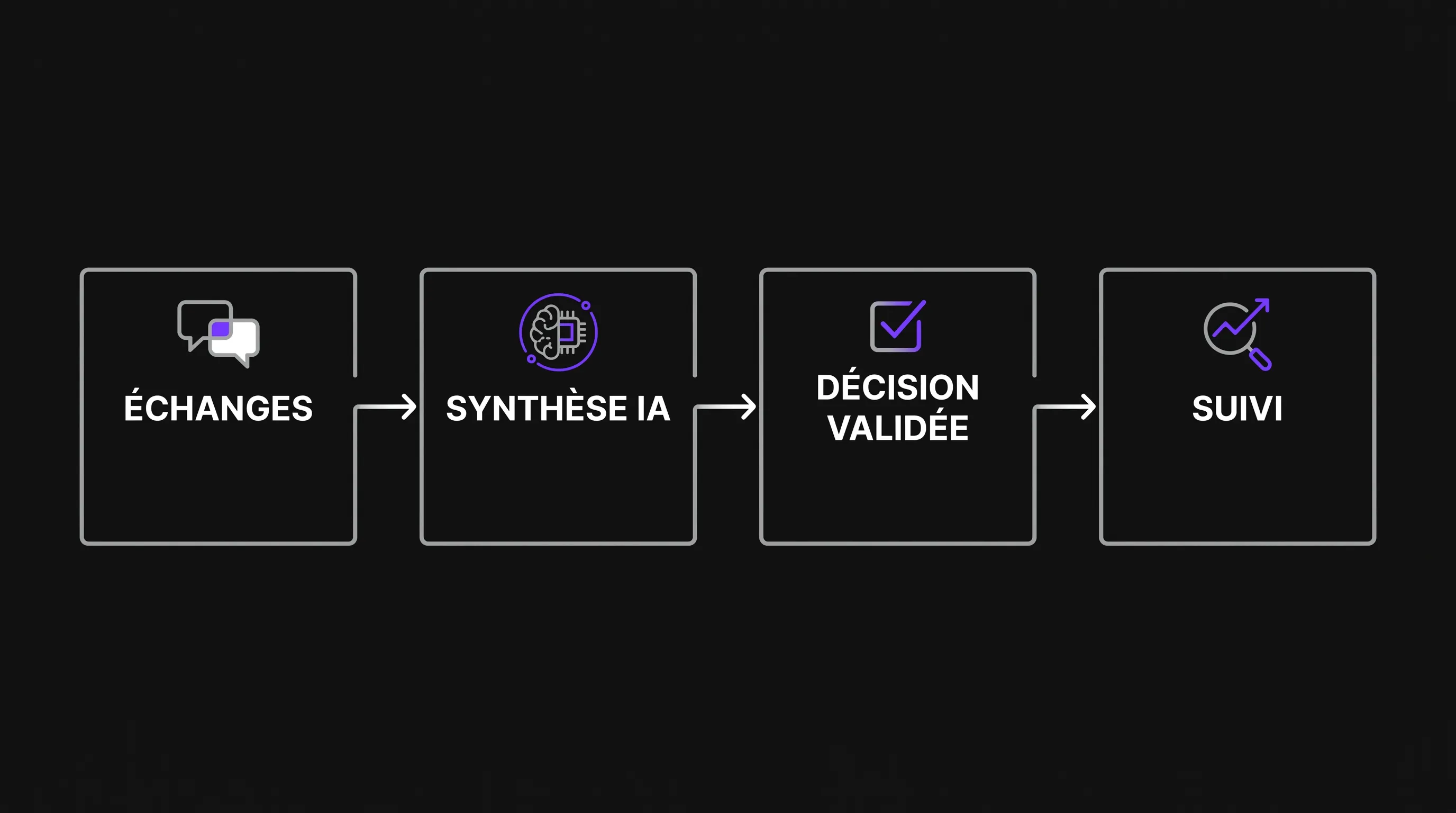
AI can improve team communication if it reduces noise instead of creating it. It should help transform scattered exchanges into actionable information: a decision, an action item, a summary, a customer response, a knowledge base, or a clearer message. For a growing company, that is often where the real return on investment becomes visible.
Artificial intelligence and communication: starting from real friction
Before choosing a tool, you need to identify the exact moments where communication slows down work. A team does not need AI everywhere. It needs support where information gets lost, repeated, or arrives too late.
In a growing organization, friction points tend to reappear in the same places: frequent meetings with little follow-up, decisions made in private chats, onboarding overly dependent on senior staff, customer replies rewritten manually from scratch, managers spending their time rephrasing messages, and functional teams operating on different levels of information.
The topic of artificial intelligence and communication becomes valuable when it tackles these tangible pain points. An automated meeting summary is only valuable if it clarifies decisions. A writing assistant only helps if it respects the company’s tone of voice. An augmented knowledge base is only useful if its answers are verifiable.
If your team hasn’t established shared rules yet, start by defining proper guidelines. Impulse Lab has previously detailed a practical approach to structuring the discussion around artificial intelligence in teams, specifically regarding tools, decision-making, and sensitive data.
Use Case 1: Turning meetings into tracked decisions
Meetings are often the first area where AI brings a measurable gain. Not because it replaces conversation, but because it prevents discussions from vanishing into everyone’s disparate personal notes.
A great practice is to generate a structured summary after every key meeting: context, decisions, open questions, owners, deadlines, and risks. The goal is not merely to have a pleasant recap to read; the goal is for everyone to walk away with the exact same understanding.
In a sales team, for example, AI can summarize a pipeline review and highlight account-specific blockers. In a product team, it can separate feature requests, trade-offs, and technical decisions. In an executive committee, it creates a concise record that prevents conflicting interpretations two weeks down the line.
To keep this practice healthy, a clear rule must apply: the AI prepares the draft, the human validates it. Meetings must not turn into passive recordings where nobody takes ownership anymore. Artificial intelligence and communication work best when the machine speeds up formal documentation, not when it decides on behalf of the group.
Use Case 2: Clarifying internal messages without flattening your voice
Another practical use case involves internal writing. In fast-paced companies, messages are often written in a rush between two calls. A vague draft in Slack, Teams, or email can easily trigger three unnecessary back-and-forth threads.
AI can help rephrase a message to make it clearer, shorter, or better tailored to its target audience. It can turn a raw idea into a team memo, a decision into an internal announcement, or a lengthy thread into an actionable summary. This is especially useful for managers, operations leads, and founders who frequently communicate under time pressure.
The risk is producing bland, generic communication disconnected from company culture. To avoid this, give the AI specific constraints: direct tone, expected level of detail, target audience, goal of the message, and key decisions to convey. A simple prompt like “rewrite this message for a customer support team, keeping a clear, factual tone without technical jargon” will deliver much better output than an open-ended request.
The objective is not to write more. It is to circulate key operational information more effectively.
Use Case 3: Creating a searchable team memory
As a company grows, knowledge inevitably fragments. A standard procedure sits in Notion, a client response lives in Intercom, a strategic trade-off is buried in an email thread, and a business rule remains locked in a senior employee’s head. This fragmentation slows down onboarding and creates internal bottlenecks.
This is one of the strongest use cases linking artificial intelligence and communication: helping team members retrieve the right information without interrupting three colleagues. An AI connected to an internal knowledge base can answer questions, cite original sources, and flag when information is missing or outdated.
For this to work, the documentation itself must be maintained. AI cannot magically fix poorly structured knowledge. In fact, it often exposes existing gaps: contradictory procedures, undated docs, and unwritten decisions. This is actually a positive step if the team uses it as an opportunity to improve their documentation practices.
Team Friction
Practical AI Use Case
Expected Outcome
Watch-out
Meetings without follow-up
Summary with decisions and action items
Less ambiguity after discussions
Mandatory human review
Overly long messages
Rewriting tailored to audience
Improved clarity and comprehension
Preserve authentic company voice
Scattered knowledge
AI-augmented search across docs
Fewer interruptions between teammates
Sources must be visible and updated
Repetitive customer support
Contextualized draft replies
Faster response times
Quality control before sending
Internal organizational change
Drafting memos and FAQs
Smoother adoption across teams
Do not gloss over uncertainties
Use Case 4: Improving customer communication without losing context
AI can also elevate customer interactions, especially when teams need to respond quickly without compromising quality. The most valuable use cases are rarely fully automated replies. Instead, they are assistants that empower humans to craft more relevant, context-rich responses.
A sales rep can request a summary of account history before a call. A support team can generate a first draft based on validated SOPs. A customer success manager can summarize a call and extract agreed-upon deliverables. A marketing team can adapt product release notes for different customer segments without starting from scratch.
In this context, artificial intelligence and communication does not mean “automating the entire customer relationship.” It means equipping teams with the context they need to communicate with greater consistency. Customers do not care about the tool you use; they care about precision, continuity, and response speed.
For businesses where the website serves as a primary touchpoint, certain use cases can also be embedded directly into the digital experience. You can explore practical use cases of web AI for conversions and support if your goals bridge both customer communication and website performance.
Use Case 5: Helping managers communicate changes effectively
As an organization scales, management communication becomes far more demanding. It is no longer enough to announce, “we are changing processes.” Managers must articulate why, what changes, what remains the same, who is affected, and how feedback will be addressed.
AI can support managers in drafting change memos, internal FAQs, meeting agendas, or targeted updates for different departments. It can also spot blind spots in a draft: unstated goals, ambiguous terms, missing next steps, or poorly assigned responsibilities.
This application is valuable because it forces leaders to clarify their thinking before communicating. Many internal conflicts stem not from deep disagreements, but from missing context or poorly worded decisions. AI can serve as a demanding editor, provided you ask it to challenge the core message rather than merely polish the words.
This aligns with a broader principle: AI gains must strengthen how the team operates, not merely add another software layer. This is also the philosophy explored in this article on the benefits of AI at work without disrupting teams.
Use cases to avoid, even if tempting
Not all use cases are created equal. Some can actively undermine trust if employees feel monitored, replaced, or evaluated by opaque systems.
Exercise extreme caution with automated sentiment analysis, individual performance evaluations derived from chat logs, productivity surveillance, or transcribing sensitive discussions without explicit consent. These practices often create far more issues than they solve, particularly in environments where psychological safety is still fragile.
A sound framework for artificial intelligence and communication must safeguard three pillars: confidentiality, data accuracy, and human accountability. If a message contains personal data, sensitive customer records, or strategic intelligence, it should never be pasted into unvetted tools. The CNIL offers useful guidance regarding data privacy, transparency, and AI governance.
A simple rule works best: the more sensitive the information, the higher the level of human review and data protection required. This can involve secure enterprise-grade tools, role-based access, retention policies, and formal approvals before distribution.
How to deploy these use cases without causing chaos
The most successful rollouts start small. Pick a single, specific communication workflow and evaluate whether it actually improves. For instance: “reduce the time spent drafting leadership meeting recaps,” “cut repetitive questions during onboarding,” or “standardize Tier-1 support responses.”
Next, define the expected output format. AI delivers significantly better results when the team knows what it wants: a one-page brief, an action item checklist, a three-paragraph customer reply, an FAQ, or a sourced summary.
Here is a simple framework to prioritize:
Frequency: Does this challenge occur weekly or only once a quarter?
Impact: Does the bottleneck slow down an individual, a team, or the whole company?
Risk: Is the data involved public, internal, confidential, or sensitive?
Validation: Who reviews, edits, and signs off on the AI output?
Adoption: Does this fit into existing tools, or does it require learning a whole new system?
This checklist prevents teams from picking use cases that are merely flashy instead of genuinely useful. For an SME or scale-up, the best use case is almost always the one that embeds directly into an existing routine.
Metrics that show your team is communicating better
Success isn’t measured by the number of prompts sent. It is measured by the quality of collective work. When a team communicates better, clear signs emerge:
Meetings produce concrete decisions. New hires find answers independently. Managers spend less time repeating baseline instructions. Customers receive coherent responses. Support, sales, and product teams share a unified vocabulary.
To monitor artificial intelligence and communication, track simple indicators: average time to publish a meeting summary, volume of repetitive questions in support channels, customer reply times, error rates in generated drafts, and team satisfaction regarding informational clarity.
You do not need an overly complex dashboard. These metrics simply help distinguish a temporary gimmick from sustainable adoption. If nobody is saving time, if every output must be completely rewritten, or if the team lacks confidence in the outputs, the use case needs to be re-evaluated.
FAQ
Can AI replace internal communication? No. It can help prepare, structure, summarize, and adapt messages, but it cannot replace managerial accountability or genuine human dialogue.
Which tools should we start with? It depends primarily on your existing software stack, your data security needs, and your internal governance. Focus on defining a specific problem before comparing platforms.
Should the entire team be allowed to use AI for communication? Yes, provided clear guidelines are established. Specify which data types can be processed, which communications require human sign-off, and which use cases are strictly prohibited.
What is the best first use case to test? Meeting recaps are usually an excellent starting point: the efficiency gain is immediately noticeable, and the risks are easily managed through mandatory human review.
How can we avoid generic, robotic messages? Provide the AI with concrete examples of your tone, define the target audience, specify the objective, and request concise, direct, and actionable output.
Moving from ad-hoc usage to an augmented communication system
The synergy between artificial intelligence and communication creates real value when embedded into core business workflows: meetings, documentation, customer support, leadership, sales, and onboarding. The goal is not to have more AI, but to have less ambiguity.
If you want to identify the highest-impact use cases for your team, secure your data, integrate AI into your daily tools, and train your staff, Impulse Lab can guide you through tailored AI opportunity audits, custom integrations, workflow automation, and adoption training. Start with a concrete communication bottleneck, and build the capability that truly moves your team forward.
Intelligence artificielle responsable : le guide PME
L’intelligence artificielle responsable n’est pas un luxe réservé aux grands groupes. Pour une PME, c’est une façon concrète d’utiliser l’IA sans perdre le contrôle sur les données, les décisions, les coûts ou la relation client. En 2026, les dirigeants n’ont plus seulement à se demander si l’IA peu...