Many websites "do the job" but leave value on the table: overly impersonal forms, unusable internal search, aging content, saturated support teams, and product decisions based on poorly exploited data. **AI for Web** (AI applied to the web) is not...
January 17, 2026·9 min read
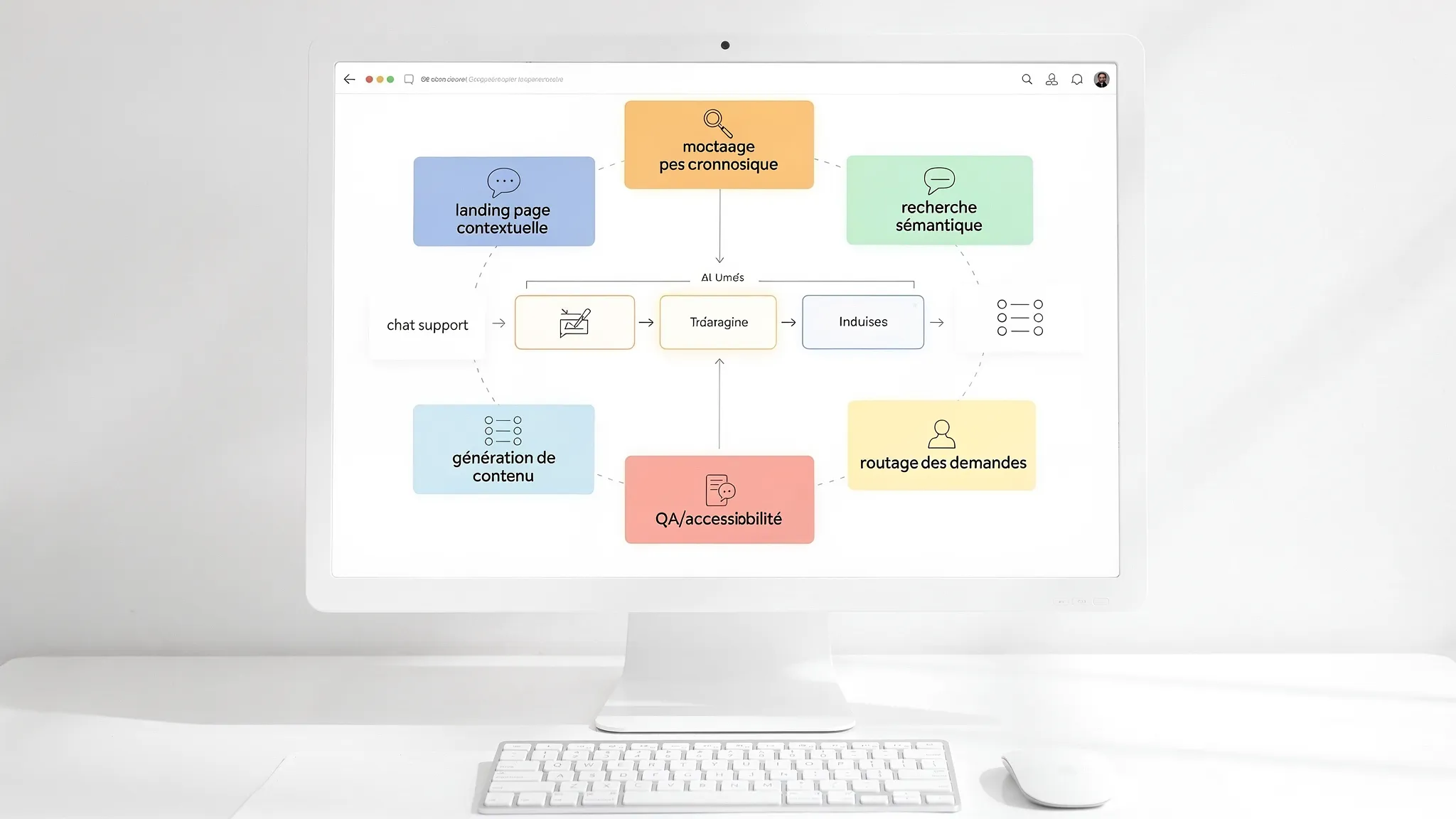
Many websites "do the job" but leave value on the table: overly impersonal forms, unusable internal search, aging content, saturated support teams, and product decisions based on poorly exploited data. AI for Web (AI applied to the web) is not just a new layer of gadgets. When implemented well, it is a pragmatic way to increase conversions, productivity, and quality of service, without rebuilding your entire stack.
The goal of this article: 7 concrete use cases that you can integrate into a showcase site, a web platform, or a SaaS, with examples, KPIs to track, and necessary guardrails.
AI for Web in 2026: What are we really talking about?
On the web, AI often takes 3 complementary forms:
Assistants and conversational interfaces (e.g., support, qualification, onboarding).
"Back-office" automation triggered by the site (e.g., request processing, data extraction, routing to CRM/ERP).
1) Support Chat and Self-Service (24/7 support that reduces ticket volume)
What it changes
A well-designed chatbot reduces the support load by absorbing simple requests (hours, status, procedures, resets, FAQ) and by helping the user take the right action (link, step, form). The benefit in 2026: we can combine a documentary base (RAG) and "actions" (e.g., create a ticket, retrieve an order) without sacrificing the experience.
Concrete example
B2C E-commerce: "Where is my order?", "Product return", "Invoice".
B2B SaaS: "How to connect X?", "Change a role", "Understand an error".
The number 1 risk is not the tech, it's the coverage (wanting to answer everything). A good MVP starts with 20 to 50 intents, and progresses by iterating.
2) "Intelligent" Landing Page (qualification and conversion based on context)
What it changes
On a landing page, AI can adapt the messaging and the journey according to the context: traffic source, page viewed, sector, company size, and visitor responses. We are not talking about "cosmetic personalization", but about friction reduction: answering objections, guiding towards the right offer, pre-qualifying before the call.
Concrete example
Google traffic on "price": answer pricing, packaging, and comparison questions first.
Outbound campaign towards a specific ICP: playbook oriented towards use cases and objections of that segment.
KPIs to track
Visit → lead conversion.
Appointment booking rate.
Qualification rate (MQL/SQL according to your process).
Time to first useful contact.
Points of vigilance
GDPR guardrails are essential: minimization, transparency, consent if necessary. On the "LLM" security side, aligning with best practices like the OWASP Top 10 for LLM Applications is a good starting point.
3) Internal Semantic Search (and direct answer) on site or platform
What it changes
Classic internal search fails as soon as you stray from the "exact match". With semantic search, your users find content even if they don't use the right vocabulary, and you can offer a synthetic answer (with sources) rather than a list of links.
This is particularly profitable when you have: product documentation, help center, catalog, blog, internal knowledge base, client area.
Concrete example
Client portal: "How to retrieve my monthly export?" → answer + links to the doc.
Marketplace: "tool for micro-enterprise invoicing" → relevant results, even without perfect tags.
KPIs to track
"Zero result" rate.
Click-through rate after search.
Time to find info.
Support deflection (searches that avoid a ticket).
4) Assisted Content Generation and Updates (without sacrificing SEO)
What it changes
AI can accelerate web content production, but the goal is not to "write more". It is to write better and keep up to date: FAQs, help pages, feature descriptions, variations by segment, conversion-oriented reformulations.
To remain effective (and avoid generic content), the most robust approach is:
Templates (structure, tone, proof, limits).
Sources (your docs, your pages, your data), ideally via RAG.
Human validation on sensitive pages.
KPIs to track
Production time per page.
SEO performance (impressions, CTR, positions), and associated conversion.
Update rate (pages revised per quarter).
Points of vigilance
AI must not invent. For regulated sectors, proofreading and traceability are non-negotiable. For SEO fundamentals, you can also review the glossary: SEO (Search Engine Optimization).
5) Form Enrichment and Automatic Request Sorting ("Intelligent" Routing)
What it changes
Many teams lose a huge amount of time on: "is this lead worth it?", "which department is this for?", "who should answer?". AI can analyze a request entering through the site (form, email, chat), extract key information, detect the intent, and route to the right channel (sales, support, partnership, recruitment).
This isn't necessarily "predictive lead scoring". It is often a simpler and very profitable step: classification + enrichment + routing rules.
"Generic contact": automatic qualification and structured initial response.
KPIs to track
Average time to first response.
Rate of misrouted requests.
Lead → appointment conversion rate.
Points of vigilance
If you send the analysis to a CRM, pay attention to data quality and consent. To frame your practices, the CNIL publishes useful resources on AI and personal data.
Useful personalization isn't changing a title. It's proposing the right path: which use case, which next page, which content, which entry offer. AI can fuel this logic based on simple signals: pages viewed, category, answers to a mini-quiz, company size, maturity.
The benefit is particularly clear for B2B sites with multiple targets: executives, ops, IT, finance.
KPIs to track
Click-through rate to "money" pages (demo, pricing, contact).
Activation rate (if SaaS).
Bounce rate on landing pages.
Points of vigilance
Two simple rules avoid 80% of slip-ups:
Personalize first with first-party signals and explicit ones.
Add "guardrails": no unverified promises, no sensitive inference (health, opinions, etc.).
7) AI-Assisted QA and Web Compliance (accessibility, content, risks)
What it changes
On a site that evolves quickly, regressions are inevitable: inaccessible components, vague labels, broken forms, inconsistent content. AI can help automate part of the continuous QA:
Where to Start (Without an "Overly Complex Project")
If you are an SME or a scale-up, the best starting point is rarely an "autonomous agent". It is rather a measurable web use case, with a controlled scope.
Is AI for Web just adding a chatbot to my site? No. The chatbot is a frequent use case, but AI for Web also covers semantic search, intelligent request routing, journey personalization, content production assistance, and QA/compliance.
Can we do AI on a site without exposing sensitive data? Yes, if the architecture is thought out "privacy by design": minimization of sent data, pseudonymization, PII filtering, choice of model and hosting mode, retention policy, and controlled logs.
Which use case is the most profitable first for an SME? Often, (1) self-service support and/or (2) qualification on a landing page, because the impact is direct on operational cost and revenue. But the right choice depends on your actual bottleneck.
Is a RAG necessarily required? No. If the AI needs to act mainly in classification, reformulation, field extraction, or generation from structured data, a RAG is not always necessary. It becomes key when you need to answer with your documents and cite sources.
How to avoid hallucinations on a public site? By limiting the scope, using sources (RAG) with citations, adding guardrails (refusal, human escalation), and regularly evaluating quality. Conversational design matters as much as the model.
Moving from Idea to Measurable Web Usage
Impulse Lab accompanies SMEs and scale-ups on AI for Web projects via opportunity audits, adoption training, and the development of custom solutions (automation, integrations, web and AI platforms).
If you want to identify the best 1 to 3 use cases for your site, secure compliance, and deliver a V1 quickly, you can contact the team via impulselab.ai.
Personalizing Customer Education with Artificial Intelligence
AI in customer education goes beyond school settings to help users master products. Discover how to personalize onboarding, boost user autonomy, and build reliable learning paths.