Custom AI Agent: When Standard Solutions Are No Longer Enough
Intelligence artificielle
Stratégie IA
Outils IA
Productivité
Automatisation
"Off-the-shelf" AI tools have made automation accessible. A generic assistant can summarize, rewrite, or brainstorm. But when AI needs to understand your business rules, handle your data, or interact with your tools, standard solutions fall short. Discover when to build a custom AI agent.
"Off-the-shelf" AI tools have made automation accessible. A generic assistant can summarize a document, rephrase an email, or help brainstorm. For many teams, this is already useful. But as soon as AI needs to understand your business rules, manipulate your data, interact with your software, and produce a reliable result in a critical process, standard solutions quickly show their limits.
This is where a custom AI agent becomes relevant. Not because it's more "spectacular", but because it is designed for your operational context: your workflows, your security constraints, your tools, your exceptions, your performance indicators, and your users.
For a growing SME or a scale-up looking to increase productivity without piling up tools, the real question is no longer "do we need AI?". The question is rather: at what point is a standard solution no longer enough, and how do you scope a custom agent without overinvesting?
What we really mean by a custom AI agent
An AI agent is not just a chatbot with a pretty interface. It is a system capable of receiving an objective, analyzing information, deciding on the steps to follow, and, in some cases, acting via connected tools. If you want to lay the groundwork, defining an AI agent as an autonomous system makes a clear distinction between a conversational assistant and an agent capable of executing tasks.
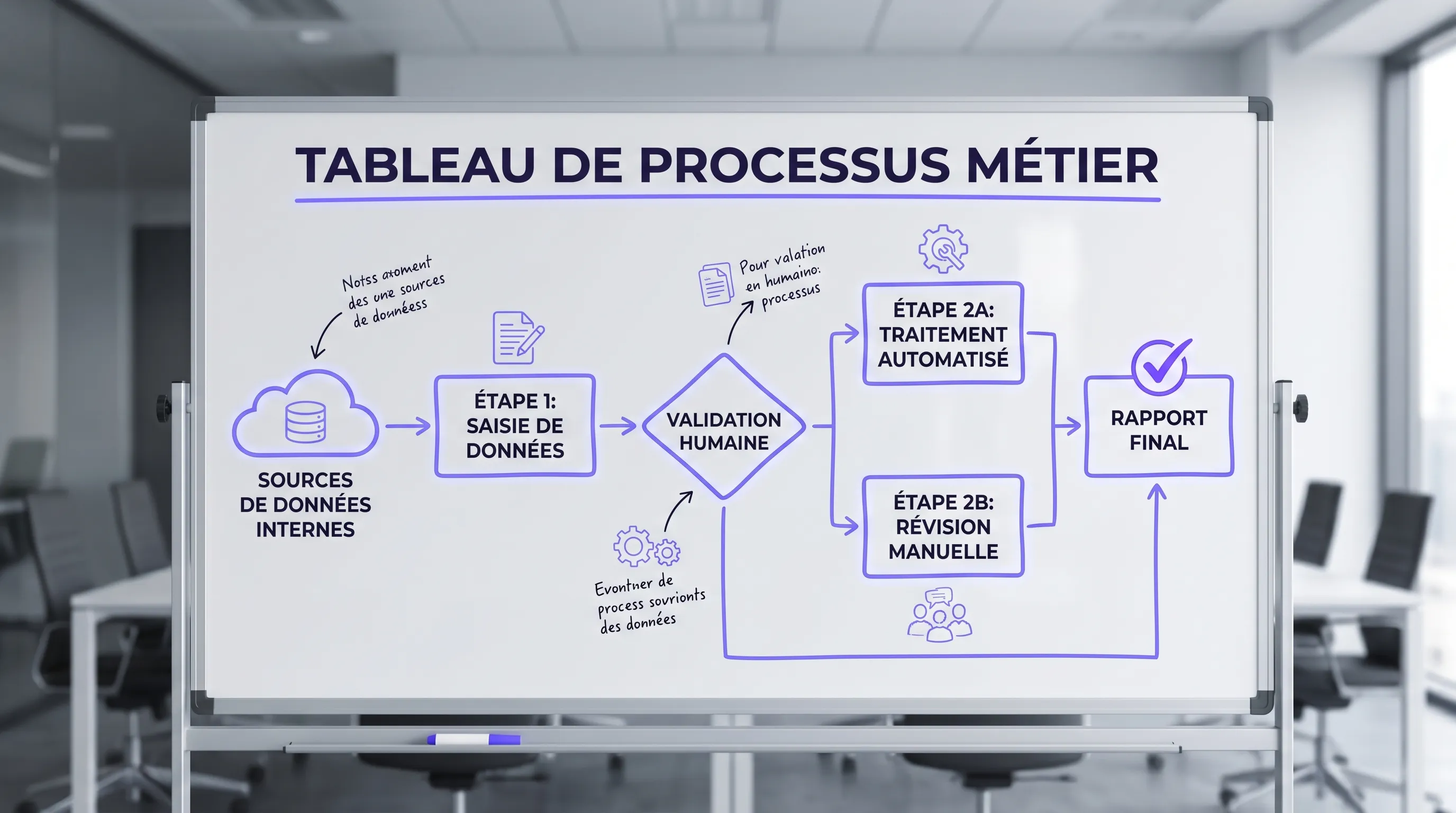
A custom AI agent adds an essential layer: it is tailored to a specific organization. For example, it can consult your CRM, read internal documents, apply your validation rules, generate a contextualized response, create a task in your project management tool, and then request human validation before sending.
The difference from a standard solution rarely lies in the AI model itself. It mainly lies in the orchestration: what data is accessible, what actions are authorized, what rules are applied, what controls are in place, and how users actually work.
Criterion
Standard AI Tool
Custom AI Agent
Data
Often limited to imported files or available connectors
Connected to relevant internal sources, with access rules
Process
Works on generic cases
Follows your workflows, exceptions, and validation levels
Actions
Responses, summaries, suggestions, sometimes simple automations
Controlled execution within your business tools
Governance
Standardized parameters
Tailored logging, rights, guardrails, and supervision
Value
Individual or one-off gain
Measurable gain on a recurring process
Signs that standard solutions are no longer enough
Standard tools are excellent for getting started. They allow you to test use cases, train teams, and identify low-value-added tasks. But certain signals indicate that a more personalized approach is becoming necessary.
The first sign is repetition. If your teams are asking the AI every week to process the same type of file, with the same rules, the same documents, and the same verifications, you no longer just need an assistant. You need a system that industrializes this processing.
The second sign is the dispersion of information. A sales rep has to open the CRM, read emails, check Notion or Google Drive, review a contract, and then update an opportunity. A standard tool can help draft a message, but it doesn't always understand the full context or the sequence of actions.
The third sign is the need for reliability. The more a decision has a customer, financial, legal, or operational impact, the more you need to control what the agent sees, does, and tracks. The recommendations of the NIST AI Risk Management Framework also serve as a reminder of the importance of governance, measurement, and risk management in AI systems.
The fourth sign is integration. If your team is copy-pasting information between multiple applications to compensate for the limitations of an AI tool, the automation is incomplete. Real time-saving happens when the agent can interact with the right tools, at the right time, under the right permissions.
When it's better to stick with a standard solution
A custom AI agent is not always the right choice. In fact, it's a common mistake to want to customize too early, before having identified a solid use case. A standard solution remains preferable if the need is occasional, low-sensitivity, non-repetitive, or poorly understood.
For example, if your teams simply want to improve email drafting, generate ideas for LinkedIn posts, or summarize meeting minutes, a standard tool can be more than enough. It is quick to deploy, cheaper to test, and useful for developing an AI culture.
Customization becomes interesting when the value depends on your proprietary context. If the expected result relies on your internal data, your business rules, your existing tools, or recurring execution at scale, a generic solution is likely to plateau.
Situation
Generally Relevant Choice
Individual need, non-critical, low repetition
Standard AI Tool
Exploring ideas or simple drafting
Standard AI Tool
Recurring process with internal data
Custom AI Agent
Decision requiring traceability and validation
Custom AI Agent
Automation across multiple business tools
Custom AI Agent
Use cases where a custom agent creates the most value
A good use case is not just "doable with AI". It must be frequent, measurable, sufficiently scoped, and connected to a real pain point. For a company starting to scale, the best topics are often those that are already slowing teams down on a daily basis.
On the customer support side, an agent can prepare responses based on the knowledge base, customer context, and ticket history. It can classify requests, detect emergencies, propose a resolution, and escalate sensitive cases to a human.
On the sales side, it can enrich a lead, summarize past interactions, prepare a pre-meeting memo, generate a personalized proposal, and update the CRM after validation. The gain is not just drafting time. It's the reduction of oversights and the standardization of a quality level.
On the operations side, an agent can review files, reconcile information across tools, detect anomalies, prepare reports, or orchestrate internal validations. In finance, HR, or legal functions, caution is more important, but the potential is high when rules are explicit and validations are well-defined.
On the internal knowledge side, an agent can become a reliable interface to procedures, contracts, templates, internal policies, and project documents. For this type of need, retrieval-augmented generation (RAG) architectures are central. If your use case is conversational, the article on the advanced conversational agent with RAG, tool-calling, and metrics details the technical building blocks you need to know.
What to scope before developing
The trap is starting with the technology. The right starting point is the process. Before choosing a model, a vector database, or an interface, you must answer very concrete questions: who uses the agent, in what situation, with what data, to produce what deliverable, with what level of control?
A serious scoping phase must clarify at least the following elements:
The expected result, for example, a customer response, an analysis, a CRM update, or a pre-filled file.
The sources of truth, such as the CRM, ERP, internal documents, support tickets, or knowledge bases.
The authorized actions, for example, read, propose, modify, create a task, or send after validation.
The business rules, notably exceptions, thresholds, tone constraints, compliance, or confidentiality.
The success metrics, such as time saved, resolution rate, perceived quality, error rate, or processing time.
This phase avoids building an attractive demonstrator that is unusable in production. It also helps decide if a full agent is necessary or if a simpler automation is enough. On this point, the criteria for deciding on custom AI development help to rationally arbitrate between a standard tool, lightweight integration, and specific development.
What the architecture of a custom AI agent looks like
The architecture depends on the use case, but certain building blocks often recur. The language model is the visible part, but it is not enough. A robust agent generally combines an orchestrator, connectors, an information retrieval system, permissions, guardrails, and a monitoring layer.
The orchestrator decides the steps: understand the request, search for information, call a tool, produce a response, verify a format, request validation. Connectors allow interaction with existing software, such as the CRM, ticketing tool, messaging app, document base, or ERP.
Information retrieval allows the agent to rely on internal sources rather than generic knowledge. This is essential to limit approximate answers. Guardrails define what the agent must not do, the cases where it must ask for confirmation, and the information it must never expose.
Finally, supervision allows you to observe performance. Without logs, tests, metrics, and user feedback, you don't know if the agent is actually improving the process. The challenge is not just to put it online, but to make it progress with use.
Security, data, and compliance: the non-negotiables
As soon as an agent processes customer data, employee data, or internal documents, security becomes a design topic, not a final option. You must define access rights, retention periods, execution trails, human validations, and autonomy limits.
In France and Europe, GDPR compliance requires, among other things, mastering the purposes of processing, the data used, and the rights of the individuals concerned. The CNIL offers resources on artificial intelligence that are useful for understanding data protection issues in AI projects.
For an SME or a scale-up, the right level of governance doesn't need to be bureaucratic. It must be proportionate to the risk. An agent that rewrites marketing content does not require the same controls as an agent that prepares contractual responses or handles financial information.
How to deploy without getting stuck in a development tunnel
A custom AI agent must be delivered progressively. The best projects avoid rigid six-month specifications and favor a short, testable, and measurable trajectory.
The first step is the opportunity audit. It serves to identify high-potential processes, estimate feasibility, spot risks, and choose an initial use case. The goal is not to list all possible AI ideas, but to select the one that can quickly prove its value.
The second step is the controlled prototype. It validates the logic, data sources, user experience, and initial metrics. At this stage, you must accept that not everything will be automated. An agent that prepares 80% of the work and leaves 20% to a human can already create a major gain.
The third step is the move to production. This is often where weak projects fail, because you have to manage rights, errors, edge cases, tool integration, user feedback, and change management. AI does not create value if it remains disconnected from the business process.
At Impulse Lab, the benefit of an approach combining AI audits, web and AI platform development, process automation, integration with existing tools, and training is precisely to link strategy to operational deployment. For a growing company, this continuity avoids multiplying points of contact across scoping, development, and adoption.
Measuring the ROI of a custom AI agent
Return on investment should not be evaluated solely on development costs. Above all, you must measure what the process costs today and what the agent helps reduce or improve.
The most useful metrics are often simple: average processing time, monthly volume, error rate, response time, human intervention rate, user satisfaction, conversion rate, or cost per file. The choice depends on the use case.
A starting formula can be as follows:
Element
Example Question to Ask
Volume
How many times does the process occur per month?
Time
How many minutes are required today?
Cost
What is the average hourly cost of the people involved?
Quality
What errors or delays have a business impact?
Adoption
How many users will actually use the agent?
The ROI becomes clear when a process is frequent and the agent reduces a measurable workload. Conversely, a rare, vague, or politically attractive but rarely used use case will rarely yield a good return.
Common mistakes to avoid
The first mistake is confusing demonstration with production. A demo can impress in five minutes, but a useful agent must handle imperfect data, exceptions, permissions, interruptions, errors, and rushed users.
The second mistake is wanting to automate everything. In many cases, the best design includes human validation. The goal is not to remove humans from the process at all costs, but to spare them repetitive tasks and focus their attention on important decisions.
The third mistake is forgetting adoption. If the agent does not integrate into working habits, teams will revert to their old reflexes. Training, documentation, and the involvement of key users are therefore just as important as the technology.
The fourth mistake is underestimating maintenance. Documents change, rules evolve, tools are updated, and teams discover new edge cases. A custom AI agent must be thought of as a living product, not as a script delivered once and for all.
Should you build now or wait?
Waiting can be rational if your organization does not yet have stabilized processes, if your data is unusable, or if the need is not a priority. But waiting too long can also create operational debt. Teams get used to tinkering with scattered tools, data becomes fragmented, and competitors learn faster.
The right compromise is to start small, but seriously. Choose a real process, measure the existing setup, involve users, connect the right sources, and define a reasonable level of autonomy. A well-scoped first agent is better than an ambitious but abstract AI strategy.
FAQ
What is a custom AI agent? A custom AI agent is a system designed to execute or assist with tasks in a specific business context. It relies on your data, your rules, your tools, and your constraints, unlike a generic tool designed for broad use cases.
What is the difference between a chatbot and an AI agent? A chatbot primarily answers questions or converses with a user. An AI agent can go further: search for information, call tools, follow a workflow, prepare an action, and sometimes execute it with oversight.
When does custom development become profitable? It becomes relevant when the process is frequent, costly, measurable, and depends on internal data or rules. If the need is occasional or non-critical, a standard solution is often sufficient.
Can a custom AI agent connect to our existing tools? Yes, that is actually one of its main benefits. Depending on the case, it can be connected to a CRM, a ticketing tool, a document base, an ERP, or other software, with appropriate permissions and controls.
Should the process be fully automated? Not necessarily. In many cases, the best model is semi-automated: the agent prepares, verifies, or recommends, and then a human validates sensitive actions.
Moving from standard to a truly useful agent
If your teams are already using AI but remain blocked by copy-pasting, integration limits, or a lack of reliability, it might be time to scope a custom AI agent. The challenge is not to create a decorative innovation, but an operational tool that reduces a real workload and integrates into the way you work.
Impulse Lab supports companies in auditing AI opportunities, designing custom web and AI solutions, automating processes, integrating with existing tools, and training teams. To transform a promising use case into an adopted solution, start by identifying the process where standard tools are no longer enough and where a custom agent can create a measurable advantage.
AI Services: Audit, Integration, or Custom Development?
Choosing an **AI service** isn't about buying the latest tech. For an SME, scale-up, or growing business, the right choice hinges on three questions: is your problem well-defined, can your current tools connect, and does the expected ROI justify custom work?