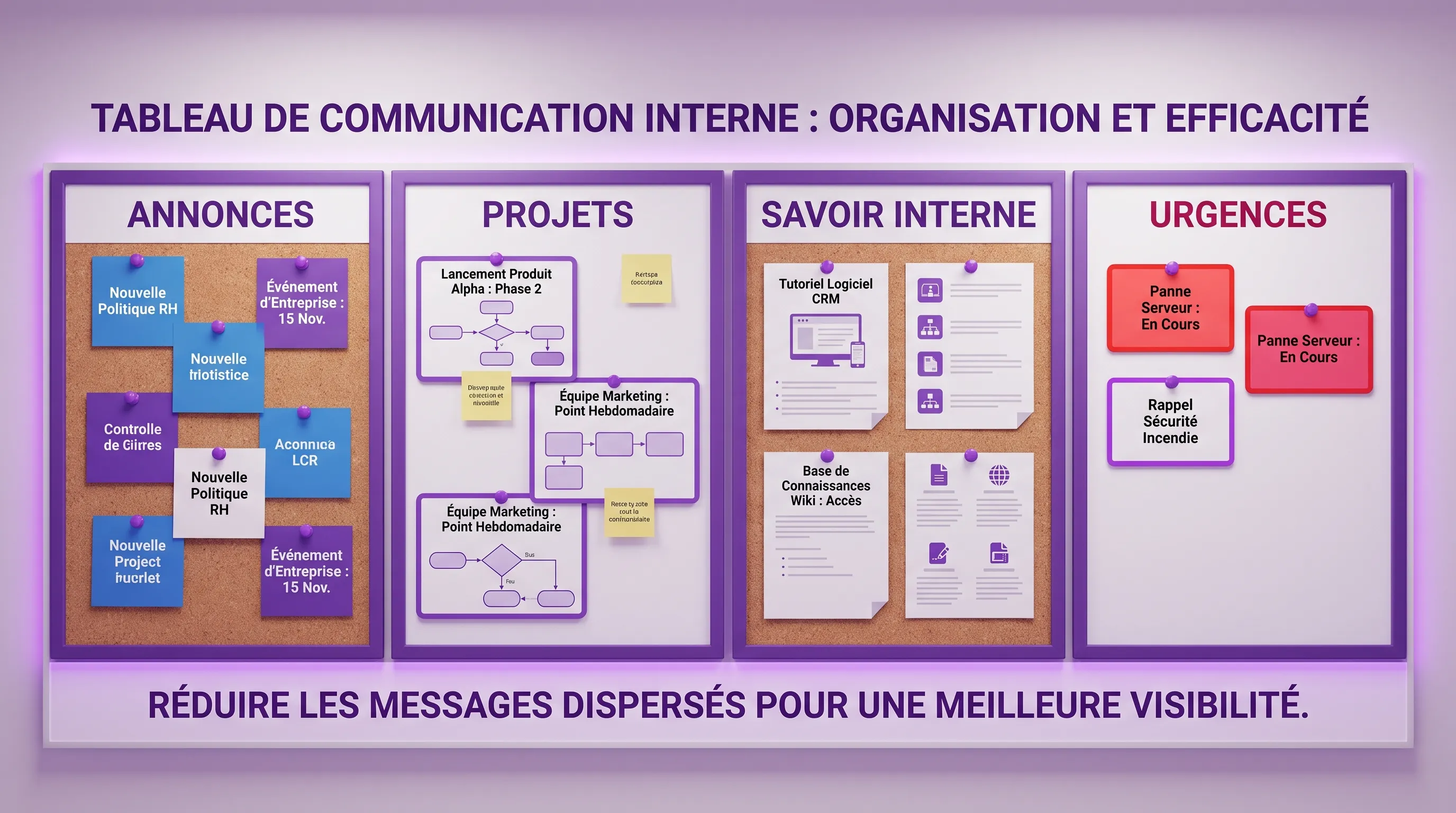
Noise in internal communication doesn't just come from message volume. It mostly stems from a lack of clear rules: deep topics discussed in chat, decisions lost in threads, HR info emailed then requested three times, or project statuses...
July 04, 2026·14 min read
Noise in internal communication doesn't just come from message volume. It mostly stems from a lack of clear rules: a substantive topic handled in a chat, a decision lost in a discussion thread, HR information sent by email then requested three times, a project status shared in a meeting when it could live in a board.
For a growing SME or a structuring scale-up, the issue is therefore not to "communicate more". It is to create a system where everyone knows where to find information, where to ask a question, where to decide, and where to track progress.
Internal communication tools that truly reduce noise have one thing in common: they don't replace management, they make rules visible. Here is how to choose and combine them without turning your daily life into a notification factory.
What we call "noise" in internal communication
Noise is anything that consumes attention without producing clarity. It can take several forms: useless notifications, duplicates between tools, sync meetings that repeat what is already written, messages without an owner, unfindable documents, unformalized decisions.
In its Work Trend Index 2023, Microsoft speaks of "digital debt" to describe the accumulation of messages, meetings, and information that weighs on the ability to concentrate. The problem is particularly visible in growing teams, because what worked for 10 people quickly becomes chaotic at 30, 80, or 200.
Before choosing a tool, identify the dominant noise in your organization. A company drowning in Slack messages doesn't have the same problem as a company where information stays in managers' heads. A hybrid team doesn't have the same needs as a field team. A hyper-growth scale-up doesn't have the same constraints as a stable SME.
We can summarize the main types of noise as follows:
Type of noise
Visible symptom
Frequent cause
Target objective
Notification noise
Everything seems urgent
Too many channels and mentions
Distinguish urgent, important, and informative
Documentary noise
Info is repeatedly requested
Scattered or obsolete documents
Create a reliable source of truth
Project noise
No one knows where things stand
Statuses shared orally
Make progress visible without meetings
Decision noise
Trade-offs get lost
Decisions drowned in conversations
Formalize decisions and their context
Managerial noise
Messages vary by team
No common ritual
Harmonize channels and formats
1. Instant messaging, useful if it stays in its place
Slack, Microsoft Teams, or Google Chat can reduce noise when they replace quick exchanges that are not meant to last. They are effective for coordinating immediate action, asking a short question, reporting a blocker, or maintaining social ties in a distributed team.
But instant messaging quickly becomes the main noise generator when it is used for everything: announcing a strategic decision, documenting a process, tracking a project, validating an HR request, sharing critical files. In this case, the tool itself is not the problem. Its scope is too broad.
The simple rule: chat is used to move a conversation forward, not to store the company's memory.
To reduce notifications, each channel should have an explicit intention. For example, a "customer-support-alerts" channel should not host general product discussions. A "management-announcements" channel should not become a permanent comment space. A "sales-team" channel should not be the only place where important commercial decisions are found.
In structuring companies, internal messaging benefits from being organized around a few conventions: consistent channel naming, mention rules, expected response times, limited use of private messages for team topics, regular archiving of dead channels.
2. The knowledge base, the tool that absorbs repetitive questions
An internal knowledge base, like Notion, Confluence, Slite, SharePoint, or a custom platform, reduces noise because it transforms repeated answers into searchable information.
It is often the best investment when teams always ask the same questions: how to request time off, how to create a quote, what is the latest pricing grid, what are the onboarding steps, where is the presentation template, what is the legal validation process.
The knowledge base must be thought of as an internal product, not as a document attic. If everyone can drop anything in it without structure, it will become a new noise. For it to work, every important page must have an owner, a last updated date, and a clear place in the tree structure.
The goal is not to document everything. It is to document what prevents interruptions, errors, or unnecessary dependencies. A good internal base answers three questions: "how do we do it?", "who decides?", and "where is the reliable version?".
For an SME, start with the processes that generate the most messages. For a scale-up, gradually add operating rules by department. For a fast-growing company, link the knowledge base to onboarding so that every new employee adopts the right habits from the start.
3. The project management tool, to get statuses out of the chat
A lot of noise comes from a confusion between communication and management. When the progress of a project lives solely in messages, teams constantly have to ask: "where are we at?", "who is taking over?", "what's blocking?".
A tool like Asana, ClickUp, Trello, Jira, Linear, Monday, or Basecamp can reduce this noise by making work visible. But again, the tool is only useful if the rules are clear. A poorly maintained project board becomes a decoration. A well-maintained project board replaces a portion of status meetings.
The simple rule: an active project must have a single tracking space. Conversations can take place in the chat, but tasks, owners, deadlines, and decisions must be reflected in the project tool.
This reduces cognitive load in two ways. First, anyone can check the project status without interrupting a colleague. Second, meetings become more useful because they focus on trade-offs and blockers, not on reading a task list out loud.
The right indicator is not the number of tasks created. It is the number of status questions that disappear.
4. The intranet or announcement channel, to avoid scattering important messages
Top-down communications—strategy, HR, finance, company life, organizational changes—should not depend on the chance of a Slack thread or a buried email. A modern intranet, a Notion homepage, a SharePoint space, or a well-governed announcement channel allows important messages to be centralized.
The difference with a knowledge base is subtle but essential. The knowledge base meets a lasting need. The intranet or announcement space is used to broadcast dated, contextualized information, often linked to a specific moment in the company's life.
To reduce noise, this space must avoid two traps: publishing too often and publishing without hierarchy. If everything is "important", nothing is anymore. A clear rhythm, for example, a weekly internal newsletter or a structured monthly update, is better than a succession of random announcements.
A simple format works well: what is changing, why it is changing, who is affected, when it applies, where to find the details, who to contact in case of questions. This structure reduces scattered reactions and avoids contradictory interpretations.
5. Async video, to replace certain meetings without losing context
Loom, Claap, Tella, or the video features integrated into certain collaborative suites can be very effective in reducing meeting-related noise. A short asynchronous video allows you to explain context, comment on a mockup, present an analysis, or convey a decision without blocking eight calendars.
Async video is particularly useful when writing would be too long, but a meeting is not necessary. It preserves intonation, shows reasoning, and lets everyone consult the message at the right time.
It must not become a new uncontrolled feed. A useful video is short, clearly titled, and attached to a lasting space: a project task, a documentation page, a decision, a meeting report. Otherwise, it produces the same problem as chat, but in video format.
For hybrid or remote teams, it is often a good compromise between presence and autonomy. The key point remains the same: the video explains, but the final decision must be written somewhere.
6. Automations and AI, to filter, summarize, and route
AI can reduce internal noise, but only if it relies on reliable rules and sources. An assistant that summarizes a confusing discussion thread does not solve the underlying problem if no one knows where to formalize the decision. On the other hand, AI becomes useful when it helps sort, consolidate, or route information.
The most relevant use cases are often simple: summarizing the key points of a meeting, extracting decisions from an exchange, suggesting an answer from the knowledge base, flagging documentary duplicates, routing a request to the right team, transforming a recurring message into a procedure.
For an SME or scale-up, the challenge is rarely to replace all existing tools. It is rather to connect the right tools together. For example, a request made in a channel can automatically create a task, enrich a knowledge base, or trigger a targeted notification to the right person.
This is where custom solutions can become relevant. When your processes are specific, a lightweight integration between your existing tools can produce more value than a new generalist tool. The important thing is to start from the actual workflow, not the technology.
The simple matrix to choose the right tool according to the noise to reduce
To avoid abstract debates, start from the observed noise then associate it with a tool and a usage rule. It is this combination that creates clarity.
Noise to reduce
Suitable tool
Usage rule
Good success signal
Too many repetitive questions
Knowledge base
Any recurring answer becomes a page
Fewer identical requests in the chat
Too many status meetings
Project management
Every active project has an up-to-date board
Shorter meetings focused on blockers
Too many scattered announcements
Intranet or official channel
Company information goes through an identified space
Less "I didn't know"
Too many urgent messages
Structured messaging
Mentions and alert channels are limited
Fewer off-topic notifications
Too many manual reports
AI or automation
Summaries are linked to decisions and tasks
Less copy-pasting between tools
Too many duplicates between teams
Channel mapping
One primary use per tool
Fewer parallel discussions on the same topic
This matrix shows one important thing: tools are not interchangeable. A chat is not a document base. A document base is not a management tool. An intranet is not an operational debate space. When these roles mix, the noise returns.
There is no universal stack, but there is a sound logic. A growing company can often operate with four well-configured building blocks: instant messaging for quick exchanges, a knowledge base for memory, a project tool for execution, an official channel for announcements.
The rest must be justified by a specific need. Adding an async video tool can be useful if meetings saturate calendars. Adding an AI layer can be relevant if you already have enough structured information to leverage it. Developing a custom platform can be justified if your internal processes do not fit properly into standard tools.
The classic trap is to choose an "all-in-one" tool hoping it will solve governance problems. This can work in some organizations, but only if the usages are well defined. Otherwise, the all-in-one simply becomes a single place where everything is mixed.
Conversely, multiplying specialized tools can be effective in a mature organization, but dangerous in a team that has not yet clarified its rules. The more tools there are, the more the coordination effort increases.
The right question is therefore not "what is the best tool?". It is "what is the smallest system capable of making our communication readable?". For a broader comparison of market solutions, you can consult this guide on which internal communication tool to choose in 2026.
The rules that reduce noise more than features
Features matter, but usage rules matter more. A disciplined team with simple tools often communicates better than a disorganized team with a sophisticated stack.
Here are the most effective rules to formalize:
An official channel for important announcements, with a predictable rhythm.
A source of truth for every critical process.
A single tracking space for every active project.
Mention rules to distinguish information, action, and urgency.
An important decision must be written, dated, and attached to its context.
Private messages must not contain information necessary for the whole team.
These rules can fit on one page. They must be simple, visible, and reiterated during onboarding. The goal is not to create a tool police, but to make collaboration more comfortable.
A good rule is a rule that the team can apply even under pressure. If it requires too much effort, it will be bypassed. If it immediately reduces interruptions, it will be adopted.
How to deploy without creating an endless construction site
A good deployment starts with a short diagnosis. For one to two weeks, observe where the noise originates: which messages come up often, which meetings could be replaced by written tracking, which decisions get lost, which documents are unfindable, which channels generate the most confusion.
Next, choose a pilot scope. There is no need to overhaul all internal communication at once. A product team, a sales team, or an onboarding journey is enough to test your rules. Measure the concrete effects: fewer status meetings, reduction in repeated questions, better traceability of decisions, clearer response times.
After the pilot, standardize what works. Create templates: process page template, meeting report template, project channel template, internal announcement template. Templates reduce noise because they prevent each team from reinventing its way of communicating.
Finally, support adoption. A short internal training is better than a long ignored document. Managers must lead by example: do not answer a recurring question only in the chat, but redirect to the source page; do not launch a status meeting if the project board is not up to date; do not announce strategic information in an informal channel.
The mistakes that recreate noise despite good tools
The first mistake is to confuse transparency with over-broadcasting. Not everyone needs to receive everything. Effective transparency consists of making information accessible, not notifying the entire company at every update.
The second mistake is documenting without maintaining. An obsolete knowledge base is worse than no documentation, because it gives a false impression of reliability. If a page has no owner, it will age poorly.
The third mistake is automating too early. Automating a vague process accelerates confusion. Before adding AI or integrations, clarify the inputs, outputs, owners, and exceptions.
The fourth mistake is letting each team choose its tools without a common framework. Autonomy is useful, but it must fit into a shared architecture. Otherwise, silos multiply and new employees no longer know where to look.
Frequently asked questions
Which internal communication tools reduce noise the most? The most effective are the knowledge base, the project management tool, structured messaging, the intranet or official announcement channel, async video, and targeted automations. Their impact depends mostly on the clarity of usage rules.
Should we replace email with Slack or Teams? Not necessarily. Email remains useful for certain formal or external communications. Slack or Teams are better suited for quick exchanges. The real issue is defining what goes into each channel, not eliminating a tool on principle.
How to prevent the knowledge base from becoming noisy itself? You must limit duplicates, appoint page owners, date updates, and organize content around actual usages. A knowledge base must answer frequently asked questions, not store all company documents.
Can AI really improve internal communication? Yes, if it relies on reliable information and clear processes. It can summarize, route, extract decisions, or automate certain tasks. However, it does not compensate for a lack of governance.
What is the best starting point for an SME? Start with the most visible irritants: repetitive questions, status meetings, lost decisions, or unfindable documents. Choose a pilot scope, define the rules, then gradually expand.
Reducing noise means designing a work system
Internal communication tools do not reduce noise because they are modern. They reduce it when they give every piece of information a clear place: conversation, decision, documentation, announcement, or action.
For a structuring company, the right goal is not to add yet another software layer. It is to build a simple, adopted, and measurable system. If you want to identify automation opportunities, clarify your internal workflows, or develop a solution tailored to your processes, Impulse Lab supports companies with AI audits, integrations, custom web and AI platforms, as well as adoption training.